


Anime AI Generator vs Cartoon AI Generator
Side-by-side comparison of features, pricing, ratings, and alternatives.

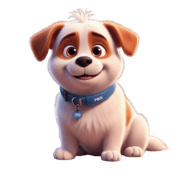
Anime AI Generator is a web-based creative tool that transforms text prompts into anime-style images and short video clips. It offers 15 curated anime art styles, multiple AI models, and a Creator subscription with HD watermark-free output and commercial usage rights.
Cartoon AI Generator is a web-based AI tool that transforms text descriptions into custom cartoon images. It is inspired by Pixar, Disney classics, and movie poster aesthetics, and is aimed at creators who need quick cartoon visuals for stories, games, dreams, and thematic activities.
1 free image; 15 anime art styles; standard quality with watermark; personal non-commercial use only.
The only pricing information available is that the tool has a free quota, defaulting to 1 free quota. No other prices or plan names are mentioned.
- Fast generation: images in ~5 seconds, video in ~60 seconds
- 15 curated anime art styles
- No design skills or software installation needed
- Commercial usage rights and watermark-free HD on Creator plans
- Simple text-to-cartoon workflow
- Inspired by popular Pixar/Disney visual styles
- Useful for storytellers, game developers, and event planners
- Prompt database helps users create better prompts
- Free tier is limited to 1 image
- Video generation consumes many credits
- Results depend heavily on prompt quality
- Only 1 free generation per user; paid credits required beyond that
- No refunds due to image processing costs
- Photo-to-cartoon feature is not available yet
- Website is only available in English
More alternatives & similar tools
Alternatives to Anime AI Generator
View all →

Alternatives to Cartoon AI Generator
View all →
The Verdict
AI-generated from listing dataAnime AI Generator offers faster image creation and video capabilities with a free tier, while Cartoon AI Generator focuses on Pixar‑style cartoons but limits free use to one image.
Key differences
- •Image generation speed (Anime ~5 s vs Cartoon 15‑20 s)
- •Video generation available only in Anime AI
- •Number of free outputs (Anime 1 image, Cartoon 1 generation)
- •Art style focus (Anime’s 15 anime styles vs Cartoon’s Pixar/Disney style)
- •Commercial usage rights (Anime on Creator plan, Cartoon not specified)
Pricing & value
Anime provides a free tier with 1 image and optional Creator plan for HD, watermark‑free, commercial use; Cartoon only mentions a free quota of 1 generation and paid credits beyond.
Ease of use / learning curve
Both require only text input and no software installation; no differences in learning complexity are specified.
Features & depth
Anime includes image‑to‑video, short video clips, storyboard mode, and 15 styles; Cartoon offers only image generation and a prompt database.
Integrations & ecosystem
Neither product lists integrations or ecosystem details; information not specified.
Collaboration
No collaboration features are described for either tool; not specified.
Scalability
Anime provides monthly credits that renew and a Creator plan for higher‑volume use; Cartoon only mentions paid credits without renewal details.
Support, Security & privacy
Neither product provides details on support channels, security, or privacy policies; not specified.
Choose Anime AI Generator if…
Creators needing fast anime images, video clips, or commercial rights, and who may upgrade for higher volume.
Choose Cartoon AI Generator if…
Users who only need a single Pixar‑style cartoon image and prefer a simple, free‑only workflow.
Common questions
Can I use the generated images commercially?
Anime AI allows commercial use on its Creator plan; Cartoon AI does not specify commercial rights.
How long does it take to generate an image?
Anime AI generates images in about 5 seconds; Cartoon AI takes 15–20 seconds per image.
Is video creation possible?
Only Anime AI offers video generation (5‑10 second clips); Cartoon AI does not provide video capabilities.