


Bark vs Qustodio
Side-by-side comparison of features, pricing, ratings, and alternatives.

Bark monitors text messages, emails, and activity on over 30 social platforms, using AI to detect signs of cyberbullying, self‑harm, and inappropriate content. Parents receive real‑time alerts and can set screen‑time limits, filter websites, and track location from a single dashboard. The service offers a free tier for basic monitoring and a premium subscription that adds deeper AI analysis, detailed activity reports, and expanded device coverage. Bark is available on web, iOS, and Android, making it easy for families to stay protected wherever they go.
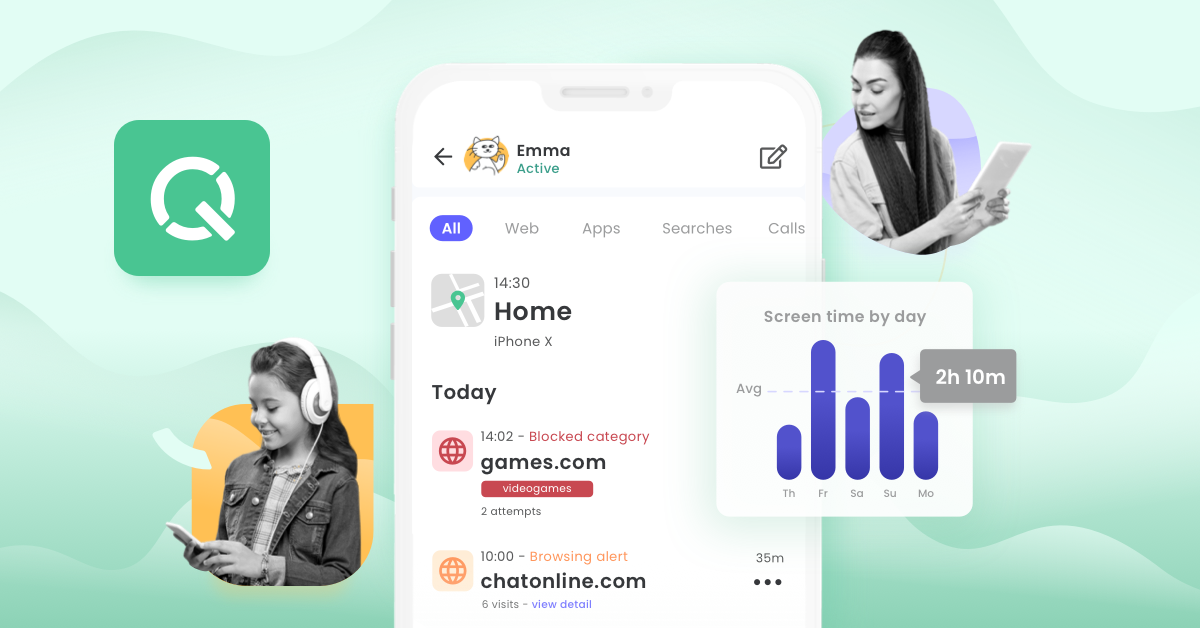
Qustodio is a leading parental control and digital wellbeing application designed to help parents monitor, manage, and secure their children's online activities across multiple devices. Trusted by millions of families, it provides robust tools to establish healthy screen time habits and protect kids from inappropriate content. The platform combines real-time location tracking, web filtering, and app blocking with detailed activity reports to give parents complete visibility and peace of mind. Whether accessed through a dedicated parent dashboard or installed on children's devices, Qustodio simplifies digital parenting in an increasingly connected world.
- Comprehensive AI detection across many platforms
- Easy‑to‑use family dashboard
- Real‑time alerts keep parents informed instantly
- Free tier provides basic protection without cost
- Comprehensive cross-platform device coverage
- Detailed activity reports and insights
- Reliable real-time GPS tracking capabilities
- Customizable web filtering and scheduling tools
- No public API for custom integrations
- Premium subscription required for full feature set
- Limited support for desktop operating systems
- Can be expensive for the full premium feature set
- Tech-savvy children may find ways to bypass restrictions
- Battery drain can increase on mobile monitored devices
More alternatives & similar tools
Alternatives to Bark
View all →

Alternatives to Qustodio
View all →
The Verdict
AI-generated from listing dataBark offers broader AI‑driven safety features and a free tier, while Qustodio provides deeper reporting and a panic button but at higher cost.
Key differences
- •AI‑based content and behavior detection (Bark) vs. manual web filtering and panic button (Qustodio)
- •Free basic tier available (Bark) vs. only paid subscription (Qustodio)
- •Bark includes text, email, and app monitoring; Qustodio focuses on screen time and location
- •Bark lists integrations (Google Family Link, Apple Screen Time); Qustodio lists none
- •Support channels differ: live chat (Bark) vs. email/ticket only (Qustodio)
Pricing & value
Bark provides a free tier and lower‑cost subscription; Qustodio is paid only and noted as potentially expensive.
Ease of use / learning curve
Bark highlights an easy‑to‑use family dashboard and push notifications; Qustodio requires configuring multiple controls.
Features & depth
Qustodio offers detailed daily/weekly reports, panic button, and granular device scheduling not mentioned for Bark.
Integrations & ecosystem
Bark lists specific integrations (Google Family Link, Apple Screen Time); Qustodio lists none.
Support
Bark offers email and live chat; Qustodio only email and support tickets.
Security & privacy
Both are closed‑source, no public API, and do not specify encryption or data handling details.
Choose Bark if…
Parents seeking AI‑driven safety alerts, broader communication monitoring, free basic protection, and live‑chat support.
Choose Qustodio if…
Parents who need extensive activity reporting, panic‑button alerts, and are willing to pay for premium features.
Common questions
Is there a free version of either product?
Bark offers a free tier with basic protection; Qustodio does not have a free option.
Which tool provides AI detection of cyberbullying and risky content?
Bark includes AI‑powered monitoring for cyberbullying, suicidal ideation, and explicit content across many platforms.
Do either products integrate with existing parental‑control ecosystems?
Bark lists integrations with Google Family Link and Apple Screen Time; Qustodio lists no integrations.