


Caricature Maker vs Drawbert
Side-by-side comparison of features, pricing, ratings, and alternatives.
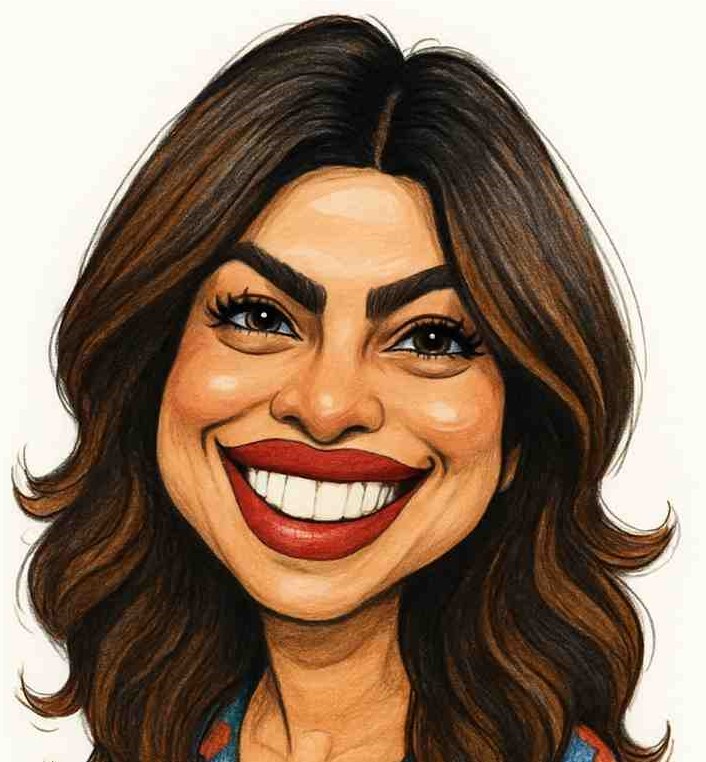
An online AI-powered caricature maker that transforms photos into funny, artistic, high-resolution caricatures in seconds. It focuses on speed, affordability, privacy, and ease of use for personal, professional, and commercial purposes.
Drawbert lets you upload simple photos and instantly receive high‑quality portrait drawings, from individual likenesses to group and couple compositions. Its AI engine also creates pet paintings, Pixar‑style characters, and superhero caricatures, perfect for gifts or personal use. The web‑based service is designed for individuals, families, and pet owners who want fast, affordable, and customizable artwork without any design skills. You can download the results in high resolution and share them directly from the platform.
No explicit pricing or plan names were found on the page.
- Fast instant results
- Affordable one-time pricing
- No design skills needed
- High-resolution images
- Fast, instant generation of high‑quality artwork.
- Wide variety of styles including Pixar and superhero themes.
- No design skills required; fully automated workflow.
- Accessible from any web browser.
- Requires a clear, front-facing photo for best results
- Some users may not like the result and need to re-upload another photo
- No offline version, requires internet connection
- Limited to web platform; no native mobile or desktop apps.
- Advanced style customization is limited compared to professional tools.
- Free tier may include watermarks or usage limits.
More alternatives & similar tools
Alternatives to Caricature Maker
View all →Turn your photos into stunning cartoon art in seconds with 80+ unique AI styles.

Cartoon yourself without the generic AI look — studio-quality, likeness-preserving photo cartoons.
Alternatives to Drawbert
View all →Turn your photos into stunning cartoon art in seconds with 80+ unique AI styles.
Cartoon yourself without the generic AI look — studio-quality, likeness-preserving photo cartoons.
The Verdict
AI-generated from listing dataDrawbert offers a free‑tier web app with many stylized portrait options, while Caricature Maker is a paid one‑time tool focused on simple caricatures and privacy.
Key differences
- •Drawbert provides multiple artistic styles (Pixar, superhero, pet) whereas Caricature Maker offers only caricature styles.
- •Drawbert is freemium with possible watermarks; Caricature Maker requires a one‑time purchase with no ongoing fees.
- •Drawbert’s output can be downloaded as high‑resolution PNG/JPG but may have usage limits; Caricature Maker guarantees high‑resolution downloads with commercial‑use rights.
- •Drawbert runs only in a web browser with no native apps; Caricature Maker also requires internet but emphasizes secure photo deletion.
- •Drawbert offers an API for integration; Caricature Maker does not mention any API or integration capability.
Pricing & value
Drawbert is freemium, allowing free use with possible limits; Caricature Maker requires a one‑time purchase.
Ease of use / learning curve
Both require no design skills and generate results instantly from a photo.
Features & depth
Drawbert includes multiple styles (Pixar, superhero, pet) and adjustable artistic parameters; Caricature Maker offers only caricature styles.
Integrations & ecosystem
Drawbert provides an API; Caricature Maker does not list any integration options.
Support
Drawbert lists email and live chat support; Caricature Maker’s support options are not specified.
Security & privacy
Caricature Maker explicitly deletes photos after generation; Drawbert’s privacy handling is not specified.
Scalability / lock‑in
Drawbert’s API enables broader use cases; Caricature Maker is a single‑purpose web tool with no exportable API.
Choose Caricature Maker if…
Users needing guaranteed privacy, commercial‑use rights, and are willing to pay a one‑time fee for simple caricatures.
Choose Drawbert if…
Individuals wanting free, varied artistic styles and API access for custom projects.
Common questions
Is there a free option?
Drawbert offers a freemium tier; Caricature Maker requires a one‑time purchase.
Can I use the images commercially?
Caricature Maker explicitly allows commercial use; Drawbert’s commercial rights are not specified.
Does either tool provide an API?
Drawbert provides an API; Caricature Maker does not mention an API.