


Caricature Maker vs ImageToCartoon
Side-by-side comparison of features, pricing, ratings, and alternatives.
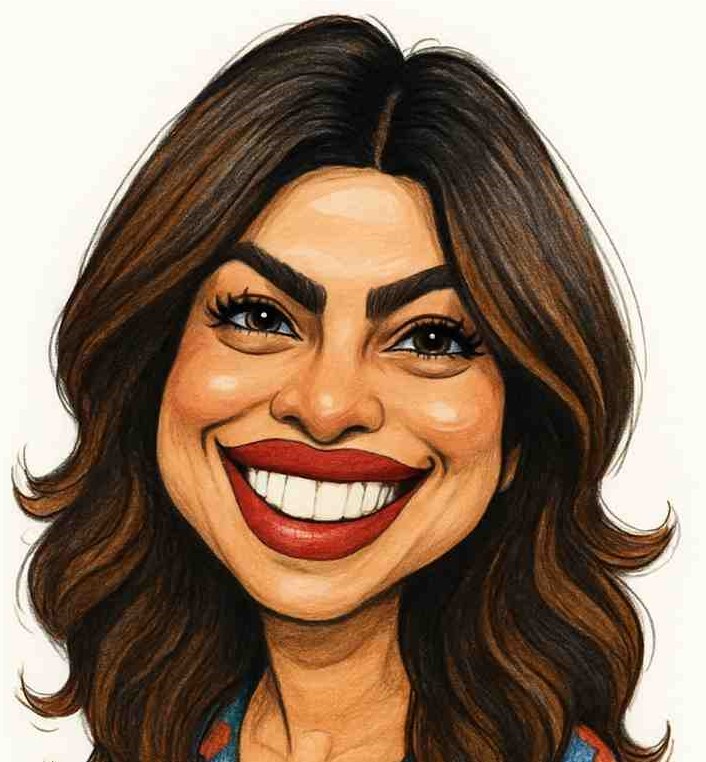
An online AI-powered caricature maker that transforms photos into funny, artistic, high-resolution caricatures in seconds. It focuses on speed, affordability, privacy, and ease of use for personal, professional, and commercial purposes.
ImageToCartoon is a free AI-powered online photo cartoonizer that transforms photos into cartoon, anime, manga, comic, 3D, clay, and other artistic styles. It offers 80+ unique styles, supports JPG/PNG/WebP uploads up to 10MB, requires no sign-up, and automatically deletes uploaded images within 2 hours. The tool is web-based, mobile-friendly, and also offers a new mobile app for iOS/Android.
No explicit pricing or plan names were found on the page.
- Fast instant results
- Affordable one-time pricing
- No design skills needed
- High-resolution images
- Free to use with no sign-up or login required
- 80+ unique cartoon styles including anime, Disney, Pixar, comic, claymation, and more
- Fast AI processing with results in seconds
- No software download needed; works fully in the browser
- Requires a clear, front-facing photo for best results
- Some users may not like the result and need to re-upload another photo
- No offline version, requires internet connection
- Limited to 10MB file size for uploads
- Only supports JPG, PNG, and WebP formats (no GIF, BMP, TIFF, etc.)
- Requires internet connection as it is a web-based tool
- AI-generated results may vary depending on photo quality and style chosen
More alternatives & similar tools
Alternatives to Caricature Maker
View all →Turn your photos into stunning cartoon art in seconds with 80+ unique AI styles.

Cartoon yourself without the generic AI look — studio-quality, likeness-preserving photo cartoons.

Alternatives to ImageToCartoon
View all →Turn your photos into stunning cartoon art in seconds with 80+ unique AI styles.
Cartoon yourself without the generic AI look — studio-quality, likeness-preserving photo cartoons.
The Verdict
AI-generated from listing dataImageToCartoon is free with many cartoon styles but limited file size; Caricature Maker costs a one‑time fee, offers high‑resolution output and stronger privacy guarantees.
Key differences
- •Cost model – ImageToCartoon is free, Caricature Maker requires a paid one‑time purchase.
- •Output quality – Caricature Maker promises high‑resolution downloads; ImageToCartoon’s resolution not specified.
- •Style variety – ImageToCartoon offers 80+ cartoon styles; Caricature Maker mentions multiple styles but no count.
- •File limits – ImageToCartoon caps uploads at 10 MB and three formats; Caricature Maker’s limits not disclosed.
- •Privacy handling – ImageToCartoon deletes images after 2 hours; Caricature Maker deletes after generation (no time frame given).
Pricing & value
ImageToCartoon is free with no sign‑up, while Caricature Maker requires a one‑time purchase.
Ease of use / learning curve
ImageToCartoon works in browser or app with no login; Caricature Maker also simple but requires purchase first.
Features & depth
ImageToCartoon provides 80+ distinct cartoon styles and aspect‑ratio options; Caricature Maker lists only generic multiple styles.
Integrations & ecosystem
Both are standalone web‑based tools with no disclosed integrations.
Security & privacy
Caricature Maker explicitly states photos are deleted after generation; ImageToCartoon retains images up to 2 hours.
Scalability
Caricature Maker offers high‑resolution output suitable for print; ImageToCartoon’s resolution and batch capabilities are unspecified.
Support
Neither product description mentions support channels or SLA details.
Choose Caricature Maker if…
Best for users who need high‑resolution, commercial‑ready caricatures and stricter privacy.
Choose ImageToCartoon if…
Ideal for casual creators needing many free cartoon styles and quick web access.
Common questions
Is there any cost to use ImageToCartoon?
No, ImageToCartoon is free with no sign‑up required.
Can I use the generated images for commercial purposes?
Both tools allow commercial use of the results.
What are the file size and format limits?
ImageToCartoon accepts JPG, PNG, WebP up to 10 MB; Caricature Maker’s limits are not specified.