


Family Orbit vs PBS Kids
Side-by-side comparison of features, pricing, ratings, and alternatives.

Family Orbit is a comprehensive parental control and monitoring solution designed to help parents keep track of their children's digital activities. It offers a suite of tools to monitor mobile device usage, track real-time locations, and manage screen time across different platforms. With features like text message monitoring, web filtering, and geo-fencing, the software provides parents with actionable insights into their kids' online behavior while promoting safe digital habits and protecting them from cyber threats.
PBS Kids is an educational media brand and digital platform designed to help young children learn foundational skills through trusted media and interactive gameplay. Featuring content from popular series like Daniel Tiger's Neighborhood and Wild Kratts, it offers a safe environment for kids to explore curriculum-based math, reading, and social-emotional concepts. The platform provides children access to full-length videos, interactive games, and music resources across multiple devices. Parents can also utilize dedicated companion tools to track learning progress, discover offline activity ideas, and manage screen time safely.
- Comprehensive tracking across multiple devices
- Real-time GPS location updates and history
- Effective web filtering and content blocking
- Detailed activity reports for parents
- Completely free to use with no hidden subscription fees
- High-quality educational content backed by educators
- Safe and ad-free digital environment for young children
- Available across a wide variety of mobile and living room devices
- Requires installation on the child's device
- Can be bypassed by tech-savvy teenagers
- Subscription pricing can be costly for multiple devices
- Limited customization options for older children
- Requires a stable internet connection for streaming video content
- Some features and games require downloading separate companion apps
More alternatives & similar tools
Alternatives to Family Orbit
View all →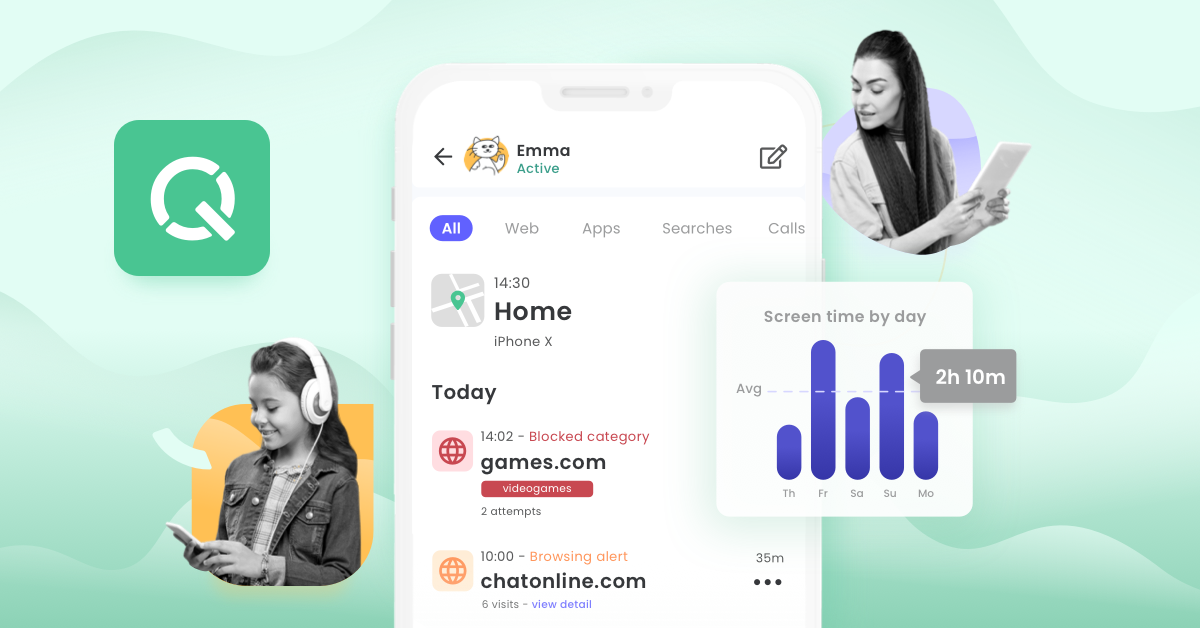

Alternatives to PBS Kids
View all →

The Verdict
AI-generated from listing dataFamily Orbit offers paid, comprehensive device monitoring and location tracking for parents, while PBS Kids provides free, ad‑free educational games and videos without any monitoring features.
Key differences
- •Family Orbit monitors texts, GPS, screen time; PBS Kids only offers educational content.
- •Family Orbit requires installation on each child device; PBS Kids runs in a browser/app without extra installs.
- •Family Orbit is a subscription‑based service; PBS Kids is completely free.
- •Family Orbit provides detailed activity reports and geo‑fencing alerts; PBS Kids provides no parental monitoring tools.
- •PBS Kids supports offline download of some videos/games; Family Orbit does not mention offline capability.
Pricing & value
PBS Kids is free with no subscription fees; Family Orbit requires a paid subscription per device.
Ease of use / learning curve
PBS Kids works out‑of‑the‑box for kids; Family Orbit needs installation and configuration on each child device.
Features & depth
Family Orbit includes GPS tracking, text monitoring, screen‑time limits, web filtering, and activity reports; PBS Kids only offers content streaming and games.
Integrations & ecosystem
Both products are cloud/SaaS with no open API and no listed third‑party integrations.
Support
Family Orbit offers email and ticket support; PBS Kids provides an online help center and FAQ—both comparable.
Scalability
PBS Kids can be used by unlimited children at no cost; Family Orbit costs increase with each additional device.
Security & privacy
Neither product’s security or privacy details are provided in the facts.
Choose Family Orbit if…
Parents who need detailed, real‑time monitoring and control of their children's devices.
Choose PBS Kids if…
Parents seeking free, ad‑free educational videos and games for young children (2‑8) without monitoring.
Common questions
What is the cost of each solution?
Family Orbit requires a paid subscription; PBS Kids is completely free.
Does PBS Kids provide any location or activity monitoring?
No, PBS Kids only offers educational content; it has no GPS, text, or screen‑time monitoring features.
Is installation required on the child’s device for Family Orbit?
Yes, Family Orbit must be installed on each child’s device to function.