


RemNote vs Study with GPT
Side-by-side comparison of features, pricing, ratings, and alternatives.
RemNote combines note-taking, flashcard creation, PDF annotation, and AI-powered study tools into one app built around helping students retain what they learn, not just record it. Notes can be automatically or manually converted into flashcards, which are then reviewed using a spaced repetition algorithm that schedules reviews at optimal intervals for memory retention. Beyond flashcards, RemNote supports PDF and PowerPoint annotation, typed and handwritten notes, an AI tutor chat, and databases for organizing course material, positioning itself as a replacement for juggling separate tools like Quizlet, Anki, Notion, and Evernote.
Study with GPT is a GPT-powered, full-stack learning hub that builds personalized tutorials around your specific learning objectives. Instead of spending hours hunting for scattered documentation, you simply tell the platform what technology you want to learn, and its AI mentor designs a tailored course outline for you. The service is positioned as a practical alternative to asking experts for help, since the AI tutor is available around the clock to answer questions and explain concepts in simple terms. The platform covers a wide range of programming and infrastructure topics, including Java, PHP, Golang, Python, front-end development, back-end development, DevOps, and microservices. Once the AI generates your tutorial outline, you can start learning chapter by chapter, regenerate the outline if needed, and use the built-in Ask Tutor feature whenever you get stuck. GPT walks through every key knowledge point with patience, making it useful for both beginners exploring a new technology and experienced developers expanding their skill set. Study with GPT focuses on making self-paced technical education more accessible and less overwhelming. Its core workflow is simple: understand your learning goals, search relevant documents, generate a course outline, and then learn with AI guidance. With a language selection setting, it also aims to serve learners who prefer studying in their own language, making it a versatile tool for anyone who wants a structured, on-demand route into a new tech stack.
- Combines note-taking and spaced-repetition studying in one app instead of two separate tools
- Generous free plan includes unlimited notes and flashcards
- PDF annotation and image occlusion are useful for STEM and visual subjects
- Offline mode with cross-device sync
- Creates personalized tutorial outlines based on your actual learning goals
- 24/7 AI full-stack tutor means you never have to wait for human help
- Supports a broad range of tech stacks from Java to microservices
- Simple workflow: describe your goal, get a course outline, and start learning
- Free plan caps PDF annotation, image occlusion cards, and handwritten documents fairly low
- Full AI feature set (lecture recorder, AI grading) requires the pricier Pro with AI tier
- Learning curve for students used to simpler flashcard-only tools like Quizlet
- AI-generated tutorials may occasionally contain inaccuracies and should be verified by the learner.
- No visible pricing, subscription, or free-trial details are listed on the homepage.
- Learning experience depends on an internet connection and the underlying GPT service.
- No community forums or direct human expert interaction are offered.
More alternatives & similar tools
Alternatives to RemNote
View all →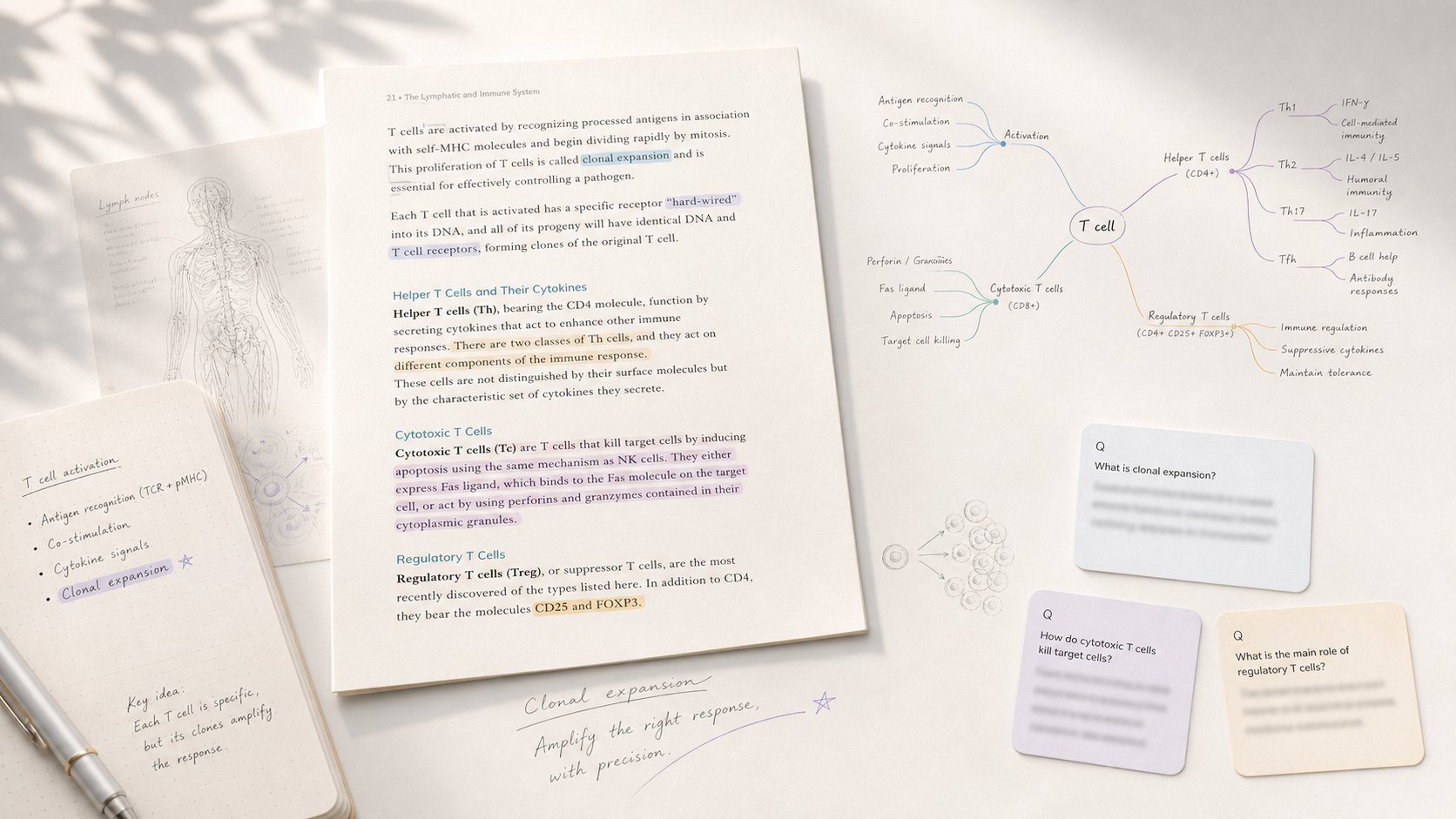
Study app that turns PDF/EPUB annotations into mind maps and spaced-repetition flashcards.

All-in-one study platform with flashcards, notes, and AI-generated practice exams
Turns lecture slides, PDFs, and recordings into an AI tutor that knows your course material
Alternatives to Study with GPT
View all →An evidence layer for scientific AI that presents every claim with its evidence, limitations, and scope.
The Verdict
AI-generated from listing dataRemNote is a free‑to‑start note‑taking and spaced‑repetition tool for students, while Study with GPT is a web‑only AI tutorial generator for developers with unknown pricing.
Key differences
- •Target audience: RemNote serves students/learners; Study with GPT serves developers.
- •Core function: RemNote combines note‑taking, flashcards, and PDF annotation; Study with GPT generates custom coding tutorials.
- •Pricing transparency: RemNote offers a freemium model with clear limits; Study with GPT provides no pricing information.
- •Platform & access: RemNote works offline on desktop, iOS, Android; Study with GPT requires an internet‑connected browser.
- •Integration depth: RemNote imports PDFs/PowerPoints and syncs notes; Study with GPT has no listed integrations.
Pricing & value
RemNote has a freemium plan with unlimited notes; Study with GPT does not disclose any pricing.
Ease of use / learning curve
Study with GPT offers a simple “describe goal → get outline” flow; RemNote has a steeper learning curve for flashcard setup.
Features & depth
RemNote provides note‑taking, spaced‑repetition, PDF/PowerPoint annotation, image occlusion, and AI tutor; Study with GPT focuses only on tutorial generation.
Integrations & ecosystem
RemNote integrates PDF and PowerPoint import and syncs across devices; Study with GPT lists no integrations.
Collaboration
Neither product mentions collaboration features; both appear designed for individual use.
Scalability
RemNote’s cloud SaaS model supports unlimited notes and cross‑device sync; Study with GPT is limited to a single‑user web session.
Support
RemNote offers email and Help Center support; Study with GPT provides no support details.
Choose RemNote if…
Students or lifelong learners needing integrated notes, flashcards, and offline access.
Choose Study with GPT if…
Developers seeking AI‑generated coding tutorials and 24/7 AI mentor.
Common questions
What is the cost to use each tool?
RemNote offers a freemium plan with unlimited notes; paid Pro adds full AI features. Study with GPT does not list any pricing.
Can I use the tools offline?
RemNote supports offline mode with sync; Study with GPT requires an internet connection.
Which tool supports importing existing study materials?
RemNote can import PDFs and PowerPoints and annotate them; Study with GPT has no import capability.