FindAlternative
Back to Home
4 Fashion AI

4 Fashion AI

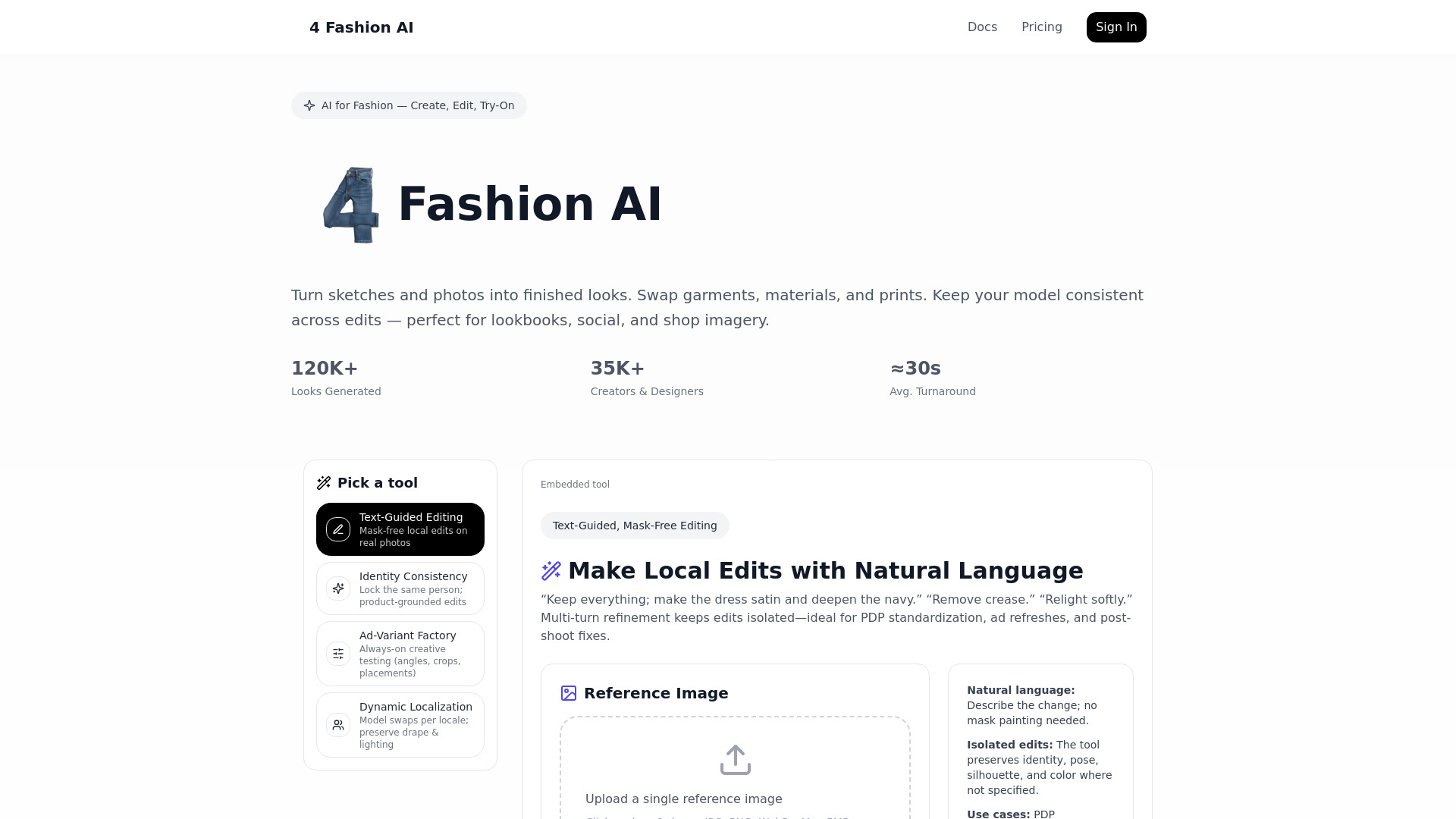
Fashion AI that turns one product photo into a photoshoot. No studio, no models.
softwareAI Image GenerationAI fashion generatorVirtual try-onAI model generator

What is 4 Fashion AI?

4 Fashion AI is an AI-powered fashion generator that turns a single product photo into on-model, white-background, and lifestyle images. It provides virtual try-on, sketch-to-photo, AI model generation, and fashion image enhancement tools for e-commerce and brand campaigns.

SpecificationsAI-estimated

Pro$79/month — 200 images/month
Studio$199/month — Unlimited 2K + 500 4K images/month
Starter$29/month — 50 images/month
Commercial rightsYes, included in all plans
Supported uploadsJPG, PNG, WebP up to 5 MB

Key Features of 4 Fashion AI

AI Virtual Try-On
Sketch to Photo
AI Model Generator
Outfit Remixing
Clothing Enhancer
Ghost Mannequin Effect
Background Generation
Ad Variant Factory

Use Cases for 4 Fashion AI

1

E-commerce product photos

Upload flat lays or hanger shots and generate on-model, white-background, and lifestyle images for Shopify, Amazon, and Etsy.

2

Virtual try-on

Visualize garments on different body types and model photos with realistic drape and lighting.

3

Campaign assets

Generate editorial-grade images for lookbooks, social media, and ad creatives.

4

Design visualization

Turn fashion sketches and tech packs into photorealistic product images for rapid prototyping.

How to use 4 Fashion AI?

1

Upload

Upload a flat lay, hanger, mannequin, or existing product photo.

2

Select

Choose from 200+ tools such as virtual try-on, background generation, or sketch-to-photo.

3

Generate

Receive studio-quality AI fashion images in seconds.

Pros & Cons of 4 Fashion AI

Pros

  • No studio or models required
  • 200+ specialized fashion tools
  • AI Virtual Try-On
  • Sketch to photo conversion
  • Identity-consistent AI models
  • Full commercial rights included
  • Cancel anytime
  • Used by 35,000+ creators and brands

Cons

  • Subscription required for most usage
  • AI-generated images may still need human review
  • Best for catalog/social images, not hero campaign shoots

Frequently Asked Questions

What is an AI fashion generator?

An AI fashion generator is a tool that uses artificial intelligence to create, edit, and visualize clothing designs.

Can I use 4 Fashion AI images for commercial lookbooks?

Yes, all images generated are owned 100% by the user with full commercial rights.

Does 4 Fashion AI support virtual try-on?

Yes, it preserves the model's identity while swapping garments and adjusting for lighting, drape, and fit.

Can I convert fashion sketches to realistic photos?

Yes, the sketch-to-photo feature turns rough hand-drawn sketches or digital CADs into photorealistic fashion imagery.

What file formats are supported?

High-quality JPG, PNG, and WebP formats up to 5 MB.

Pricing Overview

View full pricing →
Free

4 Fashion AI offers three subscription tiers — Starter, Pro, and Studio — with monthly and annual billing options. The first month is 50% off for all plans. Annual billing saves up to 25% compared to monthly. One-time top-up packs are available for extra generations.

Starter

You need to output one JSON object. No markdown wrappers, no commentary. Just the JSON object. I have a variable `PLATFORM_NAME` = "4 Fashion AI" and `PLATFORM_URL` = "https://4fashionai.com/pricing". The content above is the full page content for that URL. Today's date: 2026-04-30. ### Pricing Extraction Task Extract every pricing plan from this pricing page. A plan is a priced product or tier — typically shown in a grid with multiple options (e.g., Free, Starter, Pro, Enterprise, or Basic, Plus, Premium). SaaS pages usually call these "plans", pricing tiers, or packages. Some pages call them "products" (e.g., a one-time download or an annual subscription). Include every distinct purchasable plan or product shown on the page. **IMPORTANT: Add-ons, plugins, or separate service lines that are NOT part of the subscription tier grid should be placed in the `addons` array, NOT in `plans`.** **Example:** If a companion app or marketplace lists plugins for a main product, those go into `addons`. If the page shows a one-time purchase product like an embedding license or extended license, it also goes into `addons` — unless it's the main thing being sold on this page. If the main product is the plugin itself and the page is the plugin's pricing page, then the plugin goes into `plans`. **IMPORTANT IMPUTATION RULE:** If the page shows the **annual** price with a per-month equivalent listed (e.g., "$20/mo, billed annually" or "$200/yr ($16.67/mo)") and does NOT show a separate monthly price, then use the per-month equivalent as the price and put "billed annually" in the description. Put the monthly price in the `price` field and note "(billed annually)" in the description. For example: `"price": 16.67, "description": "... (billed annually)"`. For one-time purchases, use the appropriate `billing_period` and note "one-time purchase" in the description (e.g., "one-time purchase"). For free plans, use `price: 0`. Use the currency symbol for the region the page is in. Most pages are in USD - use $-sign. If the page uses €, £, or other symbols, use those. **Numbers:** When the page shows a price like "$1,499", use 1499. When it shows "$1,999", use 1999. When it shows "$0.50", use 0.5. When it shows "$29.99", use 29.99. Keep decimals. Drop commas. **Field requirements — each plan object must include ONLY these four keys:** - `name` (string) — e.g., "Pro", "Starter", "Enterprise" — exactly as written on the page. - `price` (number) — the numeric price. - `billing_period` (string) — one of: `"monthly"`, `"annual"`, `"one-time"`, or `"hourly"`. For annual billing with per-month equivalent, use `"annual"`. - `description` (string) — extra context: feature highlights, billing notes, per-seat info, discounts, quotes. **Keep it concise** — two or three key facts only. If the page has no additional context beyond price and plan name, describe the plan in your own words. **Currency symbol placement:** Use the `$` in the `price` field as a number only — don't include the currency symbol in the price value. **Addons array:** If the page lists extras like additional credits, top-ups, add-on packs, or one-time purchases separate from the plan grid, include them in an `addons` array. Each addon object uses the same four keys: `name`, `price`, `billing_period`, `description`. **If NO plans exist on the page**: return `{"plans": []}`. **DO NOT** infer, estimate, or make up any pricing data. Only extract prices and plan names that appear VERBATIM in the content. **Return only valid JSON** — no markdown code fences, no commentary. **Note on content presented above:** The content may contain ALL or PART of the page. If you only have partial content, extract what's available and return only that. Never make up data. **Note on "Contact for Pricing":** Only output `price: null` AND `description: "Contact for pricing"` when the page ITSELF says pricing is quote-only (e.g., "contact sales", "request a quote"). If you simply cannot find pricing in the content, say so with an empty `plans` array rather than labelling it quote-only — the two are different facts. **Expected output format:** ```json { "plans": [ { "name": "Starter", "price": 29, "billing_period": "monthly", "description": "Includes full platform access" }, { "name": "Pro", "price": 99, "billing_period": "monthly", "description": "Annual billing available (billed annually)" } ], "addons": [ { "name": "Extra Credits", "price": 15, "billing_period": "one-time", "description": "Adds 100 credits" } ] } ``` Now extract the pricing data from the content above, following all rules exactly. The answer must be a single JSON object only — no markdown, no commentary. Also add a `pricing_details` root-level string that summarizes the pricing structure in one or two sentences using natural language. Ensure it captures: 1) the product name, 2) the main plans and price ranges, 3) any free trial info, and 4) billing options (annual/monthly). Write it in a natural, human tone — like a Product Hunt listing ("4 Fashion AI offers three tiers..."). The output format with `pricing_details` should be: ```json { "pricing_details": "...", "plans": [...], "addons": [...] } ``` Only include "pricing_details" if ALL fields are available (plans and addons). If no pricing data is found, set `pricing_details` to an empty string and `plans` to an empty array. If addons exist and plans exist, include both. Now extract from the content above. Remember the main extraction rules: - Extract ONLY prices and plan names that appear VERBATIM in the content above. Do NOT infer, estimate, or make up any pricing data. - If a price or plan name is not explicitly stated in the content, do NOT include it. - Extract EVERY tier visible (Free, Starter, Pro, Business, Enterprise, etc.) - Use exact dollar amounts from the page - If annual pricing shown, use monthly equivalent and note "(billed annually)" in description - Only answer "Contact for Pricing" when the page ITSELF says pricing is quote-only (e.g. "contact sales", "request a quote"). If you simply cannot find pricing in the content, say so with an empty plans array rather than labelling it quote-only — the two are different facts and the label is dropped when nothing backs it up. Keep the `pricing_details` short and punchy, 1-2 sentences max. Don't list every feature — hit the highlights: product name, tier names, price ranges, billing options, and anything notable like a free trial. Important: The `addons` array is optional — only include it when the page actually has add-ons. If none exist, omit the key entirely. Today is 2026-04-30. Use that for context (e.g., identifying time-sensitive discounts and trial expirations). Now extract from the content above. For currency, the page is in USD, so use $. Final reminder: Return valid JSON only. No markdown fences. No commentary. Just the JSON object. Now produce the final JSON object.```json {

No reviews yet. Be the first to write one!

Top Alternatives & Similar Software

View all alternatives & similar software→

No alternatives available yet.

People also viewed

Related searches

About the Product

Unclaimed Listing
Platforms
Target AudienceFashion brands, e-commerce retailers, independent designers, fashion students, and marketing agencies.

Is this your tool?

Claim this page to update details, reply to user reviews, and drive more traffic to your product.

Claim this Product →

Show you’re listed

4 Fashion AI on FindAlternative

Add this badge to your website. It links back to this page.

Get your badge →

Tags

AI fashion generatorVirtual try-onAI model generatorProduct photographyE-commerce

Explore Related Topics

Keep up with 4 Fashion AI alternatives

New alternatives, pricing changes and the week's biggest movers - one email every Tuesday.

Weekly, free, unsubscribe in one click.

Best 4 Fashion AI Alternatives & Similar Software (2026)
