


AI Excel Bot
Describe what you want in plain English and get working Excel or Google Sheets formulas and VBA code in seconds.


What is AI Excel Bot?
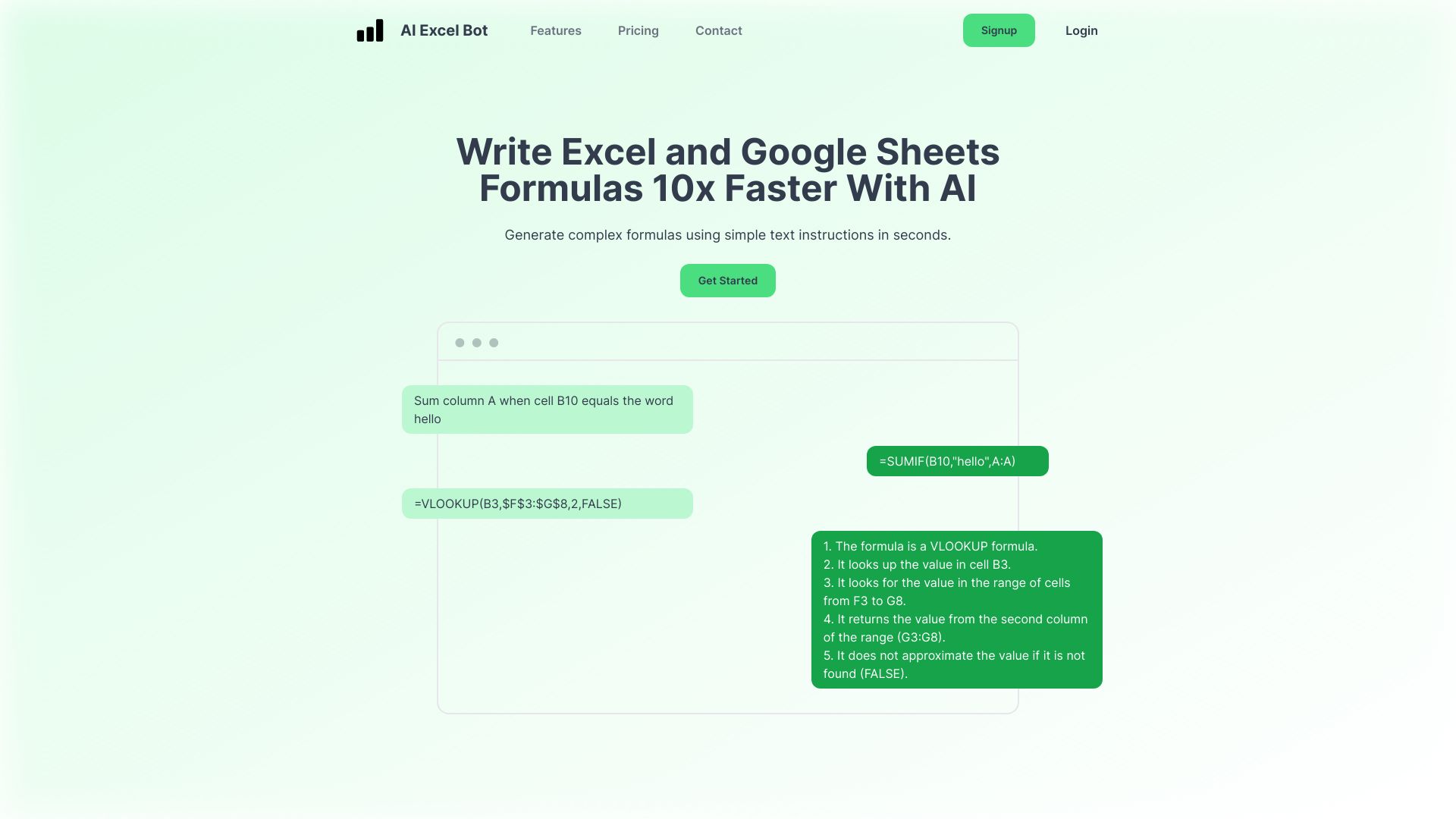
AI Excel Bot is an AI-powered assistant that helps users write, understand, and debug spreadsheet formulas and VBA code for Microsoft Excel and Google Sheets. Instead of searching forums or memorizing function syntax, users describe what they want in plain language, such as summing one column when another cell equals a specific word, and the tool produces a working formula in seconds. It also works in reverse, breaking down complex existing formulas step by step so users can understand what each part of a VLOOKUP or nested expression actually does. Beyond formula generation, the product extends into VBA scripting, which many spreadsheet users find intimidating. AI Excel Bot can write VBA macros from text prompts and explain existing code line by line, lowering the barrier to automating repetitive spreadsheet tasks. A Chrome extension brings the same capabilities directly into Google Sheets and Excel workflows, so users can get help without switching tabs or leaving their working document. The tool is aimed at anyone who regularly works with spreadsheets but lacks the time or expertise to master every function, including analysts, accountants, small business owners, students, and operations staff. A free tier allows light, occasional use, while the Pro plans, available monthly or annually, unlock unlimited generations, explanations, and Excel add-in access for heavier users.
SpecificationsAI-estimated
Key Features of AI Excel Bot
Use Cases for AI Excel Bot
Building conditional sums
Write SUMIF or SUMIFS formulas by describing the condition in plain language instead of looking up syntax.
Decoding inherited spreadsheets
Paste an unfamiliar formula from a colleague's workbook and get a clear breakdown of what it does.
Lookup formulas
Create VLOOKUP, XLOOKUP, or INDEX-MATCH formulas for pulling data between tables.
Automating repetitive tasks
Generate VBA macros to automate formatting, data cleanup, or report generation.
Learning spreadsheet skills
Use explanations to understand how functions work and build confidence over time.
Debugging broken formulas
Get explanations of formulas that return errors to identify the problematic part.
How to use AI Excel Bot?
Create an account
Sign up on the AI Excel Bot website to access the free tier.
Describe your task
Type what you want in plain English, such as the condition and the values you need to sum or look up.
Copy the generated formula or code
Review the output and paste it into your Excel or Google Sheets cell or VBA editor.
Ask for an explanation if needed
Paste any formula you don't understand to receive a step-by-step breakdown.
Install the Chrome extension or Excel add-in
Use the tools directly inside your spreadsheet for faster workflows.
Pros & Cons of AI Excel Bot
Pros
- Generates complex Excel and Google Sheets formulas from simple text prompts
- Explains existing formulas step by step, aiding learning and debugging
- Covers VBA code generation and explanation, not just formulas
- Chrome extension and Excel add-in keep the tool inside the workflow
Cons
- Free tier is limited to five generations or explanations per month
- Output quality depends on how clearly the user describes the task
- Requires an internet connection and a paid plan for full functionality
Frequently Asked Questions
Is AI Excel Bot free?
There is a free plan that includes five formula, code, or task generations or explanations per month, along with access to the Chrome extension and email support.
Does it work with Google Sheets?
Yes, it generates formulas for Google Sheets and offers a Chrome extension that works within Google Sheets.
Can it write VBA code?
Yes, it can generate VBA code from text prompts and explain existing VBA code.
Is there an Excel add-in?
Yes, the Excel add-in is available on Pro plans.
How much does the Pro plan cost?
The Pro plan is available monthly or annually, with the annual option saving 30%. Check the pricing page for current rates.
What is included in the Pro plan?
Pro includes full access to AI Excel Bot, the Chrome extension, the Excel add-in, unlimited formula, VBA, and task generations and explanations, and priority support.
How do I get help with a technical issue?
You can contact the founder through the feedback channel listed on the website for technical issues or feature suggestions.
Pricing Overview
View full pricing →The page lists a Free plan and Pro plans (monthly and annual, with annual described as saving 30%), but does not state any dollar amounts.
Reviews & Ratings0.0
No reviews yet. Be the first to write one!
Top Alternatives & Similar Software
View all alternatives & similar software→No alternatives available yet.
People also viewed


Related searches
Is this your tool?
Claim this page to update details, reply to user reviews, and drive more traffic to your product.
Claim this Product →
Tags
Explore Related Topics
Keep up with AI Excel Bot alternatives
New alternatives, pricing changes and the week's biggest movers - one email every Tuesday.