


ATSChecker.ai
A free, job-specific ATS resume checker that shows you exactly which keywords and formatting issues are keeping your resume from reaching a recruiter.
What is ATSChecker.ai?
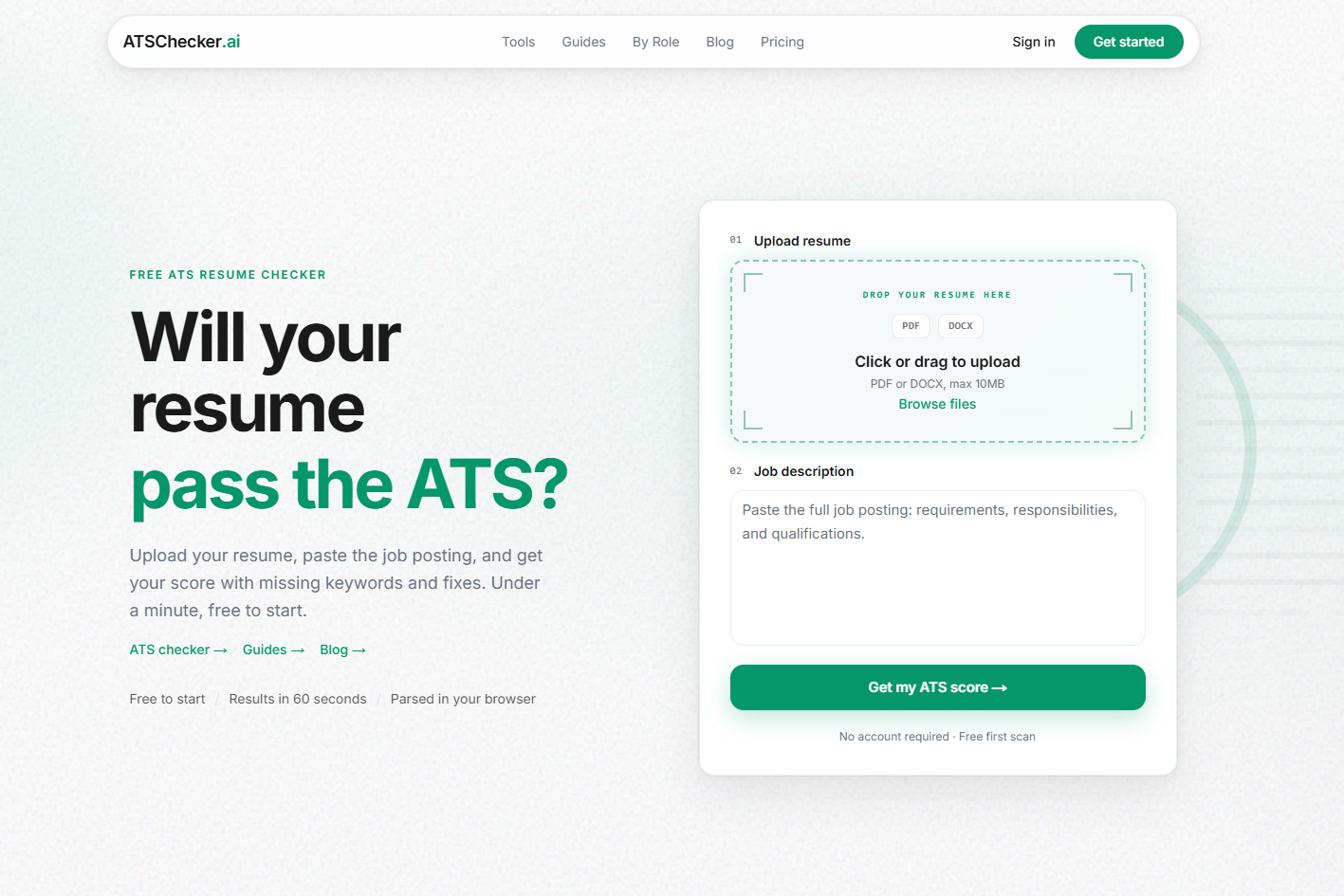
ATSChecker.ai is a free online ATS resume checker designed to help job seekers understand how Applicant Tracking Systems read and score their resumes. Many applications are filtered out by automated software before a human recruiter ever sees them, and ATSChecker targets that gap. Users upload a resume in PDF or DOCX format, paste the text of a specific job posting, and receive a match score along with missing keywords, skills alignment feedback, and formatting flags. The core differentiator is its job-specific analysis. Rather than comparing a resume against a generic template or industry average, the platform calculates scores against the exact posting provided, breaking results into keyword overlap, skills alignment, and formatting signals. The output is intended to be actionable, offering concrete missing keywords and rewrite suggestions that can be applied in minutes rather than abstract career advice. ATSChecker emphasizes privacy and speed. Resume files are parsed client-side in the browser, and only the extracted text is retained to generate the report, not the original file. A first scan requires no account, and results arrive in roughly a minute. The product is aimed at job seekers who are applying to many positions and want a clearer picture of why their applications may not be progressing.
SpecificationsAI-estimated
Key Features of ATSChecker.ai
Use Cases for ATSChecker.ai
Tailoring a resume to a specific job
Paste a job posting to see which required keywords and skills are missing from your resume before you apply.
Diagnosing repeated rejections
Check whether formatting or keyword gaps may be causing applications to be filtered out before reaching a recruiter.
Optimizing for multiple roles
Run the same resume against several postings to see how match scores vary and where emphasis should shift.
Fixing parsing issues
Identify whether contact details or sections are being read incorrectly by ATS software.
Quick pre-application review
Get a fast score and fix list in under a minute before submitting an application.
Career changers adjusting language
Discover the terminology a target role uses so transferable experience is described in matching language.
How to use ATSChecker.ai?
Upload your resume
Upload a PDF or DOCX file. It is parsed locally in your browser.
Paste the job posting
Copy the full text of the job description you are applying for into the tool.
Review your score
Check the overall match score along with keyword, skills, and formatting breakdowns.
Apply the suggested fixes
Add missing keywords and correct flagged formatting issues in your resume.
Rescan if needed
Run the updated resume again to confirm improvements before submitting.
Pros & Cons of ATSChecker.ai
Pros
- Job-specific scoring against the exact posting pasted, rather than generic templates
- Client-side parsing means the original resume file is never uploaded or stored
- Free to start with results in about a minute and no account needed for the first scan
- Actionable output with missing keywords, formatting flags, and rewrite suggestions
Cons
- Scores are an estimate of ATS behavior and cannot replicate every employer's specific parsing software
- Full detailed reports require an upgrade beyond the free tier
- Relies on the user pasting an accurate job posting; vague postings may yield less useful results
Frequently Asked Questions
What is an ATS?
An Applicant Tracking System is software that filters and ranks resumes before a human recruiter reviews them. ATSChecker helps you see how your resume scores against a specific job.
Is my resume stored?
No. Resume files are parsed client-side in your browser, and only the extracted text is kept to generate your report.
Do I need an account?
No account is required for your first scan.
What file formats are supported?
PDF and DOCX files are supported.
How long does a scan take?
Results typically arrive in about 60 seconds.
Is ATSChecker free?
You can start for free. A paid upgrade unlocks the full report.
Does a high score guarantee an interview?
No. The score estimates keyword and format alignment, but hiring decisions depend on many factors beyond ATS filtering.
Pricing Overview
View full pricing →The provided page content does not include any pricing details, so no plans or prices could be verified.
Detailed plans are not listed. Visit the official website for pricing information.
Reviews & Ratings0.0
No reviews yet. Be the first to write one!
Top Alternatives & Similar Software
View all alternatives & similar software→No alternatives available yet.
People also viewed




Related searches
Is this your tool?
Claim this page to update details, reply to user reviews, and drive more traffic to your product.
Claim this Product →
Tags
Explore Related Topics
Keep up with ATSChecker.ai alternatives
New alternatives, pricing changes and the week's biggest movers - one email every Tuesday.