



BigJpg AI
Upscale small images into print-ready, high-resolution files with AI-powered detail enhancement.
What is BigJpg AI?
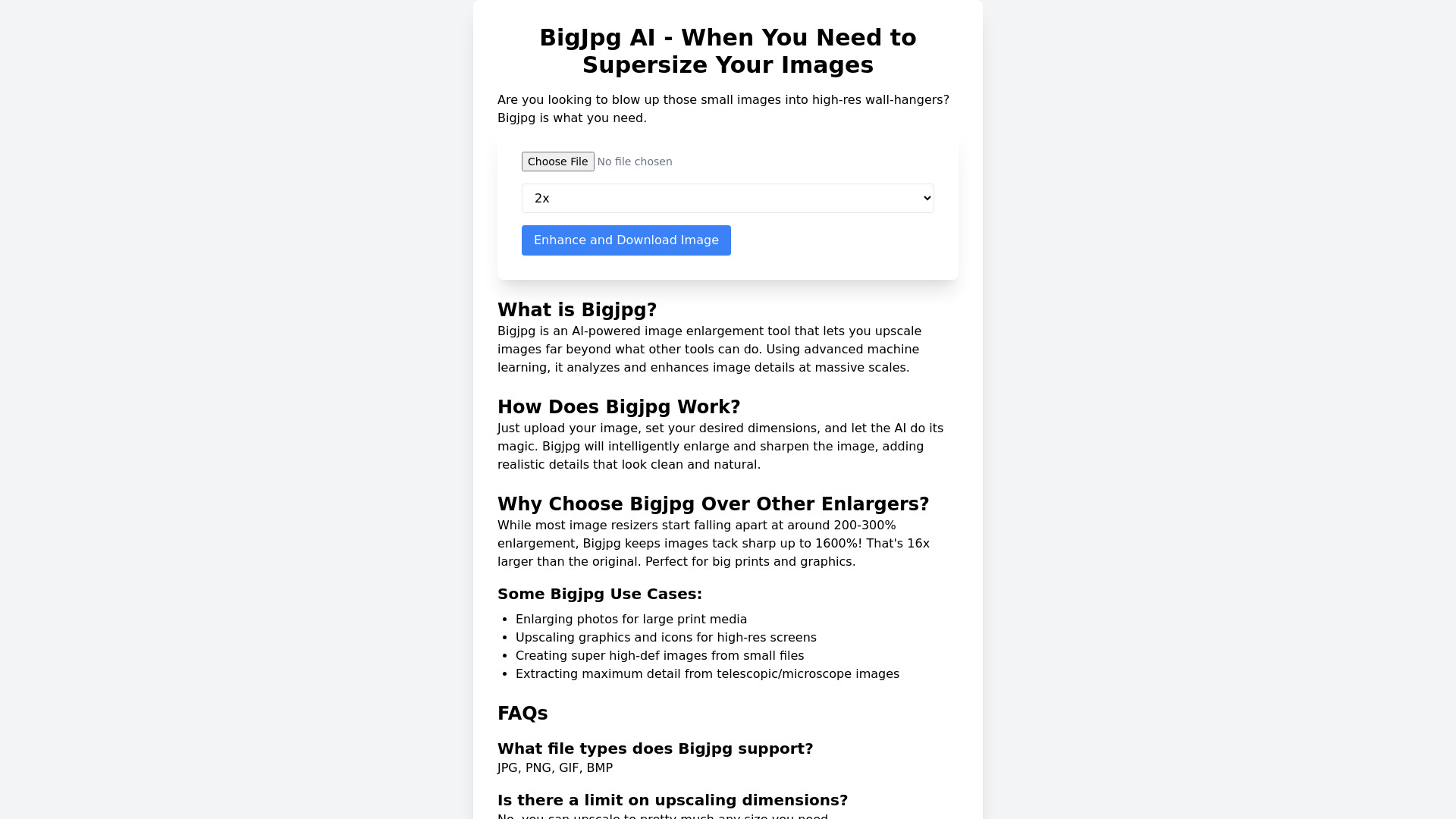
BigJpg AI is an AI-powered image enlargement service that uses machine learning to upscale small images without the usual blurring and pixelation. Instead of simply stretching an image, the tool analyzes the existing details and generates clean, natural-looking enhancements so the result stays crisp at much larger sizes. It is designed for anyone who wants high-resolution files from small source images without spending hours in Photoshop. The service supports enlargement up to 16x, or 1600%, which is far beyond the 200-300% range where most traditional resizers start falling apart. The content highlights smooth edges and preserved details, making it suitable for large prints, high-resolution screens, graphics, icons, and even scientific images from telescopes or microscopes. BigJpg AI also offers batch upscaling, so users can process multiple images in one workflow rather than handling them one by one. BigJpg AI is available through paid subscription plans: a popular monthly Pro plan at $14.99, a yearly plan at $79, and a one-time Lifetime plan at $99. Paid plans include no watermark, a commercial license, unlimited usage, and priority email support. The tool is aimed at designers, photographers, artists, print professionals, and other creatives who need high-quality enlargements quickly and easily.
SpecificationsAI-estimated
Key Features of BigJpg AI
Use Cases for BigJpg AI
Large-format print media
Enlarge photos for posters, banners, and other large print media without visible pixelation.
High-res screen assets
Upscale graphics and icons so they look sharp on high-resolution displays and retina screens.
Creating super high-def images
Turn small source files into super high-definition images for professional projects.
Telescopic and microscope imaging
Extract more usable detail from telescope or microscope image captures for analysis or presentation.
Batch image upscaling
Process multiple low-resolution images at once with batch upscaling, saving time in production workflows.
Improving digital photo quality
Prepare low-quality photos for online catalogs, portfolios, or marketplaces by improving overall resolution and sharpness.
How to use BigJpg AI?
Upload Your Image
Go to the BigJpg AI website and upload the image you want to enlarge.
Set Enlargement Settings
Choose your desired enlargement size or dimensions, up to 16x the original.
Run the AI Upscale
Let the AI analyze and enhance the image, adding realistic detail while keeping edges sharp.
Review and Download
Review the enlarged result, then download it. You can also use batch upscaling to process multiple images.
Pros & Cons of BigJpg AI
Pros
- Upscales images far beyond typical tools, up to 1600%
- One-click workflow saves time compared to manual Photoshop resizing
- Batch upscaling capability included on paid plans
- Commercial license included, making it suitable for client and print work
- Lifetime plan available for a one-time payment
Cons
- No free tier is mentioned on the page, so there is no obvious way to test without paying.
- Monthly pricing at $14.99 can add up for occasional users.
- It is an online/web-based tool, which may not suit users with privacy-sensitive or confidential images.
- No offline desktop version is indicated in the content.
Frequently Asked Questions
What is BigJpg AI?
BigJpg AI is an AI-powered image enlargement tool that uses machine learning to upscale images while preserving sharpness and detail.
How does BigJpg AI differ from standard image resizers?
Most image resizers start degrading at around 200-300% enlargement, while BigJpg AI claims to keep images tack sharp up to 1600%, or 16x larger than the original.
What is the maximum enlargement ratio for BigJpg AI?
BigJpg AI supports up to 16x enlargement, which equals 1600% of the original image size.
Does BigJpg AI support batch image upscaling?
Yes, batch image upscaling is included in the Pro plan and above, allowing users to process multiple images efficiently.
Can I use images enlarged with BigJpg AI commercially?
Yes, the paid plans include a commercial license, so you can use the enlarged images for commercial work.
Does BigJpg AI add a watermark to enlarged images?
No, the paid plans include no watermark on the output images.
What are the pricing options for BigJpg AI?
The pricing options are Pro at $14.99/month billed monthly, Pro Yearly at $79/year, and Lifetime at a one-time $99 payment.
Who is BigJpg AI for?
BigJpg AI is for designers, photographers, print professionals, and anyone who needs high-resolution images from small source files without manual editing in Photoshop.
Reviews & Ratings0.0
No reviews yet. Be the first to write one!
Top Alternatives & Similar Software
View all alternatives & similar software→No alternatives available yet.
People also viewed



Related searches
Is this your tool?
Claim this page to update details, reply to user reviews, and drive more traffic to your product.
Claim this Product →
Tags
Explore Related Topics
Keep up with BigJpg AI alternatives
New alternatives, pricing changes and the week's biggest movers - one email every Tuesday.