


Browse AI
A no-code AI platform that turns any website into a self-maintaining, monitored data pipeline.


What is Browse AI?
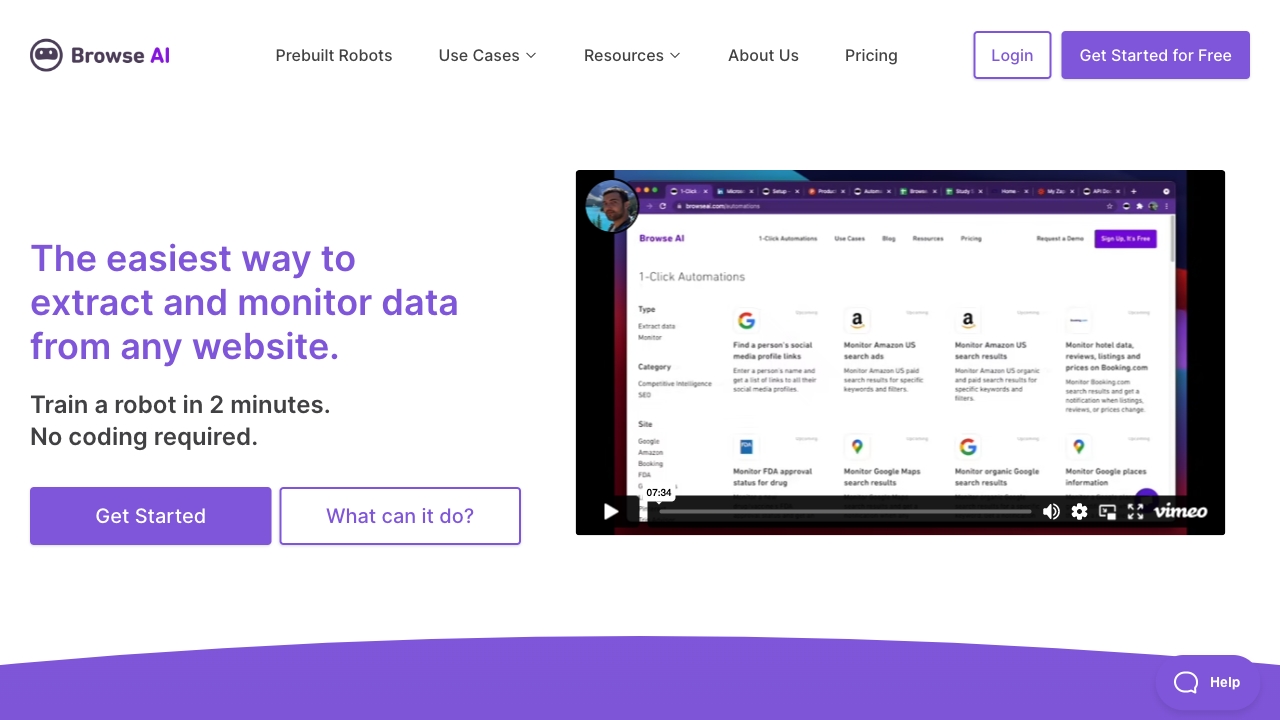
Browse AI is a no-code, AI-powered web scraping and website monitoring platform that turns almost any website into a live, structured data source. Instead of writing selectors or maintaining Python scripts, users point the tool at a page, the AI proposes a data structure, and the user reviews and approves the columns before the robot runs. Users can also describe additional fields in plain language, making extraction accessible to people without a development background. Beyond one-off extraction, Browse AI emphasizes reliability and maintenance. Its change-detection system adapts robots when a site's layout shifts, reducing the broken-scraper problem that plagues traditional scripts. Scheduled monitors can check pages hourly, daily, weekly, or monthly and alert users to changes, with thresholds configurable by the size of the change. Built-in capabilities such as dynamic content capture, pagination and infinite scroll handling, geo-based extraction, proxy management, and automatic retries aim to keep data flowing at scale. Browse AI is aimed at a broad range of users, from small teams tracking competitor prices, inventory, or listings to enterprises that need fully managed scraping pipelines. It offers a library of prebuilt robots, integrations with Google Sheets, Airtable, Zapier, and Make, plus CSV, JSON, S3, and REST API/webhook export options. Its enterprise posture includes SOC 2 Type II and GDPR compliance claims, TLS 1.3 encryption, and role-based access control.
SpecificationsAI-estimated
Key Features of Browse AI
Use Cases for Browse AI
Competitor price tracking
Monitor competitor product prices and stock levels on a schedule and receive alerts when they change.
Lead generation
Extract contact and business information from directories or listing sites into a CRM or spreadsheet.
Real estate monitoring
Track new property listings and price changes across real estate sites automatically.
Job posting aggregation
Collect job listings from multiple career pages into one live dataset for market research or recruiting.
Inventory monitoring
Scrape supplier or retailer inventory data so sales teams know availability in real time.
Market research
Build recurring datasets from public web sources to analyze trends over time.
How to use Browse AI?
Point the robot at a URL
Paste the URL of the page containing the data you want to extract.
Review the AI-proposed columns
The AI reads the page and suggests a data structure; add or edit fields in plain language as needed.
Approve and run the robot
Confirm the extraction setup and run the robot to pull the data.
Schedule monitoring and alerts
Set how often the robot should check the site and configure alerts for meaningful changes.
Send data to your tools
Export via CSV, JSON, or S3, or sync to Google Sheets, Airtable, Zapier, or your own API through webhooks.
Pros & Cons of Browse AI
Pros
- No coding or selectors required; the AI proposes the data structure and users approve it
- Change detection automatically adapts robots when websites change, keeping data reliable
- Scheduled monitoring and configurable change alerts reduce manual checking
- Wide integration ecosystem including Google Sheets, Airtable, Zapier, Make, and REST API/webhooks
Cons
- Costs can grow quickly for high-volume scraping, with enterprise pricing requiring a sales conversation
- Results on heavily protected or complex sites may still require tuning or managed services
- Advanced transformations and custom pipelines push users toward paid managed services
Frequently Asked Questions
Do I need to know how to code to use Browse AI?
No. The platform is designed for no-code use: the AI proposes the data structure and you approve it, with plain-language options for adding fields.
What happens when a website changes its layout?
Browse AI's change-detection system is designed to adapt robots automatically so data extraction continues to work, and it can alert you to the changes.
Can it scrape data behind a login?
Yes, it can extract data from pages behind a login where you have legitimate access, such as membership sites or internal tools.
How often can I monitor a website?
Monitors can be scheduled to run hourly, daily, weekly, or monthly, with change alerts configurable by the size of the change.
Where can I send the scraped data?
You can export as CSV, JSON, or to an AWS S3 bucket, sync to Google Sheets or Airtable, connect via Zapier, Make, or Pabbly, or use the REST API and webhooks.
Does Browse AI offer managed services for larger projects?
Yes. Premium plans include fully managed web scraping services, with custom pricing for high-volume and enterprise needs.
Pricing Overview
View full pricing →Browse AI offers a free plan (50 credits/month), paid Personal and Professional subscriptions billed annually, and a custom-quoted Premium enterprise tier, with monthly and annual billing options.
Reviews & Ratings0.0
No reviews yet. Be the first to write one!
Top Alternatives & Similar Software
View all alternatives & similar software→No alternatives available yet.
People also viewed


Related searches
Is this your tool?
Claim this page to update details, reply to user reviews, and drive more traffic to your product.
Claim this Product →
Tags
Explore Related Topics
Keep up with Browse AI alternatives
New alternatives, pricing changes and the week's biggest movers - one email every Tuesday.