


FontVibe
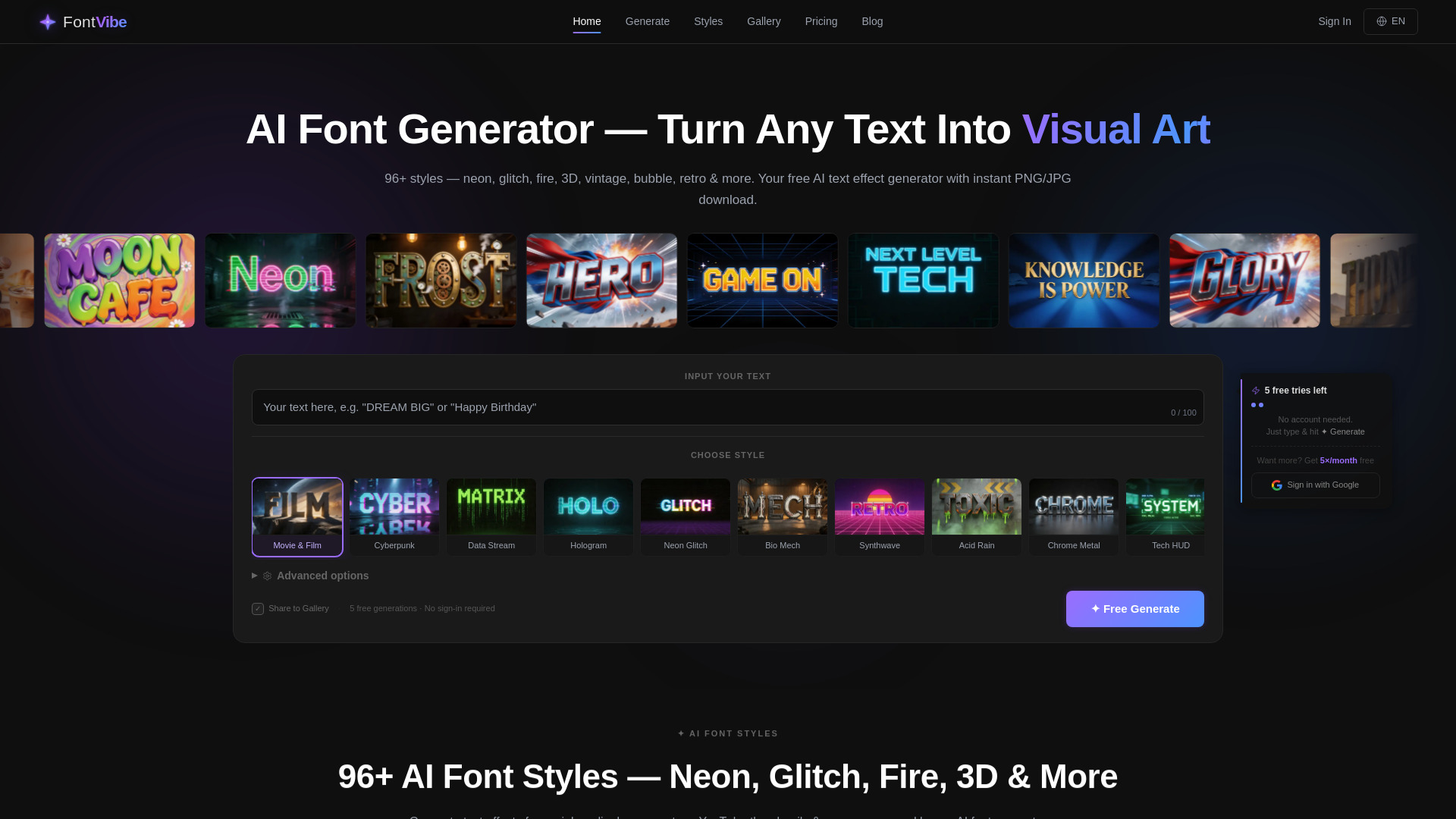
Turn any text into stunning AI-generated visual art with 370+ fonts and 120+ text effects.


What is FontVibe?
FontVibe is an AI-powered online font generator that turns plain text into eye-catching visual art. Instead of just choosing from traditional fonts, you can enter a description of the style you want or pick from dozens of curated effect styles. With more than 370 AI font styles and 120+ text effect styles, it covers everything from neon signs and glitch effects to fire, 3D, cyberpunk, horror, luxury gold, and holographic designs.
SpecificationsAI-estimated
Key Features of FontVibe
Use Cases for FontVibe
Social Media Posts
Create eye-catching neon, 3D, or glitch text that helps posts stand out in social media feeds.
YouTube Thumbnails & Channel Art
Generate cinematic or gaming-style typography for YouTube titles, thumbnails, and channel branding.
Event Flyers & Posters
Make promotional text for events with styles like Horror, Birthday, Vintage, or Elegant Script.
Gaming & Streaming Overlays
Use Cyberpunk, Synthwave, or sports-inspired effects for gaming channel overlays and esports graphics.
Logo & Brand Wordmarks
Quickly visualize a business or personal brand name in metallic, luxury gold, or minimal styles.
Personal Creative Projects
Add cool text art to invitations, crafts, stickers, digital gifts, or personal art projects.
How to use FontVibe?
Open FontVibe
Navigate to fontvibe.ai in your browser. No sign-up is required to start creating.
Describe or Choose a Style
Type a text prompt in the 'DESCRIBE WHAT YOU WANT' box, or tap a style card from the gallery to use a preset like Cyberpunk, Neon Glow, or Horror.
Hit Generate
Click the Generate button and let the AI create your text effect.
Review and Refine
Browse the generated output and try different styles or prompts if you want an alternative look.
Download and Use
Download the finished design and use it for social posts, thumbnails, posters, or other creative projects.
Pros & Cons of FontVibe
Pros
- Huge library of 370+ AI fonts and 120+ text effect styles
- Free to start with no account required
- Natural-language prompts make custom effects easy to create
- Large variety of themed styles from Cyberpunk to Luxury Gold
- Runs directly in the browser with no installation
Cons
- Free use appears limited to a set number of credits, with 20 credits shown before needing more
- Web-only tool, so it requires an internet connection to create and download designs
- No offline desktop app or dedicated native mobile app is mentioned
- AI-generated results can vary, so multiple generations may be needed to get the perfect look
Frequently Asked Questions
Is FontVibe free to use?
FontVibe is free to start. The site shows 20 free credits available and states that no account is needed to begin generating designs.
Do I need to create an account to use FontVibe?
No. The homepage says 'No account needed. Just type & hit Generate,' so you can start creating designs immediately without signing up.
How many font and text effect styles are available?
FontVibe offers 370+ AI font styles and 120+ text effect styles, including neon, glitch, fire, 3D, holographic, cyberpunk, horror, vintage, and many more.
How do I generate a font or text effect on FontVibe?
Simply type a description of what you want in the text box, optionally choose a style from the gallery, and hit the Generate button.
Who is FontVibe designed for?
FontVibe is aimed at creators, designers, and social media users. The site mentions being trusted by 41K+ creators and having over 66.6K designs made.
What can I use FontVibe-generated text for?
The tool can be used for social media posts, YouTube thumbnails, posters, event flyers, gaming graphics, brand wordmarks, and personal creative projects.
What platforms does FontVibe run on?
FontVibe runs in your web browser, so you can use it on any device with an internet connection.
Reviews & Ratings0.0
No reviews yet. Be the first to write one!
Top Alternatives & Similar Software
View all alternatives & similar software→
People also viewed



Related searches
Is this your tool?
Claim this page to update details, reply to user reviews, and drive more traffic to your product.
Claim this Product →
Tags
Keep up with FontVibe alternatives
New alternatives, pricing changes and the week's biggest movers - one email every Tuesday.