


Formula Generator
A guide to using ChatGPT and other AI tools to generate, debug, and automate Excel and Google Sheets formulas without coding expertise.
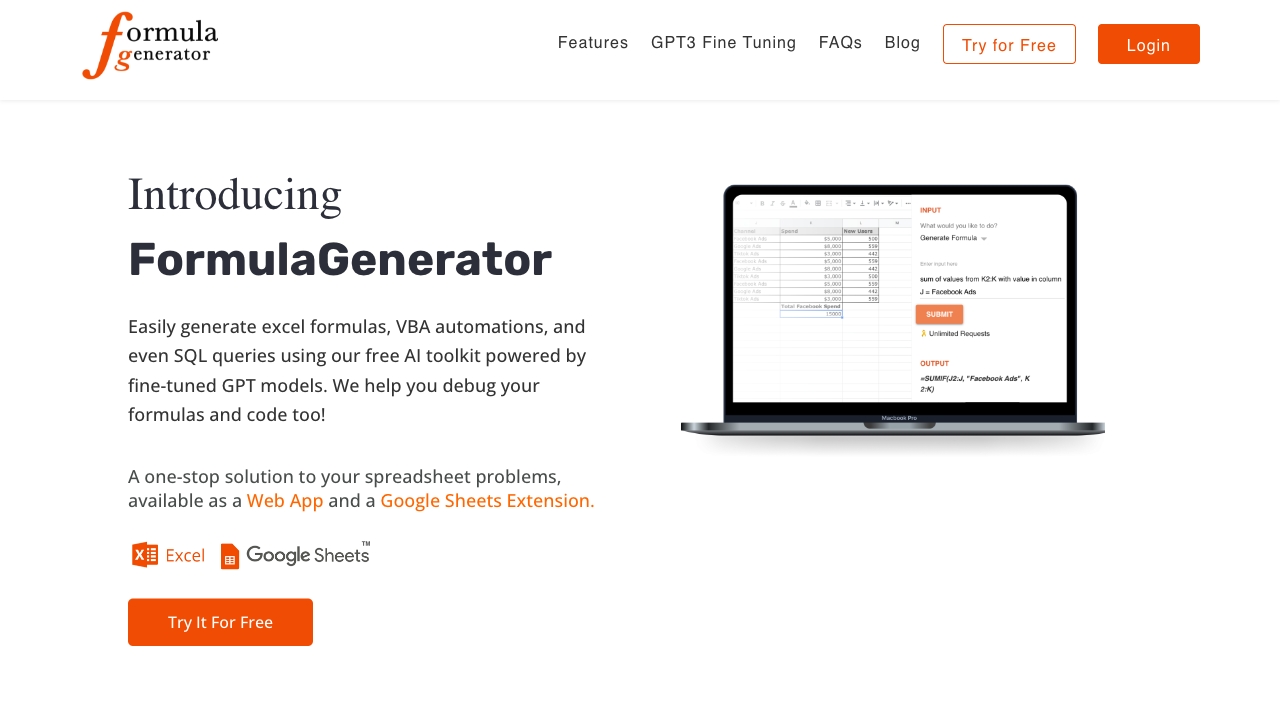


What is Formula Generator?
Formula Generator is a web-based resource that explores how AI-powered tools, such as ChatGPT, can be used to create Excel and Google Sheets formulas, build complex data tables, and streamline spreadsheet workflows. Rather than requiring deep coding knowledge, the approach centers on clear communication: users describe what they need in plain English, and the AI produces the formulas, table structures, and logic needed to get the job done. The site covers everything from building simple datasheets for tracking earnings or interest returns to constructing large, intricate workbooks for professionals who work with data under tight deadlines. A major focus of the content is prompt engineering. The guidance explains how precise, specific instructions produce far better results than generic requests, and how to describe formulas, cell relationships, and calculation logic so the AI can generate spreadsheets that are easy to review and edit. It also covers system instructions, which help the AI retain context from earlier prompts and act like a consistent 'expert' across sessions. Together, these techniques let users build reusable templates and checklists, avoiding the need to restate lengthy requirements every time. Beyond formula generation, the material explores more advanced possibilities: connecting the OpenAI API to a frontend or Google Sheets to build a custom formula generator app, creating dynamic templates that adapt to new datasets, and using GPT to write VBA macros, Apps Script, and SQL queries for automation. It also highlights AI's ability to audit spreadsheets, identify bugs and inconsistencies, and suggest optimizations, making it useful for troubleshooting as well as creation.
SpecificationsAI-estimated
Key Features of Formula Generator
Use Cases for Formula Generator
Personal Finance Tracking
Build datasheets to analyze earnings, savings growth, and projected interest or APY returns.
Financial Modelling
Create budget forecasts with adjustable inputs to see how changes in investment or interest rates affect outcomes.
Recurring Reporting
Automate monthly report generation by pulling data across sheets, formatting it, and emailing stakeholders via Apps Script.
Spreadsheet Debugging
Use AI to scan large workbooks, identify broken references or logic errors, and suggest corrections.
Data Analysis
Generate pivot tables and summaries, such as sales per region, from raw data.
Workflow Automation
Write VBA macros or SQL queries to filter, copy, and organize data without manual repetition.
How to use Formula Generator?
Define your goal
Decide what the spreadsheet should calculate or produce, including the inputs, outputs, and any relevant formulas.
Write a clear prompt
Describe the formula or table in plain English, specifying the cells, calculation logic, and the platform (Excel or Google Sheets).
Set system instructions
Establish a persistent role or context, such as 'Act as a spreadsheet automation expert,' so future requests stay consistent.
Review and refine
Test the generated formulas or code, ask the AI to fix errors, and break complex requests into smaller prompts if needed.
Save as a template
Store successful prompts and outputs as reusable templates to speed up similar tasks later.
Pros & Cons of Formula Generator
Pros
- Makes complex Excel and Google Sheets formulas accessible without coding experience
- Teaches practical prompt engineering techniques for getting precise, editable spreadsheet output
- Covers automation paths including VBA, Apps Script, and SQL generation
- Explains how to reuse system instructions and templates to speed up recurring work
Cons
- Content is primarily an educational guide rather than a standalone tool with an interface
- Results depend on users having at least a basic understanding of spreadsheet logic to communicate needs effectively
- Relies on third-party AI services such as ChatGPT, so users need access and may face usage limits or costs
- Advanced integrations (API-connected apps, webhooks, Zapier/Make automation) require technical setup
Frequently Asked Questions
Do I need coding experience to use AI-generated formulas?
No. Basic spreadsheet understanding and the ability to describe what you need are enough. Coding knowledge is only helpful for advanced automation like VBA or Apps Script.
Which AI tool is recommended?
The guide focuses on ChatGPT and the OpenAI API, but the prompting principles apply to other AI assistants as well.
What is prompt engineering in this context?
It is the practice of writing clear, specific instructions that explain exactly what formula, table, or code you need, which produces more accurate results than generic requests.
What are system instructions?
They are standing instructions that tell the AI how to behave and what context to retain, so you do not have to re-enter background information in every new prompt.
Can AI fix errors in my existing spreadsheet?
Yes. AI can review formulas and structure, identify logic or reference errors, and suggest corrections, often scanning an entire workbook in seconds.
Can AI automate my spreadsheet tasks?
Yes. GPT can generate VBA macros for Excel, Apps Script for Google Sheets, and SQL queries for databases, which can then be tested and refined.
Is the AI-generated code reliable?
It is a strong starting point, but outputs should be tested and reviewed before being used on important data.
Pricing Overview
View full pricing →No pricing information is present in the provided page content; the page consists of articles about AI-powered Excel and Google Sheets formula generation.
Detailed plans are not listed. Visit the official website for pricing information.
Reviews & Ratings0.0
No reviews yet. Be the first to write one!
Top Alternatives & Similar Software
View all alternatives & similar software→No alternatives available yet.
People also viewed


Related searches
Is this your tool?
Claim this page to update details, reply to user reviews, and drive more traffic to your product.
Claim this Product →
Tags
Explore Related Topics
Keep up with Formula Generator alternatives
New alternatives, pricing changes and the week's biggest movers - one email every Tuesday.