


FormulAI
An AI add-in for Excel that computes finance answers on your data instead of guessing them.



What is FormulAI?
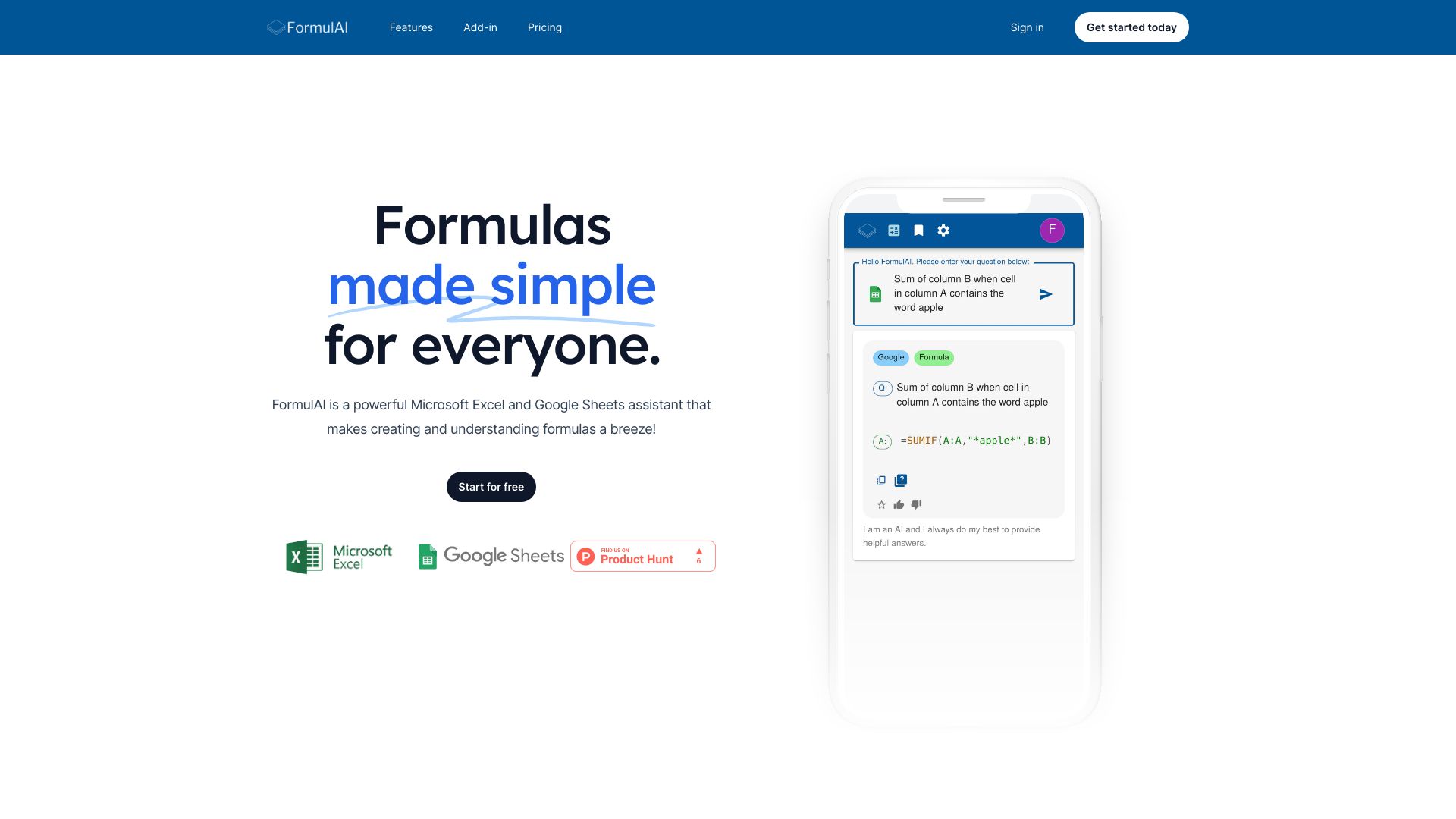
FormulAI is an AI add-in for Microsoft Excel built for FP&A and finance teams. Rather than acting as a general-purpose chatbot that guesses at answers, it is designed around the premise that a wrong number in a finance model is worse than no answer at all. It organizes its capabilities into three groups, FP&A, Data Analysis, and Formula Tools, so users can build formulas, run variance and reconciliation analysis, and audit workbooks without leaving Excel. The FP&A toolset covers the work finance teams do before a model reaches the CFO. Variance Commentary produces a budget-versus-actual breakdown with ranked drivers and plain-English explanations, Reconciliation matches two sources such as a ledger against a sub-ledger or a bank statement against the books and surfaces mismatches, gaps, and duplicate keys, and the Workbook Health Check audits a variance pack for broken math, inconsistent formulas, hardcoded values, and subtotal tie-out breaks. The Data Analysis tools let users query their worksheet in plain English and receive computed results, or generate realistic sample datasets from a header row for testing. Formula Tools include a Formula Builder that turns plain-language requests into formulas verified against the user's own sheet, a Formula Doctor that scans for and proposes fixes to formula errors, and an Explain this Cell feature that traces where a value comes from and flags risky references. The product's central differentiator is its approach to trust. Generated formulas are evaluated on the actual workbook before being committed, variance and reconciliation results are computed deterministically rather than generated by a language model, and AI is used only to explain results in natural language. For data privacy, natural-language queries run in a private in-browser database, and AI features transmit only headers and computed summaries rather than underlying rows. FormulAI is aimed primarily at finance professionals, FP&A analysts, and accounting teams who spend significant time in Excel and need auditable, verifiable outputs.
SpecificationsAI-estimated
Key Features of FormulAI
Use Cases for FormulAI
Budget variance reporting
Generate budget-versus-actual breakdowns with ranked drivers and commentary ready for management review.
Ledger reconciliation
Match ledger against sub-ledger or bank against book balances and surface mismatches and duplicates quickly.
Pre-CFO model audit
Run a health check on variance packs to catch broken formulas, hardcoded values, and subtotal errors before submission.
Formula troubleshooting
Diagnose and fix formula errors across a workbook, with each proposed fix checked against the actual sheet.
Cell-level auditing
Trace where a cell's value comes from and identify risky references in inherited or complex models.
Ad-hoc data questions
Ask plain-English questions about worksheet data and receive computed answers without writing lookup formulas.
Test data generation
Create realistic sample datasets to prototype models or test formulas before using live data.
How to use FormulAI?
Install the Excel add-in
Add FormulAI to Microsoft Excel from the add-in store and sign in with Microsoft SSO or email and password.
Choose a tool
Select from FP&A, Data Analysis, or Formula Tools depending on whether you are reconciling, analyzing, or building formulas.
Describe your task or select your data
Describe the formula or question in plain language, or point the tool at the relevant budget, ledger, or variance range.
Review verified results
Check the computed output or the formula's evaluated result on your sheet before committing it to the workbook.
Run a health check before sharing
Use the Workbook Health Check to catch errors and tie-out breaks before the model goes to stakeholders.
Pros & Cons of FormulAI
Pros
- Formulas are verified against the user's own sheet before being committed, reducing the risk of silent errors
- Variance, reconciliation, and health-check results are computed deterministically rather than generated by a language model
- Natural-language queries run in a private in-browser database, and only headers and summaries are sent for AI features
- Covers the full FP&A workflow in one add-in, from variance commentary to pre-CFO model audits
Cons
- Primarily targeted at finance and FP&A workflows, so less useful for general-purpose spreadsheet users
- The free plan is limited to 10 AI requests per month, which may be restrictive for regular use
- Requires the Microsoft Excel add-in, so it is not usable in other spreadsheet applications
Frequently Asked Questions
How is FormulAI different from Microsoft Copilot?
FormulAI is built for finance work where accuracy is critical. Its FP&A tools are computed deterministically, and every generated formula is verified against the user's data. AI is used to explain results, not to produce the numbers.
What can FormulAI do for FP&A teams?
It generates variance commentary from budget-versus-actual tables, reconciles two sources such as ledger and sub-ledger, and runs a Workbook Health Check that flags broken math, inconsistent formulas, hardcodes, and tie-out breaks.
Is my spreadsheet data sent to the cloud?
No. Data stays in Excel. Natural-language queries run in a private in-browser database, and AI features transmit only column headers and computed summaries, not underlying rows.
How does the unlimited plan differ from the free version?
The free plan includes up to 10 AI requests per month. The unlimited plan adds unlimited formula and query requests, the full FP&A toolset, Formula Doctor, Explain this Cell, bookmarks, and Excel add-in access.
Do I need to sign in inside Excel?
The add-in supports Microsoft single sign-on and falls back to email and password sign-in when SSO is unavailable.
How do I contact customer support?
Email [email protected] and the support team will respond. Password resets are available through the app's reset page.
Pricing Overview
View full pricing →FormulAI offers a free plan with up to 10 AI requests per month, plus paid Unlimited and Enterprise plans; the Unlimited plan is shown at $8.99 reduced to $3.99/month with a 7-day free trial.
Reviews & Ratings0.0
No reviews yet. Be the first to write one!
Top Alternatives & Similar Software
View all alternatives & similar software→No alternatives available yet.
People also viewed


Related searches
Is this your tool?
Claim this page to update details, reply to user reviews, and drive more traffic to your product.
Claim this Product →
Tags
Explore Related Topics
Keep up with FormulAI alternatives
New alternatives, pricing changes and the week's biggest movers - one email every Tuesday.