



Imagable
A prompt-driven AI image editor and generator that lets anyone retouch, restyle, or create photos without learning design software.




What is Imagable?
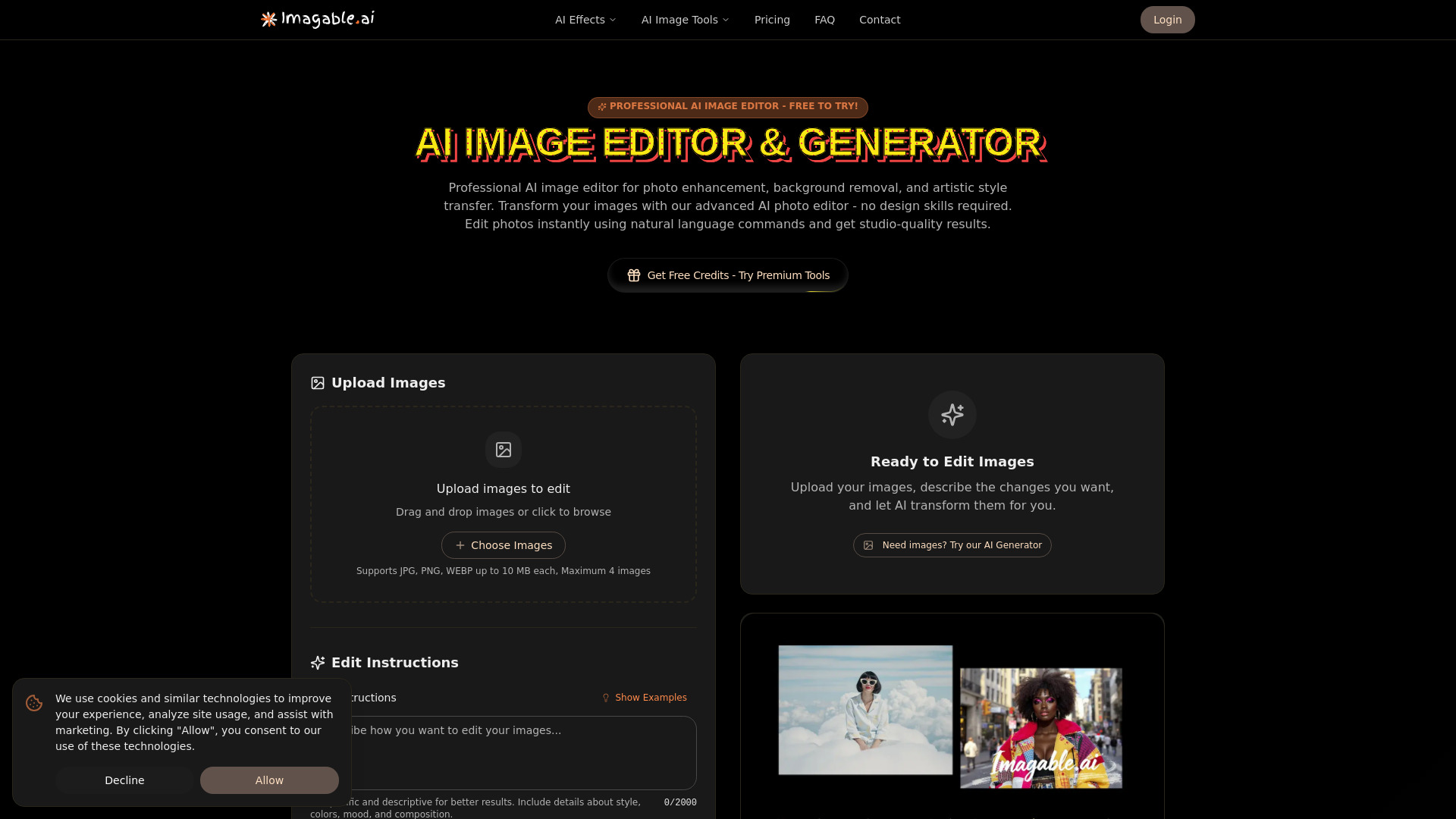
Imagable is an online AI image editor and generator that lets users edit existing photos with plain-language prompts, or create entirely new images from text descriptions. Common edits include removing objects or people, swapping or removing backgrounds, restyling a photo, fixing lighting, and extending the canvas. The platform also offers a range of dedicated image tools such as AI product photo generation, upscaling up to 8x, and other enhancement utilities organized around specific jobs. The workflow is designed to be simple: upload a JPG, PNG, or WEBP, describe the change in everyday language, and download the result in HD without a watermark. Users can compare results against the original, keep multiple versions, and re-edit completed images from their My creations library. Credit costs are shown before each edit begins, and new accounts receive a welcome credit grant after verifying their email. Imagable is aimed at people who need fast, practical image work without learning professional editing software, including e-commerce sellers preparing product listings, social media managers repurposing content, real estate and interior listings, and everyday users wanting headshots or cleaned-up travel photos. Its strongest appeal is the prompt-driven editing model combined with a free starting allowance and clear, transparent credit pricing.
SpecificationsAI-estimated
Key Features of Imagable
Use Cases for Imagable
E-commerce product photos
Create white-background shots, lifestyle scenes, and clean cutouts for online store listings.
Social media content
Restyle, extend, and repurpose a single photo shoot into many posts for different platforms.
Headshots and profile pictures
Turn a casual selfie into a polished, professional-looking portrait for LinkedIn or other profiles.
Real estate and interior photos
Remove clutter, correct poor lighting, and extend tight crops to make listings more appealing.
Travel and everyday photos
Clean up distractions such as crowds or power lines from vacation snapshots.
Creative image generation
Build new illustrations or concept images from text descriptions and refine them in the editor.
How to use Imagable?
Upload your photo
Drag, paste, or select a JPG, PNG, or WEBP file and preview it before processing.
Describe the change
Write what you want in plain English, such as 'remove the tourists' or 'make it a poster'.
Review the result
Compare the output with your original, then edit again or refine the prompt if needed.
Download in HD
Export the finished image in HD 2K without a watermark, using credits shown before the edit.
Pros & Cons of Imagable
Pros
- Edit photos by simply describing the change in plain English, with no learning curve
- Generate new images from text prompts and open them directly in the editor for cleanup or upscaling
- Free welcome credits after email verification let users try the tools before paying
- Clear credit costs shown before each edit, plus the ability to keep and compare multiple versions
- Watermark-free HD 2K output and private-by-default storage of images and results
Cons
- Credit-based pricing means heavy users may find costs add up quickly compared to flat-rate tools
- Non-subscription image results are only kept for 3 days, so users must download what they want to keep
- Results depend heavily on prompt quality and the source photo, so complex edits may need several attempts
Frequently Asked Questions
What can I do with Imagable?
You can edit a photo with your own words, remove backgrounds or unwanted objects, improve image quality, or create a new image from a text prompt.
Can I try it for free?
Yes. Verifying your email gives you 40 welcome credits valid for 30 days, and some tools have their own daily free allowances. No card is required to start.
Do I need photo editing experience?
No. Upload a photo and describe the change you want. For specialized jobs, you can choose a dedicated tool and follow its controls.
Should I use the editor or the generator?
Use the editor to change an existing photo. Use the generator to create a brand-new image from a description, optionally with reference photos.
Can I edit a result again?
Yes. Completed images in My creations can be sent back into the editor for another edit, with the credit cost shown before you start.
How long are my images saved?
Results created with an active subscription or an unexpired credit-pack purchase are saved until you delete them. Other results are available for 3 days, and each shows its expiry date.
Are my results public?
No. Saved results are visible only through your account, not a public gallery, and you can delete them from My creations at any time.
Pricing Overview
View full pricing →Imagable offers three monthly/yearly subscription tiers (Starter, Creator, Pro) with monthly credit allowances, plus one-time credit packs (Small, Medium, Large) that last 12 months, and 40 free welcome credits after email verification.
Reviews & Ratings0.0
No reviews yet. Be the first to write one!
Top Alternatives & Similar Software
View all alternatives & similar software→No alternatives available yet.
People also viewed


Related searches
Is this your tool?
Claim this page to update details, reply to user reviews, and drive more traffic to your product.
Claim this Product →
Tags
Explore Related Topics
Keep up with Imagable alternatives
New alternatives, pricing changes and the week's biggest movers - one email every Tuesday.