



IMG2Excel
Convert image tables into editable Excel spreadsheets online with AI-powered accuracy.
What is IMG2Excel?
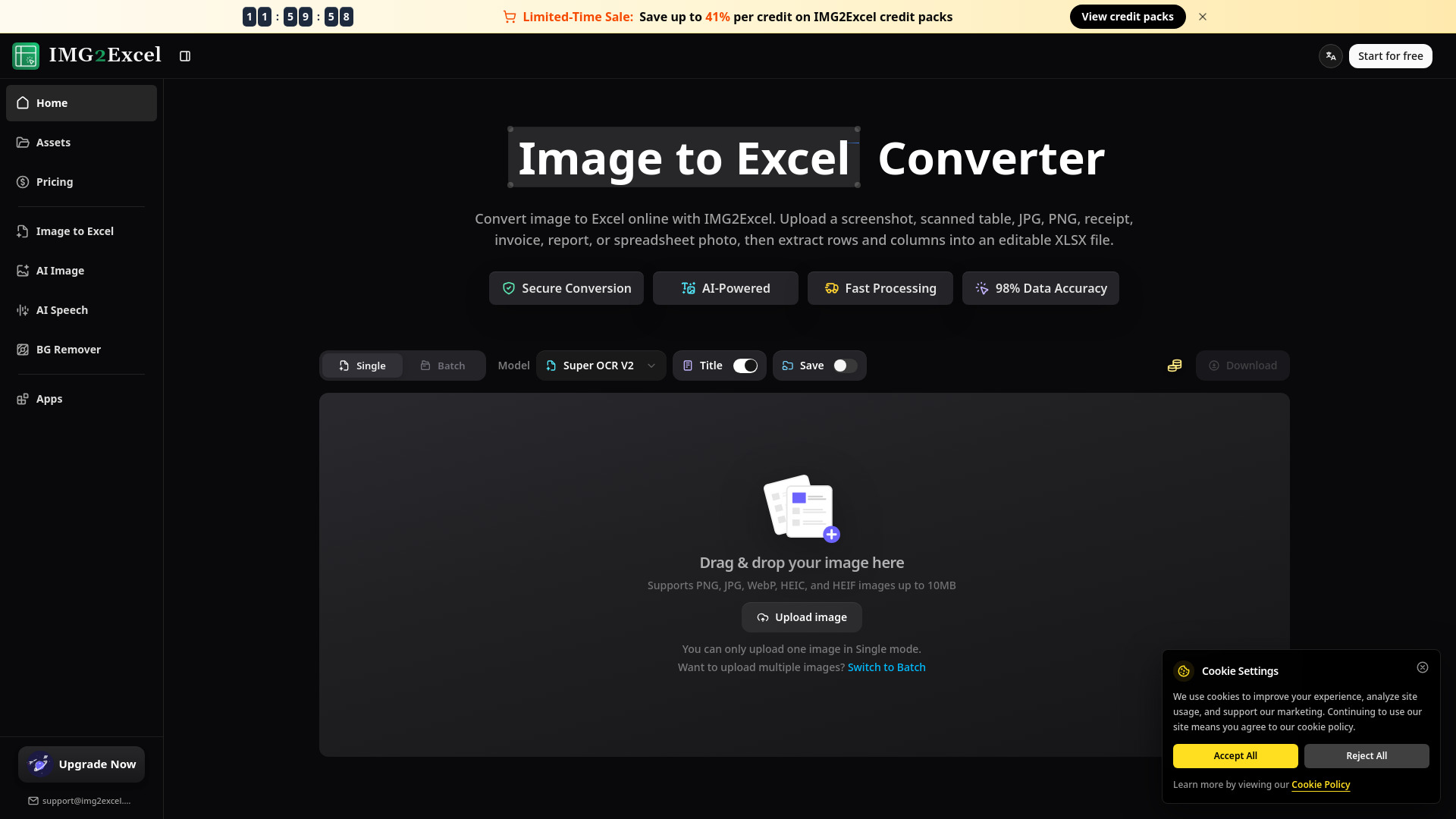
IMG2Excel is a powerful online tool designed to convert image files containing tables into editable Excel (XLSX) spreadsheets. It leverages AI-powered technology to accurately extract rows and columns from various image formats, including screenshots, scanned documents, receipts, invoices, and photos of spreadsheets. The service emphasizes speed, security, and high data accuracy, offering a user-friendly preview feature before final download. This converter is ideal for anyone needing to digitize tabular data trapped in images, significantly reducing the time and effort associated with manual data entry. Whether you're an accountant needing to process invoices, a business analyst extracting data from reports, or a student organizing research findings, IMG2Excel provides a streamlined solution. Its web-based nature ensures accessibility from any device with an internet connection, eliminating the need for software installations. The platform offers a freemium model, providing a trial conversion and daily credits, with options for paid plans and credits for more intensive usage. IMG2Excel prioritizes user privacy, with secure conversion processes and data deletion policies in place. The tool is designed to handle a wide range of image-based tables, aiming to make data recovery efficient and error-free.
SpecificationsAI-estimated
Key Features of IMG2Excel
Use Cases for IMG2Excel
Data Entry Automation
Significantly reduce manual retyping by converting image-based tables from screenshots or scanned documents into editable Excel files.
Financial Document Processing
Accountants and finance teams can quickly digitize scanned statements, invoices, and receipts for easier review and reconciliation.
Business Analysis & Reporting
Extract tables from reports, charts, and dashboards captured as images to facilitate faster data analysis and decision-making.
Academic Research
Students and researchers can convert tables from notes, textbooks, or research papers into spreadsheet format for analysis.
Project Management
Transform image-based project plans, timelines, or resource tables into manageable Excel sheets for better tracking.
Healthcare Data Management
Extract data from lab results, forms, or medical records presented as images into organized Excel files for internal workflows.
How to use IMG2Excel?
Upload Your Table Image
Add your screenshot, scanned table, receipt, invoice, report, JPG, PNG, or spreadsheet photo containing the data you need to recover.
Preview Extracted Rows
IMG2Excel will read the table structure, detect rows and columns, and present a preview of the spreadsheet-ready data for your review.
Download Editable XLSX
Once satisfied with the preview, export the cleaned data as a standard XLSX file that you can open, edit, sort, and share.
Pros & Cons of IMG2Excel
Pros
- AI-powered data extraction with high accuracy (98%)
- Fast processing, converting images to Excel in seconds
- User-friendly preview of extracted data before download
- Supports various image formats (JPG, PNG, etc.) and batch processing
- Web-based, requiring no software installation and accessible on mobile
Cons
- Requires credits for conversions beyond the free trial/daily check-in
- Accuracy depends on image quality (clarity, lighting, borders, text readability)
- Commercial use requires a paid plan or credits
Frequently Asked Questions
What is an image to Excel converter?
An image to Excel converter turns table data from a screenshot, scanned table, JPG, PNG, or photo into an editable spreadsheet. IMG2Excel reads the table structure, previews the extracted rows, and exports a standard XLSX file.
How do I convert image to Excel online?
Upload your image, let IMG2Excel extract the rows and columns, review the preview, and download the result as an XLSX file. The same image to Excel workflow works for screenshots, scans, receipts, invoices, reports, and spreadsheet photos.
Can I convert JPG to Excel or PNG to Excel?
Yes. For image to Excel conversion, IMG2Excel supports common table image formats including JPG, JPEG, PNG, WebP, HEIC, and HEIF, with uploads up to 10MB per image. You can convert one image or use batch processing for multiple screenshots, scans, or table photos.
Can IMG2Excel extract table from image files?
Yes. IMG2Excel detects rows, columns, labels, numbers, and table-like structure from images, then prepares an editable XLSX file. Clear borders, straight photos, and readable text improve the image to Excel result.
Can I convert screenshot to Excel?
Yes. Upload a screenshot that contains a table, dashboard, report, or spreadsheet view. IMG2Excel can turn the screenshot to Excel by recognizing the table and exporting editable rows and columns through the same image to Excel workflow.
Does image to Excel OCR work with scanned tables?
IMG2Excel uses OCR and table recognition to process scanned tables, printed reports, receipts, invoices, and document photos. This image to Excel OCR quality depends on image clarity, text size, lighting, and whether the table is fully visible.
Can I try IMG2Excel before signing in?
You can try IMG2Excel once without logging in. After you sign in, your account receives free credits, and you can earn more free credits through daily check-in. Larger or repeated image to Excel workflows use credits, with Pro features available for users who need more capacity.
Does image to Excel work without installing anything?
Yes. IMG2Excel works in your browser, so you do not need desktop software or browser extensions. Upload an image, start image to Excel online, preview the table, and download the Excel file when processing is complete.
Can I open the converted file in Google Sheets?
Yes. After image to Excel conversion, IMG2Excel exports standard XLSX files, which can be opened in Microsoft Excel, imported into Google Sheets, or used in other spreadsheet apps that support Excel files.
How does IMG2Excel protect my images and privacy?
IMG2Excel takes user privacy seriously. During image to Excel processing, uploaded images and conversion results are processed for table extraction and file generation, and stored with encryption where storage is needed. Results that are not saved to Assets are deleted within 24 hours. Pro users can turn on Save to assets to keep results for up to 60 days, and saved History items can be deleted immediately from your account.
Pricing Overview
View full pricing →All prices are in USD.
Reviews & Ratings0.0
No reviews yet. Be the first to write one!
Top Alternatives & Similar Software
View all alternatives & similar software→No alternatives available yet.
People also viewed




Related searches
About the Product
Is this your tool?
Claim this page to update details, reply to user reviews, and drive more traffic to your product.
Claim this Product →
Tags
Explore Related Topics
Keep up with IMG2Excel alternatives
New alternatives, pricing changes and the week's biggest movers - one email every Tuesday.