



MoGoFun: TikTok Voice Generator
Turn text into funny TikTok AI voices with thousands of styles across 20+ languages.
What is MoGoFun: TikTok Voice Generator?
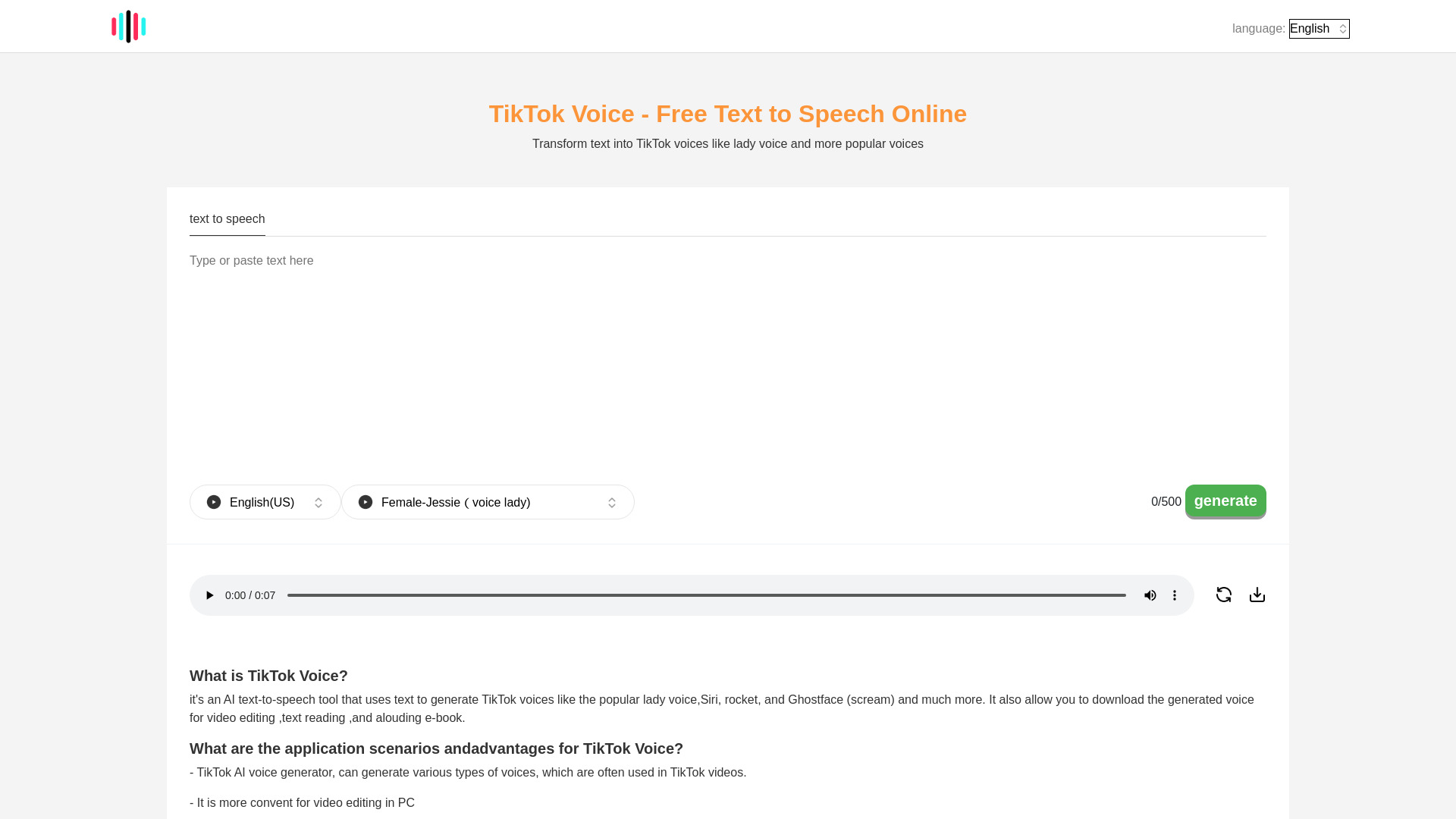
MoGoFun is a free online TikTok voice generator that turns text into speech using AI text-to-speech technology. It offers a wide variety of voice styles across 20+ languages, including popular and funny voices such as Jessie, Ghostface, C3PO, Siri, Deadpool, and more. It is designed for TikTok creators, video editors, and content creators who want to add recognizable AI voiceovers to their videos.
SpecificationsAI-estimated
Key Features of MoGoFun: TikTok Voice Generator
Use Cases for MoGoFun: TikTok Voice Generator
TikTok Video Dubbing
Create funny or dramatic voiceovers for TikTok videos using recognizable AI voices.
Meme and Comedy Content
Use iconic voices like Ghostface or C3PO to make humorous content.
Video Editing and Podcasts
Generate voiceovers for video edits, podcasts, and other content projects.
Replacing Removed TikTok Voice Effects
Access voice effects that may no longer be available in the TikTok app.
How to use MoGoFun: TikTok Voice Generator?
Choose language and accent
Select the desired language/accent from the first dropdown menu.
Select a voice
Pick a voice style such as Jessie, Ghostface, C3PO, or any other available voice.
Enter text
Type up to 500 characters of text into the text box.
Generate and download
Press the generate button, wait a few seconds, then play or download the audio file.
Pros & Cons of MoGoFun: TikTok Voice Generator
Pros
- Free to use
- Easy workflow: choose voice, type text, generate, download
- Wide selection of voices, including iconic and funny characters
- Generates human-like speech with latest TTS technology
- Useful for creating voiceovers that may have been removed from the TikTok app
- Works directly on PC, making video editing more convenient
Cons
- Text input appears limited to 500 characters per generation
- Generated audio must be manually transferred to a phone for TikTok uploads
- Some voices like Jessie may feel overused depending on TikTok trends
- Free service may have waiting times or limitations
Frequently Asked Questions
Is TikTok Voice Generator free?
Yes, it is a free text-to-speech tool.
Can it generate Jessie voice?
Yes. Select English (US), choose Jessie (Voice Lady), enter text, and generate.
Can it generate C3PO voice?
Yes. Select English (US), choose C3PO, enter text, and generate.
Can it generate Ghostface voice?
Yes. Select English (US), choose Ghostface, enter text, and generate.
Can it generate Siri voice?
Yes. Select English (US), choose Siri, enter text, and generate.
How do I add the generated voice to TikTok?
Transfer the audio file to your phone, upload your video in TikTok, use the 'add speech' feature to select the audio, then publish.
Reviews & Ratings0.0
No reviews yet. Be the first to write one!
Top Alternatives & Similar Software
View all alternatives & similar software→

People also viewed



Related searches
About the Product
Is this your tool?
Claim this page to update details, reply to user reviews, and drive more traffic to your product.
Claim this Product →
Tags
Explore Related Topics
Keep up with MoGoFun: TikTok Voice Generator alternatives
New alternatives, pricing changes and the week's biggest movers - one email every Tuesday.