


Neocal
An AI calendar that turns plain-language requests into scheduled events, booking links, and WhatsApp conversations.
What is Neocal?
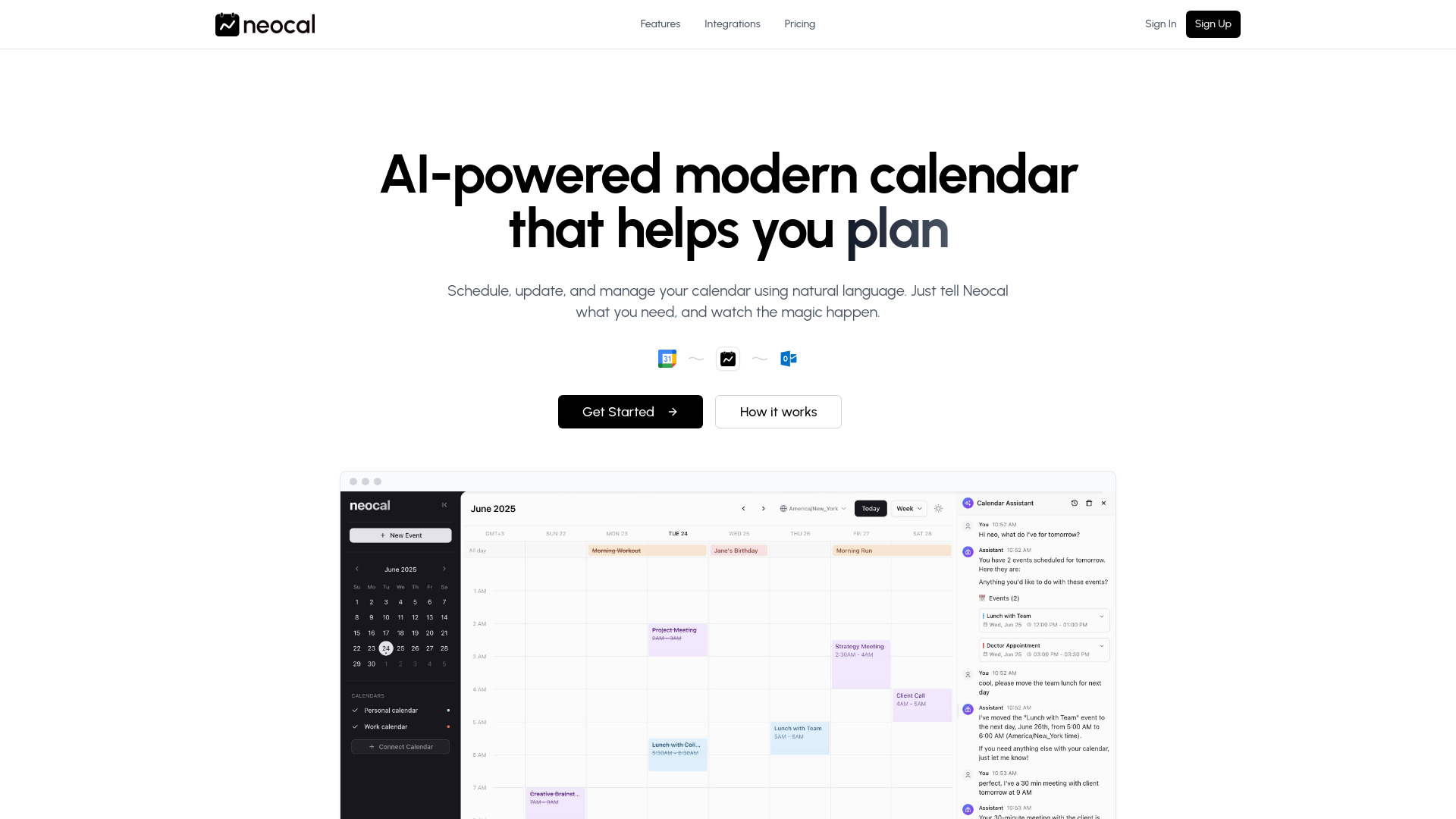
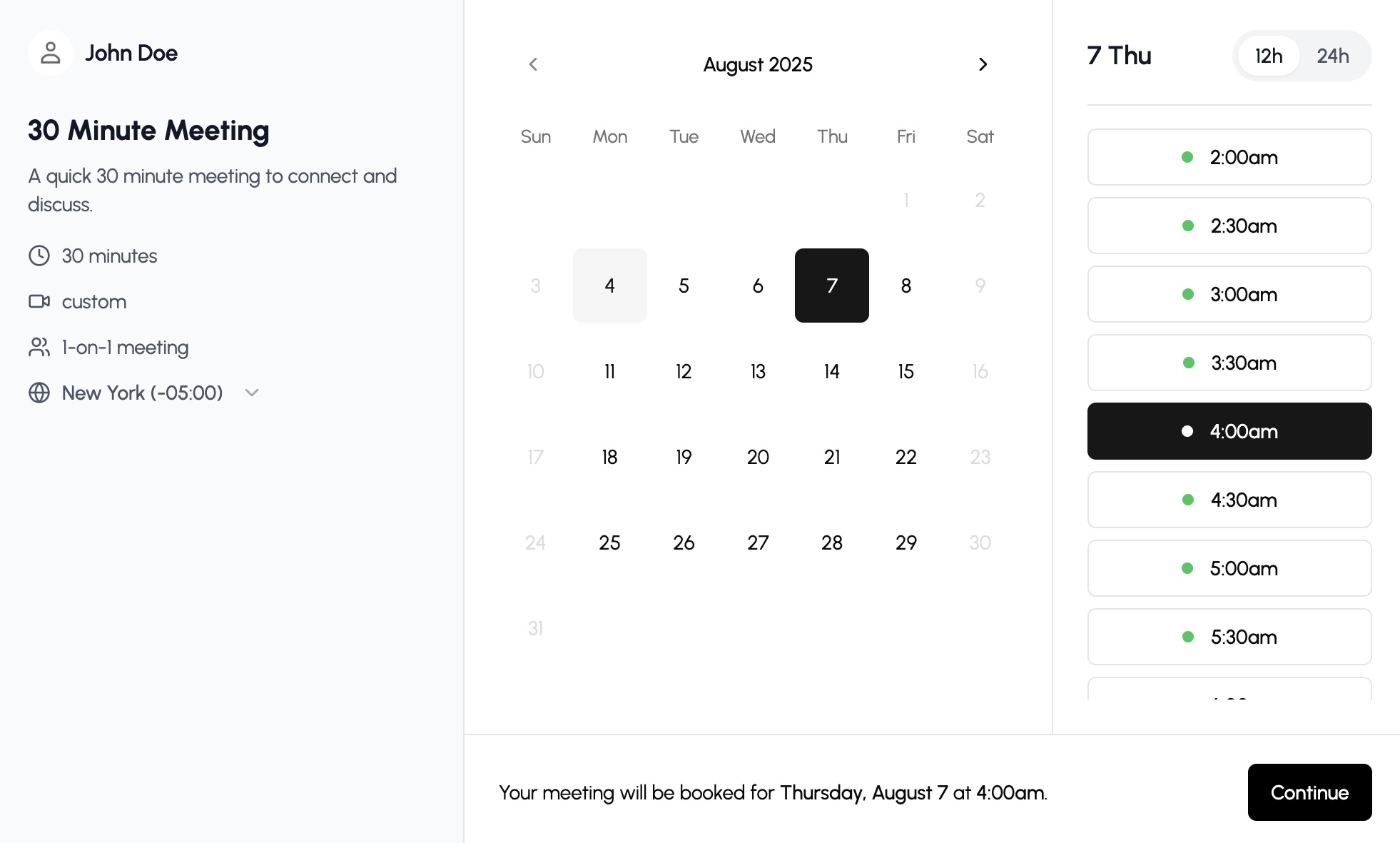
Neocal is an AI-powered modern calendar application that lets users schedule, update, and manage their calendar using plain natural language instead of forms and manual entry. Rather than clicking through date pickers and time dropdowns, you simply describe what you need, such as "Schedule lunch with Sarah next Tuesday," and Neocal interprets the request, handles time zones, and places the event on your calendar. It is designed to integrate with existing calendar services, with the site referencing Google Calendar and Outlook Calendar alongside its own interface. Beyond natural-language scheduling, Neocal offers Scheduling Links that let clients or colleagues book meetings through a clean booking page. The booking experience reads your real-time availability so invitees only see open slots, supports multiple meeting types such as quick calls and longer deep-dive sessions, prevents double-booking by checking your calendar for conflicts, and can automatically generate Google Meet links for each appointment. This combination turns a calendar into a lightweight front door for appointments without a manual back-and-forth of emails. Neocal also extends into everyday messaging by letting users chat with their calendar directly inside WhatsApp. Messages such as "Schedule lunch tomorrow at 1 PM" are handled conversationally, with immediate confirmations and updates, so users can manage their schedule without opening a separate app. The product is best suited to busy professionals, freelancers, and consultants who juggle frequent meetings and want to reduce the friction of scheduling.
SpecificationsAI-estimated
Key Features of Neocal
Use Cases for Neocal
Quick event scheduling
Add meetings, lunches, or reminders by typing a sentence instead of filling out event forms.
Client appointment booking
Share a scheduling link so clients can book time with you without a back-and-forth of emails.
Freelance consulting calls
Offer different meeting lengths through booking pages while keeping your calendar free of conflicts.
On-the-go calendar management
Reschedule or add events from WhatsApp when you are away from your computer.
Cross-timezone coordination
Let the AI handle time zone conversions when scheduling with people in other regions.
Remote meeting setup
Generate Google Meet links automatically as part of each booked appointment.
How to use Neocal?
Connect your calendar
Link your Google Calendar or Outlook Calendar so Neocal can read your availability and write events.
Describe what you need
Type a request in plain language, such as "Schedule lunch with Sarah next Tuesday at noon."
Review the result
Confirm the event details Neocal creates, including the time zone and any generated meeting link.
Share a scheduling link
Create a booking page with your meeting types and send the link to clients or colleagues.
Manage from WhatsApp
Optionally message Neocal in WhatsApp to add, change, or check events on the go.
Pros & Cons of Neocal
Pros
- Natural-language scheduling removes the need for manual date and time entry
- Scheduling links show only real availability and automatically prevent double-booking
- WhatsApp integration lets users manage their calendar from a familiar chat interface
- Works alongside existing calendar services such as Google Calendar and Outlook
Cons
- Public information on pricing and detailed platform availability is limited on the landing page
- Heavy reliance on AI interpretation may occasionally misread ambiguous requests
- Value depends on users already being inside the Google or Microsoft calendar ecosystems
Frequently Asked Questions
What is Neocal?
Neocal is an AI-powered calendar that lets you schedule and manage events using natural language rather than manual forms.
Which calendars does Neocal work with?
The site references integration with Google Calendar and Outlook Calendar.
Can clients book time with me through Neocal?
Yes. Neocal offers scheduling links that show your real-time availability and let invitees book meetings directly.
Does Neocal prevent double-booking?
Yes. It checks your calendar automatically to avoid scheduling conflicts.
Can I use Neocal without opening an app?
Yes. You can chat with Neocal inside WhatsApp to schedule and update events.
Does it handle different time zones?
Yes. Neocal includes time zone intelligence so meetings across regions are scheduled correctly.
Does it create video meeting links?
Yes. It can automatically generate Google Meet links for booked meetings.
Pricing Overview
View full pricing →No pricing or plan information is stated in the provided page content.
Reviews & Ratings0.0
No reviews yet. Be the first to write one!
Top Alternatives & Similar Software
View all alternatives & similar software→No alternatives available yet.
People also viewed



Related searches
Is this your tool?
Claim this page to update details, reply to user reviews, and drive more traffic to your product.
Claim this Product →
Tags
Explore Related Topics
Keep up with Neocal alternatives
New alternatives, pricing changes and the week's biggest movers - one email every Tuesday.