


OmniEnhancer
A browser-based AI photo enhancer that sharpens, denoises, and upscales images 2× in seconds, no sign-up required.
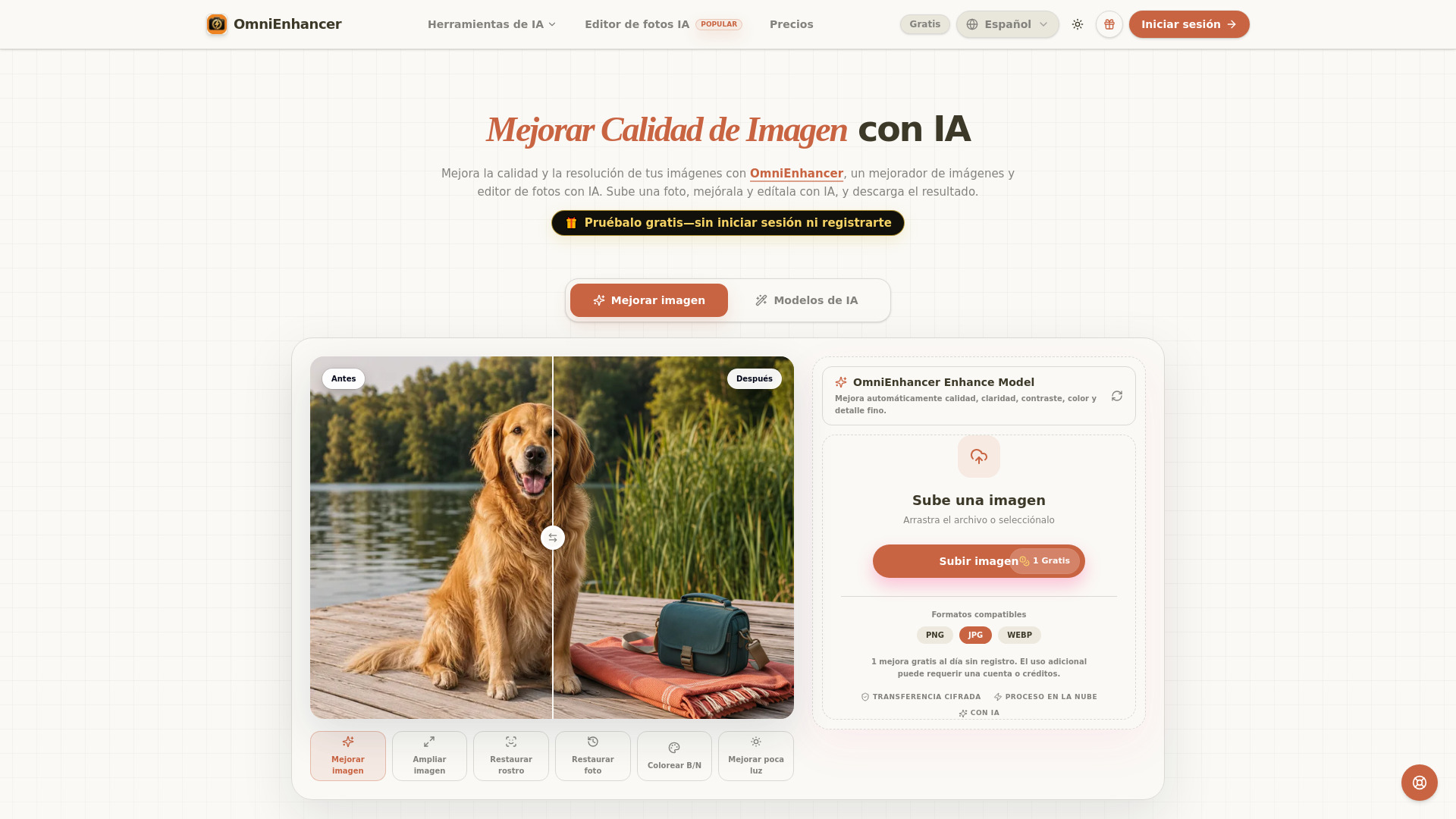


What is OmniEnhancer?
OmniEnhancer is an AI-powered online image enhancer and photo editor that improves the quality, sharpness, resolution, contrast, and color of uploaded pictures. Users upload a JPG, PNG, or WebP file, choose between enhancement and upscaling workflows, generate an improved version in roughly 5 to 10 seconds, and compare it side by side with the original before downloading. The tool is aimed at restoring detail in soft or compressed photos, cleaning up noise and compression artifacts, and preparing images for real-world uses such as portraits, product listings, social media posts, and old family photos. The platform separates restoration from creative editing. The core enhancement pass focuses on clarity, mild blur reduction, noise and color correction, and a 2× resolution increase, while a separate editor handles more invasive changes such as object removal or scene modification. This split is useful because creative edits can alter more of the original image, so users can keep the faithful restoration step distinct from edits that change the content. OmniEnhancer offers a free tier that requires no sign-up, with one free enhancement per day, a 2MP input limit, and a 1024px output resolution on the standard model. It works in modern mobile and desktop browsers, though a larger screen makes masking, object selection, and fine-grained controls easier. Results depend heavily on the source image, so the site recommends checking faces, text, logos, and product details against the original before publishing.
SpecificationsAI-estimated
Key Features of OmniEnhancer
Use Cases for OmniEnhancer
Restoring old family photos
Adjust contrast and resolution on aged or faded pictures while reviewing faces to keep results natural.
Improving product photography
Sharpen materials and edges on compressed product shots to make listings and ads look clearer.
Cleaning up social media images
Correct softness and compression in screenshots and posts so they look crisp on any screen.
Enhancing portraits
Brighten dark portraits, balance color, and recover detail while keeping skin and hair textures natural.
Preparing small images for print or display
Upscale a low-resolution file 2× to get a larger version for presentations or light printing.
Reducing noise in low-light photos
Clean up grain and noise from night photography while preserving useful detail.
How to use OmniEnhancer?
Upload your image
Drag and drop or select a JPG, PNG, or WebP file (up to 2MP on the free tier).
Choose a mode
Select the enhance model for clarity and resolution, or use the editor for creative changes.
Generate the result
Run the enhancement, which typically takes 5 to 10 seconds.
Compare and download
Review the before and after view, check faces, text, and products, then download the version you want.
Pros & Cons of OmniEnhancer
Pros
- Free to try with no account or registration required
- Fast processing, typically 5 to 10 seconds per image
- Side-by-side before and after comparison before downloading
- Handles JPG, PNG, and WebP files and works on mobile browsers
Cons
- Free tier is limited to one enhancement per day and 1024px output
- Input is capped at 2MP on the free tier
- Results depend heavily on the source image and can be uncertain for severe motion blur or missing detail
- Advanced creative editing features are separated and may require paid access
Frequently Asked Questions
What image formats does OmniEnhancer support?
It accepts JPG, PNG, and WebP files.
Is it free to use?
Yes, you get one free enhancement per day without signing up. Higher limits and extra features depend on access tiers.
How much can it upscale an image?
The standard model upscales images 2× with a 1024px output resolution on the free tier.
Can it fix very blurry photos?
It can reduce mild blur and softness, but severe motion blur or missing detail may not be fully recoverable.
Does it work on a phone?
Yes, you can upload, compare, and download from modern mobile browsers, though a computer or tablet is easier for detailed controls.
Will the enhancement change my image's content?
The enhancement focuses on clarity, noise, color, and resolution, but you should review faces, text, logos, and products against the original since results vary.
Pricing Overview
View full pricing →OmniEnhancer offers a free tier with one enhancement per day and no sign-up required; no paid plan prices are listed on the page content provided.
Reviews & Ratings0.0
No reviews yet. Be the first to write one!
Top Alternatives & Similar Software
View all alternatives & similar software→No alternatives available yet.
People also viewed

Related searches
Is this your tool?
Claim this page to update details, reply to user reviews, and drive more traffic to your product.
Claim this Product →
Tags
Explore Related Topics
Keep up with OmniEnhancer alternatives
New alternatives, pricing changes and the week's biggest movers - one email every Tuesday.