


Online Vocal Remover
Free online vocal remover for clean instrumental tracks.
What is Online Vocal Remover?
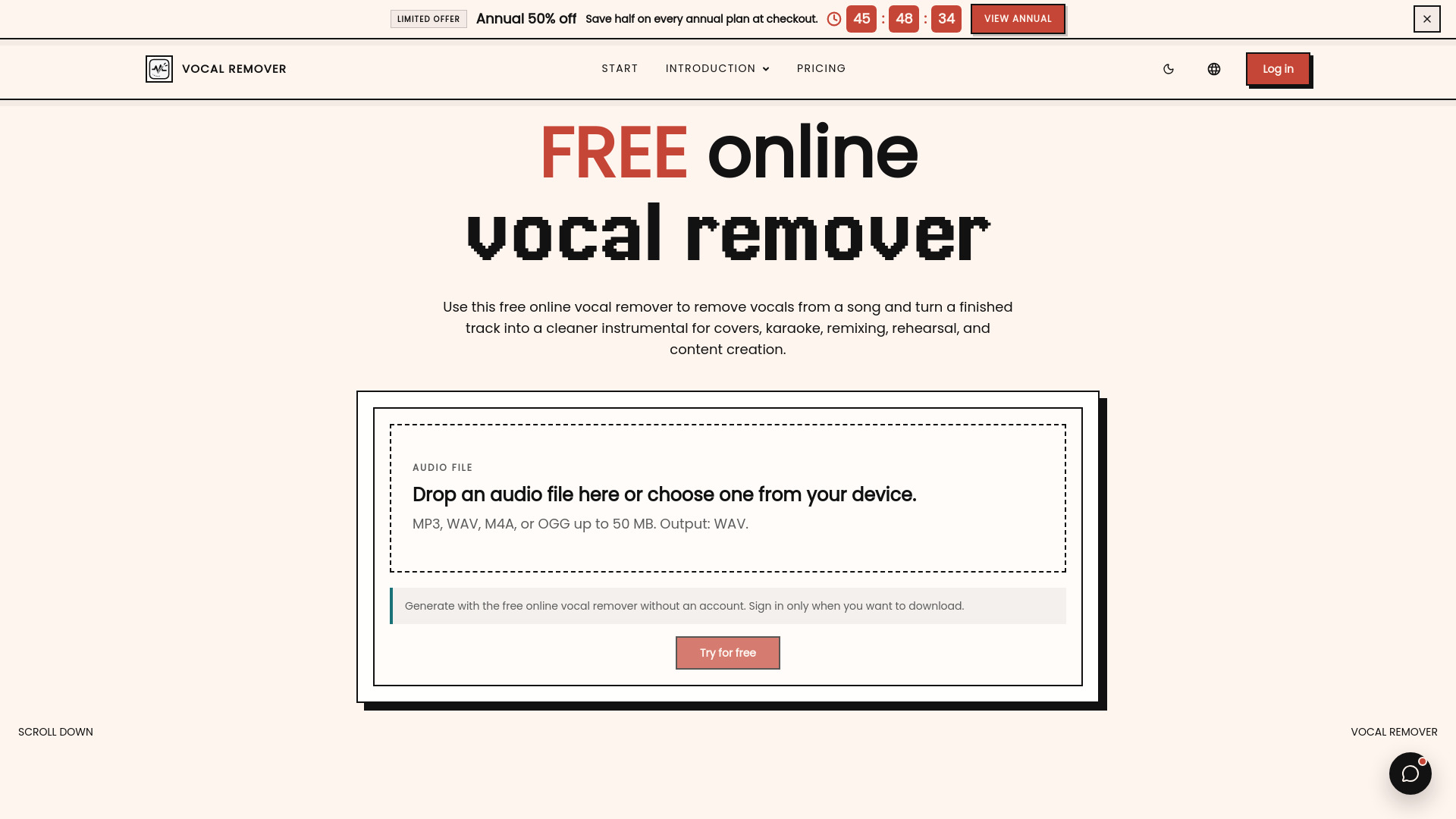
A free online AI-powered vocal remover that separates vocals from songs to create instrumental tracks for karaoke, cover practice, remix preparation, content creation, and music education. Works directly in the browser with no sign-up required for single-file processing.
SpecificationsAI-estimated
Key Features of Online Vocal Remover
Use Cases for Online Vocal Remover
Karaoke
Create backing tracks for singing.
Cover Practice
Leave room for your own vocal take.
Remix Prep
Prepare acapella and instrumental stems for remixing.
Instrumental Creation
Lower or remove lead vocals for quick instrumental drafts.
Social Video Content
Create background tracks for short videos.
Music Education
Use vocal/instrumental layers for ear training and classroom exercises.
How to use Online Vocal Remover?
Upload your song
Choose an audio file from your device and start the vocal remover workflow directly in the browser.
Remove vocals online
The AI model processes the track and separates the vocal layer from the instrumental layer.
Use the result
Save the processed output for karaoke, covers, practice, remix preparation, or content creation.
Pros & Cons of Online Vocal Remover
Pros
- No sign-up required for free single-file processing
- Runs entirely in the browser, no installation needed
- Supports common audio formats: MP3, WAV, M4A, OGG
- AI-based vocal/instrumental separation
- Batch upload and ZIP export on paid plans
- Useful for karaoke, covers, remixes, and education
Cons
- Separation quality depends on the original mix
- Free tier is limited to single-file processing
- Output is a working stem, not an official studio stem
- Copyright/licensing responsibility remains with the user
Frequently Asked Questions
What is an online vocal remover?
A vocal remover is an audio tool that reduces or separates the sung voice in a song so you can create an instrumental or cleaner voice track.
How does AI separation work?
You upload an audio file, start the separation process, and the service analyzes the mix to split the vocal layer from the instrumental layer.
Which files can I upload?
The uploader accepts MP3, WAV, M4A, and OGG files, with a 50 MB limit.
Can I use it for karaoke?
Yes. Many users create instrumental tracks for karaoke, cover practice, rehearsal, music lessons, and quick performance preparation.
Will it remove every voice perfectly?
Results depend on the original mix. Dense mixes may keep faint vocal echoes, reverb tails, or backing harmonies.
How can I get a cleaner result?
Use the highest quality source file you have, avoid heavily distorted recordings, and listen through the full instrumental before using it publicly.
Can it make acapella or remix material?
The workflow is useful for remix drafts, acapella preparation, instrumental analysis, and hearing arrangement details hidden under the lead vocal.
Do I need to install software?
No. The vocal remover runs in the browser.
Do I need to sign up?
No. You can upload a song and try the free online vocal remover with no sign-up required.
Is batch processing free?
Single-file vocal remover processing is free for testing. Batch upload, queue processing, and ZIP export require paid subscriptions or one-time credit packs.
Pricing Overview
View full pricing →Single-file vocal removal stays available for free testing. Subscribe when you need monthly credits, batch uploads, queue processing, and one-click ZIP exports.
Reviews & Ratings0.0
No reviews yet. Be the first to write one!
Top Alternatives & Similar Software
View all alternatives & similar software→No alternatives available yet.
People also viewed


Related searches
About the Product
Is this your tool?
Claim this page to update details, reply to user reviews, and drive more traffic to your product.
Claim this Product →
Tags
Explore Related Topics
Keep up with Online Vocal Remover alternatives
New alternatives, pricing changes and the week's biggest movers - one email every Tuesday.