


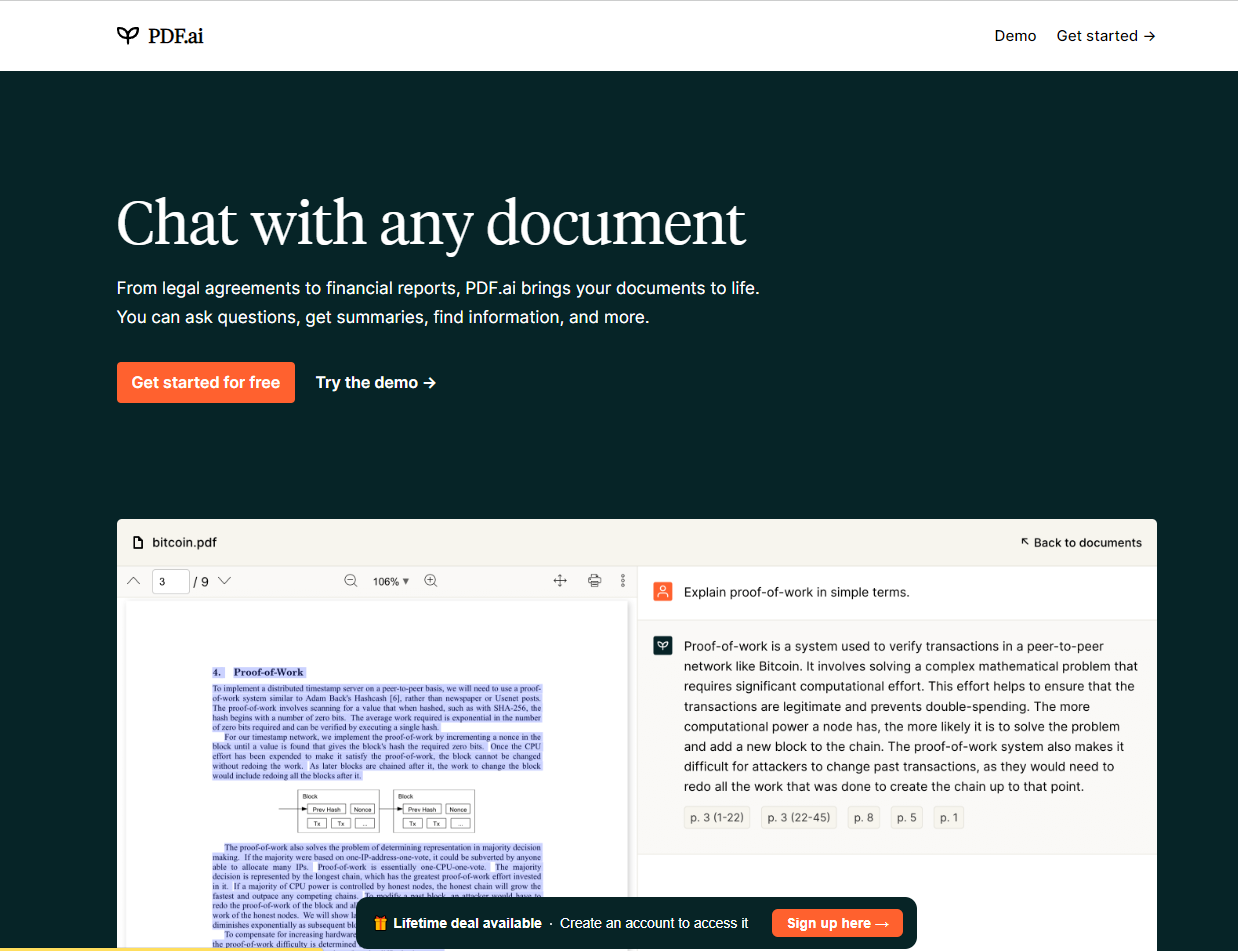
What is PDF.ai?
PDF.ai combines a user-friendly PDF chat interface with a powerful REST API for parsing, extracting, and splitting PDFs. It allows individuals and developers to turn documents into structured data, automate workflows, and answer questions from any PDF. The platform offers a free tier, transparent per-credit pricing, and enterprise-grade security.
SpecificationsAI-estimated
Key Features of PDF.ai
Use Cases for PDF.ai
Invoice and receipt extraction
Turn invoices, receipts, and purchase orders into structured data.
Legal document analysis
Ask questions about legal contracts and extract key clauses.
Research paper Q&A
Query long research papers, academic articles, and textbooks.
Customer support automation
Build AI-powered chat assistants over product manuals and knowledge bases.
Document splitting
Split large PDFs into logical sections for downstream data workflows.
How to use PDF.ai?
Chat with a PDF
Go to pdf.ai, upload or point to a PDF URL, and start asking questions in natural language.
Parse a PDF via API
Use the REST endpoint https://pdf.ai/api/v2/parse with your API key and a file URL to receive markdown, contents, and page count.
Automate document workflows
Use the /api/v2/ask endpoint to query the parsed document and integrate it into automated workflows.
Pros & Cons of PDF.ai
Pros
- Very fast setup — one REST endpoint, no SDK required.
- User-friendly chat interface for non-developers.
- Secure document handling with automatic file deletion.
- Generous free tier with 200 credits per month.
- Transparent credit-based pricing scales from hobby to enterprise.
- Useful for both developers and everyday users.
Cons
- Credit-based pricing may be restrictive for very heavy users.
- Advanced custom data extraction may require prompt/API tuning.
- Requires internet connection and is not self-hosted.
Frequently Asked Questions
Does PDF.ai have a free plan?
Yes, PDF.ai offers 200 free credits per month with access to all APIs and no credit card required.
How easy is the API to integrate?
PDF.ai provides a simple REST API using an API key and URL. No SDK is required, and responses for most documents return in under 5 seconds.
Pricing Overview
View full pricing →Free plan available; paid plans are monthly; custom plans available on request.
Reviews & Ratings0.0
No reviews yet. Be the first to write one!
Top Alternatives & Similar Software
View all alternatives & similar software→No alternatives available yet.
People also viewed




Related searches
Is this your tool?
Claim this page to update details, reply to user reviews, and drive more traffic to your product.
Claim this Product →
Tags
Explore Related Topics
Keep up with PDF.ai alternatives
New alternatives, pricing changes and the week's biggest movers - one email every Tuesday.