


PhotoRestore.ai
Upload a faded or damaged old photo and get a restored, colorized, and face-enhanced version back in seconds.
What is PhotoRestore.ai?
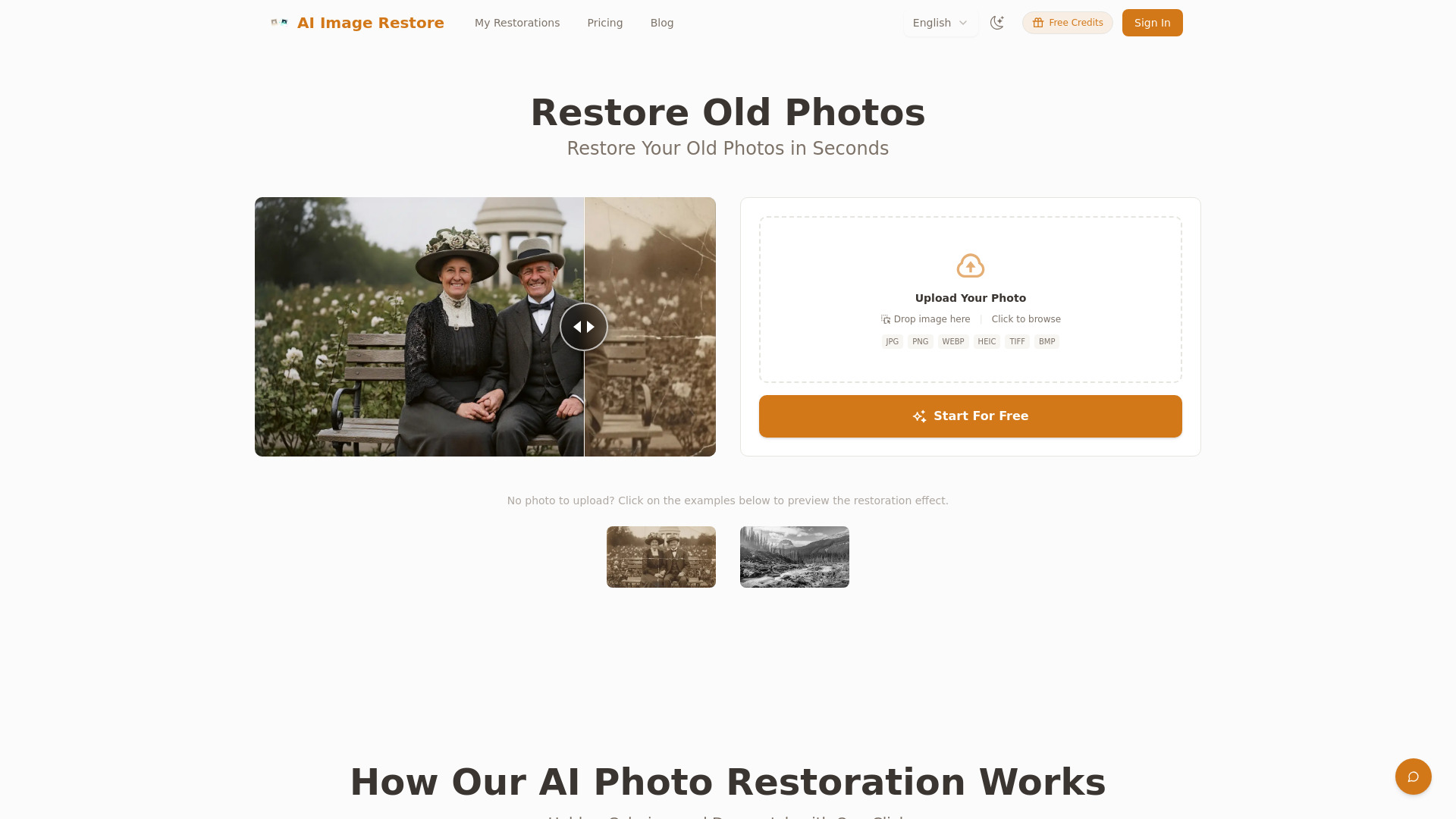
PhotoRestore.ai is an online AI-powered tool designed to restore old, damaged, faded, or blurry photographs in seconds. Users upload a scanned image (JPG, PNG, WEBP, HEIC, TIFF, or BMP), and the platform automatically diagnoses issues such as scratches, tears, creases, mold, and coffee stains, then applies context-aware repairs that fill missing patterns and textures without leaving visible traces. The same pass handles colorization, aiming for historically plausible tones and natural skin rather than cartoonish coloring, along with face enhancement that sharpens features and expressions. Beyond the core one-click workflow, the service offers a set of specialized tools for different kinds of damage, so users can target a particular problem when a general pass isn't enough. Pricing is credit-based: one credit restores one photo, with one-time packs ranging from a small starter bundle to large archive packs, and subscription options are also available. No sign-up is required for the free trial, which makes it easy to test results on a single photo before committing. PhotoRestore.ai is aimed at families digitizing shoeboxes of faded prints, individuals preparing anniversary or memorial keepsakes, photographers and studios handling client restorations, designers building vintage-style campaigns, and archivists working through large physical collections. It positions itself as a fast, low-cost alternative to traditional professional restoration, which can take weeks and cost hundreds of dollars per print.
SpecificationsAI-estimated
Key Features of PhotoRestore.ai
Use Cases for PhotoRestore.ai
Family photo archiving
Restore faded grandparent and parent photos from old shoeboxes so younger generations can see them clearly.
Anniversary and memorial keepsakes
Revive yellowed wedding or portrait photos as gifts for milestone celebrations or memorial books.
Digital backup of physical prints
Scan and clean up deteriorating prints to create a permanent, sharp digital archive.
Professional photo studio services
Offer fast basic restoration to clients and reserve manual work for complex touch-ups.
Graphic design and vintage campaigns
Clean scratches and stains from retro imagery while keeping the authentic film-era look.
Museum and archive digitization
Process large batches of deteriorating photographs for exhibition-ready prints and research use.
How to use PhotoRestore.ai?
Scan the photo
Scan the physical print at around 600 DPI for the best detail, keeping the original safe.
Upload the image
Drag and drop or select the scanned file (JPG, PNG, WEBP, HEIC, TIFF, or BMP) on the site.
Let the AI restore it
The platform automatically repairs scratches, colorizes, and enhances faces in one pass.
Preview and download
Review the restored result and download the high-definition version.
Pros & Cons of PhotoRestore.ai
Pros
- Fast one-click processing that handles scratches, color, and face enhancement in a single pass
- Low per-photo cost compared with traditional professional restoration
- No sign-up needed for the free trial and no software installation required
- Supports a wide range of input formats including HEIC and TIFF
- Credits never expire on the larger packs, suiting occasional or long-term projects
Cons
- Results depend heavily on source scan quality; low-resolution or badly scanned images produce weaker output
- Heavily damaged photos may still require manual touch-up for the most demanding jobs
- Credit-based pricing means costs accumulate for very large collections on smaller packs
- Colorization is an AI estimate of historically accurate tones, so exact original colors cannot be verified
Frequently Asked Questions
Do I need to create an account to try it?
No. The free trial requires no sign-up and no credit card.
Will the restored photo look artificially generated?
The model is tuned to retain film grain and period texture and to avoid plastic-looking faces, aiming for a natural recovery of the original.
Can it fix blurry faces?
In most cases yes. The dedicated face enhancement model sharpens facial features, though higher-resolution scans give better results.
What file formats are supported?
JPG, PNG, WEBP, HEIC, TIFF, and BMP are supported.
How much does it cost?
One credit restores one photo. Packs start at $5 for five restorations, with larger packs reducing the per-photo price.
What if my results are poor?
Rescanning at a higher resolution, such as 600 DPI, and adjusting brightness and contrast before re-uploading usually improves results significantly.
Are my original photos safe?
Yes. You upload a scan, so your physical prints and original files are not altered.
Pricing Overview
View full pricing →PhotoRestore.ai offers a free trial with no sign-up required, plus credit-based one-time packs ranging from $5 to $186, where each credit restores one photo.
Reviews & Ratings0.0
No reviews yet. Be the first to write one!
Top Alternatives & Similar Software
View all alternatives & similar software→No alternatives available yet.
People also viewed


Related searches
Is this your tool?
Claim this page to update details, reply to user reviews, and drive more traffic to your product.
Claim this Product →
Tags
Explore Related Topics
Keep up with PhotoRestore.ai alternatives
New alternatives, pricing changes and the week's biggest movers - one email every Tuesday.