


runecontent
A one-sentence-in, finished-vertical-video-out 3D explainer studio that runs inside Claude Code.
What is runecontent?
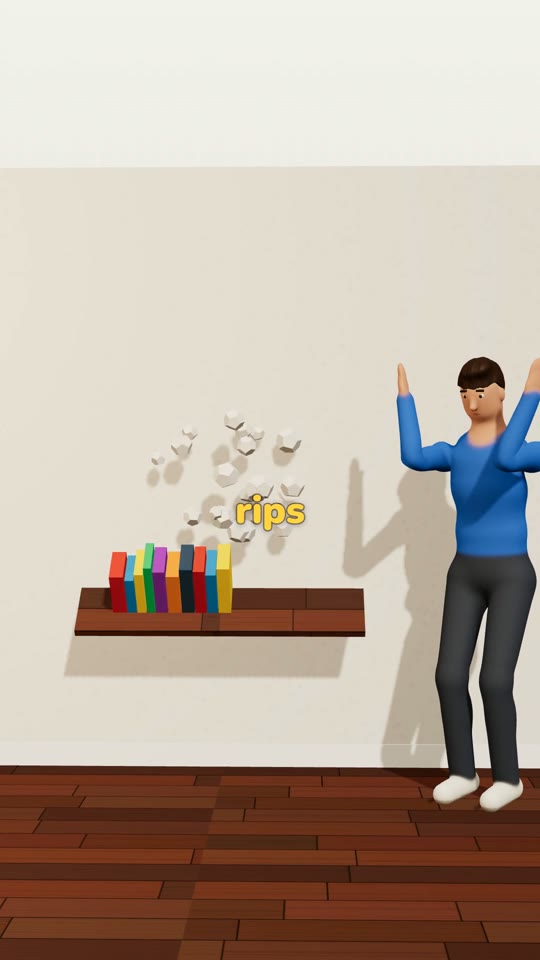
runecontent is an AI-assisted video production studio that runs inside Claude Code, Anthropic's command-line coding agent. Its core promise is turning a single plain-English sentence into a finished, narrated vertical video. Claude writes the hook, beats, and narration, builds the 3D scenes and cast, voices the script, times word-level captions, renders the frames with three.js on the user's own computer, and runs quality checks before delivering a 1080x1920 MP4 with captions, titles, hashtags, and a cover frame for each platform. The product targets the 3D cutaway explainer format, where a mistake is shown in the first seconds, the inside of a wall, ground, or machine is revealed, and the fix follows. The pitch centers on consistency and cost. Because every frame is rendered as real 3D rather than generated, the same cast, sets, and props look identical across episodes, which is the main advantage over AI video generators that drift or morph between clips. Users pay a one-time fee (listed at $17) plus their own Claude plan and Inworld voice usage, avoiding per-video fees and generation credits. The package includes a setup command that installs Node.js and ffmpeg, a set of slash commands such as /autopilot, /series, and /post-kit, a prompt library, a starter cast of nine 3D characters, two sets with more than twenty props, and a growing asset library the user owns. The product is aimed at faceless channel creators, small businesses and brands wanting to explain their products, and freelancers or agencies producing reels for clients. It does not produce talking-head avatars, lip-synced dialogue, or photorealistic footage. Its stated requirements include a paid Claude plan, an Inworld API key, and a machine that runs Google Chrome; testing so far is reported on Windows 11 with integrated graphics, with macOS and Linux not yet verified.
SpecificationsAI-estimated
Key Features of runecontent
Use Cases for runecontent
Faceless educational channels
Creators build a recognizable 3D host and set to publish mistake-and-fix explainers without appearing on camera.
Product explainer reels for brands
Businesses show what their product does inside a problem, turning common customer mistakes into shareable videos.
Agency client work
Freelancers and agencies produce custom 3D casts and sets per client without per-video fees eating their margin.
Seasonal content series
Creators plan a multi-episode run with consistent characters and locations using a single series command.
DIY and home-improvement tutorials
Creators explain repairs and fixes such as anchoring shelves by revealing the inside of walls in cutaway.
Rapid social content production
Teams generate new reels from a sentence within minutes, maintaining a consistent posting cadence.
How to use runecontent?
Unzip and run setup
Open Claude Code in the project folder and type /setup, which checks dependencies, installs Node.js and ffmpeg, connects the voice service, and renders a test frame.
Enter your video idea
Type a single sentence describing the video, for example a shelf-repair explainer, and optionally use /autopilot to run the whole pipeline.
Review or let it run
Approve the script and preview, or allow autopilot to complete the video and notify you when it finishes.
Export and post
Use /post-kit to receive the MP4 along with platform-specific captions, titles, hashtags, and cover frames for publishing.
Pros & Cons of runecontent
Pros
- Turns a single plain-English sentence into a complete narrated 3D video with captions and quality checks
- Same characters and sets persist across episodes, unlike generative AI video that drifts between clips
- One-time $17 price with no per-video or generation-credit fees; rendering happens locally
- Automated setup installs and tests dependencies, lowering the technical barrier
Cons
- Requires a paid Claude plan, a separate Inworld voice API key, and a Chrome-capable computer, so total cost is higher than the headline price
- Limited to stylized 3D explainer formats; it cannot produce talking-head, lip-synced, or photorealistic video
- Only Windows 11 has been tested; macOS and Linux compatibility is unverified
- Results depend on the user's ideas and posting consistency, and the viral-view claims are not guaranteed
Frequently Asked Questions
Do I need coding or animation skills?
No. You type plain English commands into Claude Code, and the included guide shows exactly what to enter.
Is it fully automatic?
After setup, /autopilot can go from a sentence to a finished MP4 using your library assets, stopping only if quality checks repeatedly fail. It does not post videos for you.
What does each video cost?
There is no per-video fee or AI video credit charge. Costs are your Claude plan, Inworld voice usage, and electricity, since rendering happens on your computer.
How long does rendering take?
The vendor states that a 30-second reel renders in about 2 to 3 minutes on an ordinary laptop, though Claude's writing and building steps also take time.
Can I use the videos commercially?
Yes. You may publish, monetize, and produce videos for paying clients, but you may not resell the workflow package itself.
Is this made by Anthropic?
No. runecontent is an independent product that runs inside Claude Code and is not affiliated with or endorsed by Anthropic.
Pricing Overview
View full pricing →runecontent is a one-time $17 purchase, plus separate usage costs for voice (Inworld API) and Claude Code.
Reviews & Ratings0.0
No reviews yet. Be the first to write one!
Top Alternatives & Similar Software
View all alternatives & similar software→No alternatives available yet.
People also viewed


Related searches
Is this your tool?
Claim this page to update details, reply to user reviews, and drive more traffic to your product.
Claim this Product →
Tags
Explore Related Topics
Keep up with runecontent alternatives
New alternatives, pricing changes and the week's biggest movers - one email every Tuesday.