





What is Sonura?
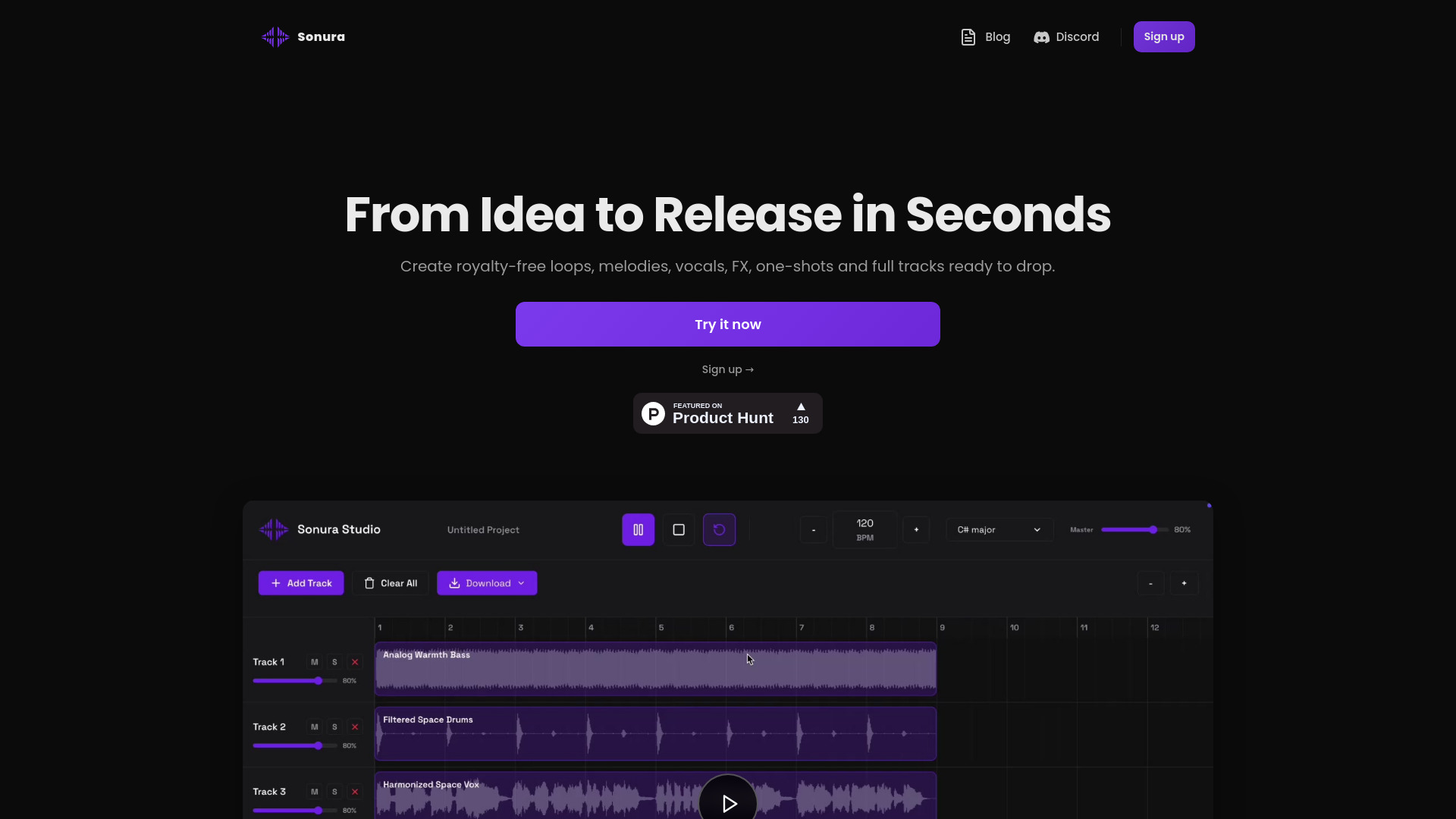
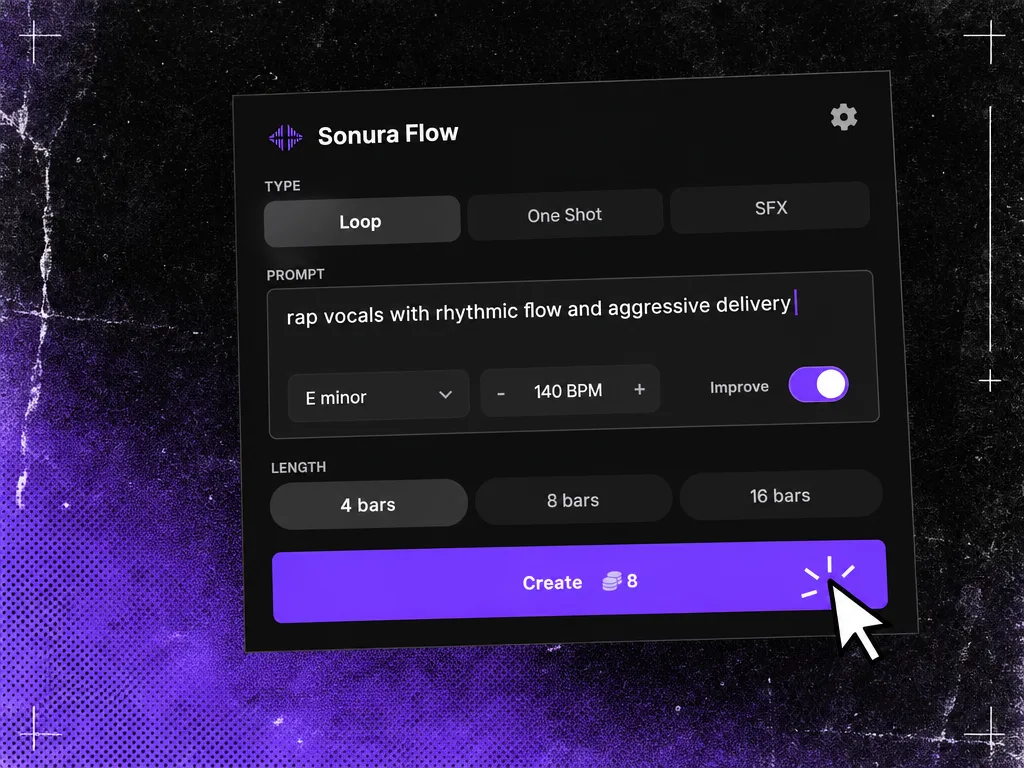
Sonura is an ethical AI music studio for creating royalty-free beats, loops, vocals, one-shots, FX, and full tracks. It runs in the browser or as the Sonura Flow plugin inside major DAWs. Built on licensed music rather than scraped catalogs, it is aimed at producers who want original, editable building blocks with commercial rights.
SpecificationsAI-estimated
Key Features of Sonura
Use Cases for Sonura
Beat making
Create trap, UKG, house, and other genre-specific beats quickly and export stems.
Vocal production
Generate royalty-free vocal hooks and chops for your arrangements.
Content creation
Use original loops, FX, and one-shots for videos, podcasts, or commercial projects.
Sound design
Describe custom one-shots and FX to match exact production needs.
DAW-based workflow
Use the Sonura Flow plugin inside Ableton, Logic, or FL Studio without leaving your project.
How to use Sonura?
Describe what you want
Enter a style, genre, BPM, or specific sound in natural language.
Generate
Sonura creates loops, one-shots, vocals, or full tracks in seconds.
Refine
Iterate, layer, and adjust until the sound matches your vision.
Export
Export stems or the full mix and drop them into your DAW.
Pros & Cons of Sonura
Pros
- Saves time compared to scrolling through sample packs
- No production experience required; works for beginners and pros
- Original, unique audio instead of shared pre-made samples
- Full commercial use rights on paid plans, no royalties or attribution
- Editable building blocks (stems) rather than just finished songs
- Integrates directly into common DAWs
- Ethical stance: built on licensed music and artist consent
Cons
- Actual subscription prices are not shown on the page
- Free creations are public domain (CC0) unless upgraded, so exclusivity requires a paid plan
- AI-generated audio may still face platform-specific AI disclosure or ranking policies
- No offline/desktop standalone app mentioned; plugin requires a DAW host
Frequently Asked Questions
What is Sonura?
Sonura is a music production studio. Describe what you want and get professional-quality beats, loops, vocals, and full tracks in seconds.
Is Sonura free to use?
Yes. You get free credits to start creating immediately. No credit card required.
Can I monetize the music I create?
Everything you create with Sonura is yours with exclusive commercial rights on paid plans. No royalty splits or attribution required.
Will platforms de-rank my music if I use AI tools?
Sonura is for those crafting original arrangements and sound, not replacing the human decisions that make a track yours.
What genres does Sonura support?
Virtually every genre: trap, house, techno, pop, rock, jazz, lo-fi, drill, R&B, country, ambient, cinematic, and more.
Do I need production experience?
No. Sonura works for complete beginners and professional producers alike.
How fast is creation?
Under 10 seconds on average. Loops in 5–8 seconds, full tracks in 8–12 seconds.
Can I export stems for my DAW?
Yes. Export individual stems or the full mix, ready for Ableton, FL Studio, Logic, Reaper, Pro Tools, and any DAW.
Does the plugin work in my DAW?
The free Sonura Flow plugin runs inside Ableton Live, Logic Pro, FL Studio, Reaper, Studio One, Bitwig, Cubase, GarageBand, and any other VST3 or AU host.
How is Sonura different from sample packs?
Sample packs are pre-made and shared across thousands of producers. Sonura creates completely original audio tailored to your exact specifications.
What makes Sonura different from other AI music tools?
Sonura gives you stem exports, multi-track layering, real-time iteration, exclusive commercial rights on paid plans, and studio-grade output.
Pricing Overview
View full pricing →Available in paid plans (Starter, Pro, Business, Enterprise). Contact for pricing.
Reviews & Ratings0.0
No reviews yet. Be the first to write one!
Top Alternatives & Similar Software
View all alternatives & similar software→


People also viewed



Related searches
Is this your tool?
Claim this page to update details, reply to user reviews, and drive more traffic to your product.
Claim this Product →
Tags
Explore Related Topics
Keep up with Sonura alternatives
New alternatives, pricing changes and the week's biggest movers - one email every Tuesday.