



What is UPDF?
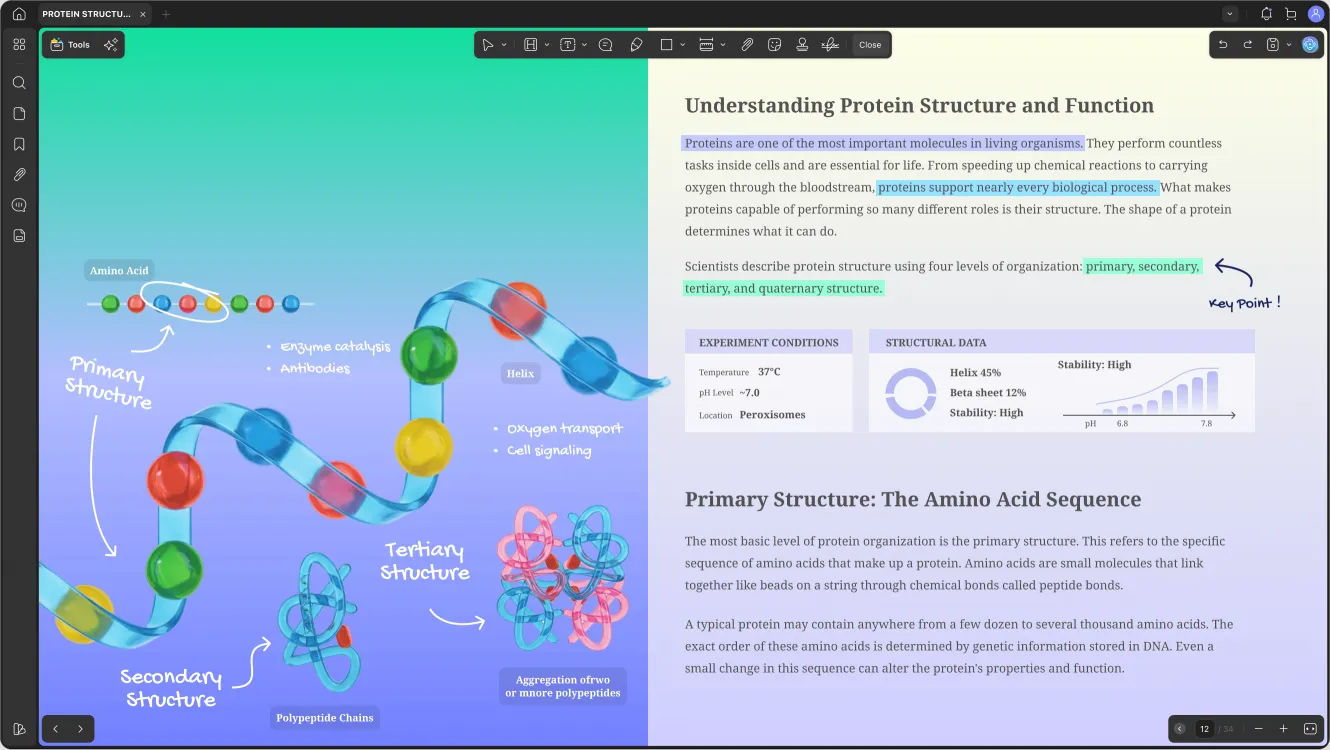
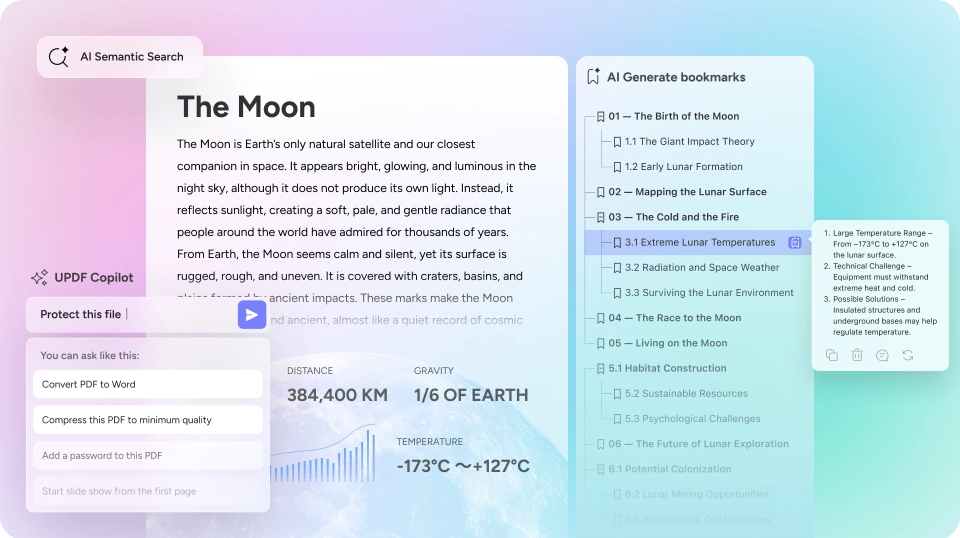
UPDF is an AI-powered PDF editor available on desktop and mobile, offering editing, annotation, conversion, and organization tools. It features 10+ AI agents for summarization, translation, chatting with PDFs, and other advanced workflows, with cross-platform sync across Windows, Mac, iOS, Android, and web.
SpecificationsAI-estimated
Key Features of UPDF
Use Cases for UPDF
For Professionals
Automate complex document workflows, analyze contracts, and manage files efficiently.
For Students
Summarize lengthy readings, annotate lecture notes, and translate documents.
For Enterprise
Secure offline editing, batch processes, and AI-driven data extraction.
How to use UPDF?
Download or Access Online
Install UPDF on your desktop or mobile, or use the web-based assistant directly in your browser.
Upload a PDF
Open a PDF document from your device or cloud storage.
Edit, Annotate, or Organize
Use the comprehensive toolbar to edit text, add comments, sign, or rearrange pages.
Leverage AI Agents
Summarize, translate, or chat with the document to extract insights quickly.
Sync and Export
Save changes, sync across devices, and export as PDF or other formats.
Pros & Cons of UPDF
Pros
- AI-powered features (summarization, translation, chat, agents) for advanced workflow automation
- Cross-platform availability with syncing across desktop, mobile, and web
- Offline PDF tools for security-sensitive documents
- Lower cost compared to Adobe Acrobat Pro and PDF Expert (per user reviews)
- Strong security: SSL/TLS encryption, AI on US servers, no personal data collection
- Multiple viewing modes (Soft Green, Paper-like, Light, Dark) for comfort
- Trusted by 4M+ users and praised by technology review sites
Cons
- Pricing details not clearly disclosed on the official page
- AI features may require internet connection, potentially limiting offline use of AI-specific tools
- Focus on AI capabilities might be overkill for users who only need basic PDF editing
Frequently Asked Questions
Is UPDF free to use?
The page does not specify a free tier, but it is a paid product with a free download available. Pricing is not disclosed on the homepage.
Does UPDF work offline?
Yes, all PDF tools are available offline. AI features may require internet, but core editing works without a connection.
What AI models does UPDF use?
UPDF is powered by GPT-5 and DeepSeek (R1).
Is my data secure?
UPDF uses SSL/TLS encryption, operates AI on US servers, and claims not to collect personal data. Offline tools further protect sensitive information.
Reviews & Ratings0.0
No reviews yet. Be the first to write one!
Top Alternatives & Similar Software
View all alternatives & similar software→No alternatives available yet.
People also viewed




Related searches
About the Product
Is this your tool?
Claim this page to update details, reply to user reviews, and drive more traffic to your product.
Claim this Product →
Tags
Explore Related Topics
Keep up with UPDF alternatives
New alternatives, pricing changes and the week's biggest movers - one email every Tuesday.