


Capit vs Image to Caption Generator
Side-by-side comparison of features, pricing, ratings, and alternatives.
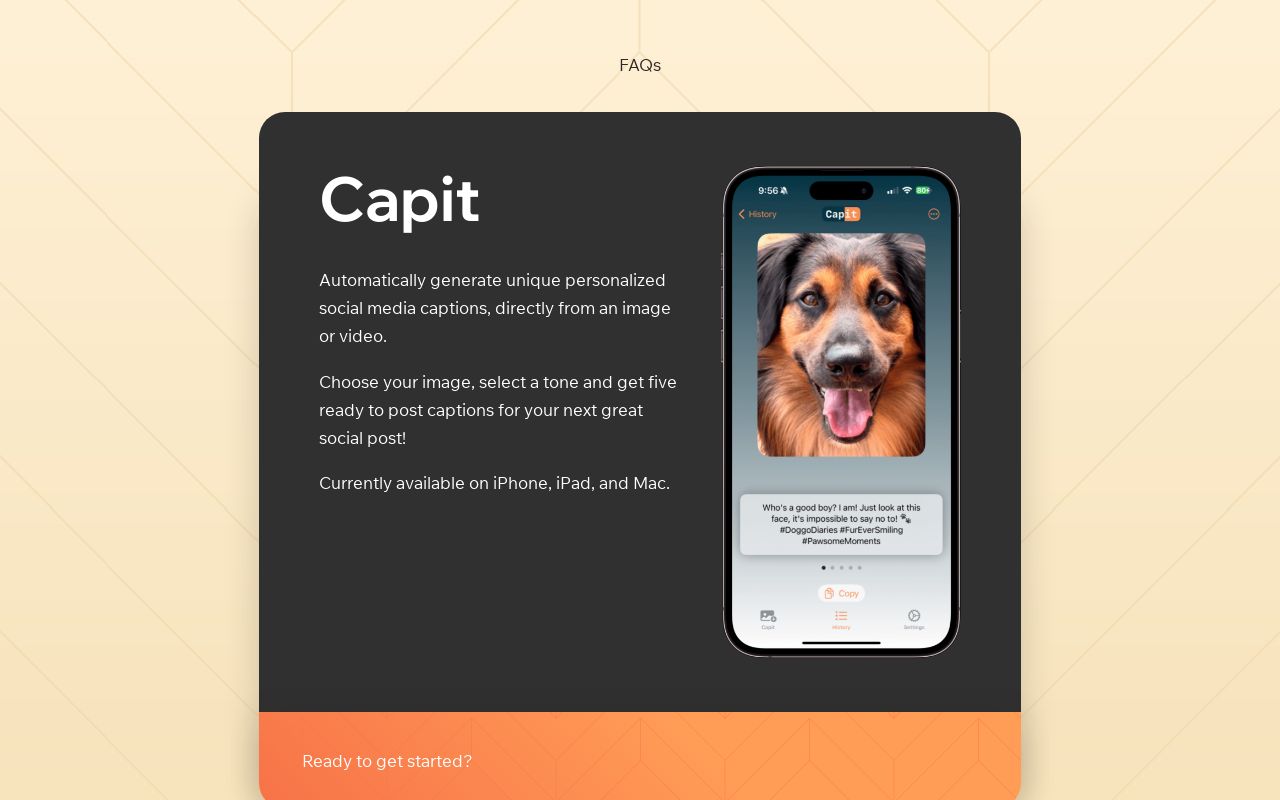

Capit is an AI-powered social media companion for Apple users that turns any photo or video into five unique, ready-to-post captions. Instead of staring at a blank caption box, you simply select your media, choose a tone, and Capit instantly generates copy that matches both the image and your intended voice. The app is backed by OpenAI's GPT-4V, which allows it to visually understand the content of your media and produce context-aware captions on the fly. Beyond basic generation, Capit includes a built-in caption editor for fine-tuning the output with extra spacing, hashtags, and other formatting. It also offers profiles so you can save your preferred settings for different social accounts, making it easy to switch between personal, business, or brand personas. For text-first workflows, the AI Write feature generates post copy directly from a description, such as advertising a seasonal sale or announcing a new product. Capit is positioned as a freemium app for content creators, social media managers, and anyone who posts regularly on social platforms. Currently available on iPhone, iPad, and Mac, the app is designed to streamline the posting workflow while keeping captions personalized and on-brand. With planned features like favorites, smarter hashtag suggestions, and Photos share sheet integration, Capit aims to become a more complete AI captioning toolkit for the Apple ecosystem.
Image to Caption Generator is a free, AI-powered online tool that analyzes images and generates captions, hashtags, and multilingual text for social media and content marketing. It requires no login and is designed to help users create engaging posts quickly.
- One-tap generation of five unique captions from an image or video
- Tone options like Funny, Inspirational, Poetic, and Casual help match your brand voice
- Built-in editor makes it easy to refine captions with spacing and hashtags
- Profiles let you save settings for multiple social accounts
- 100% free to use with no login required
- Fast AI-powered caption generation
- Supports multiple caption styles and languages
- Includes hashtag recommendations
- Currently only available on iPhone, iPad, and Mac; Android and web versions are still in the planning stages.
- Requires an internet connection and relies on OpenAI's GPT-4V service for caption generation.
- Some useful features like favorites, hashtag generation, and share sheet integration are not available yet.
- Collects personal information such as email, name, and IP address through third-party services.
- Free usage is limited to a generous number of captions per day
- Premium pricing details are not clearly disclosed on the page
- Generated captions may require manual editing to match brand voice
- No bulk generation or API features are mentioned
More alternatives & similar tools
Alternatives to Capit
View all →

An AI subtitle generator that automatically transcribes and translates videos into captions in 76 languages in under 3 minutes.
Alternatives to Image to Caption Generator
View all →The Verdict
AI-generated from listing dataCapit offers a polished, native iOS/macOS experience with five AI‑generated captions per image and tone presets, while Image to Caption Generator provides a free, web‑based tool with multilingual support but limited daily usage.
Key differences
- •Capit runs only on Apple devices (iPhone, iPad, Mac); Image to Caption Generator is web‑only and works on any OS.
- •Capit delivers five caption options per generation with tone presets; Image to Caption Generator offers single captions with style choices but no preset tones.
- •Capit includes a built‑in editor and profile settings for multiple accounts; Image to Caption Generator relies on copy‑paste editing only.
- •Capit requires an internet connection to OpenAI’s GPT‑4V and collects personal data; Image to Caption Generator is free, no‑login, but privacy details are not specified.
- •Capit’s roadmap promises favorites, hashtag generation, and share‑sheet integration; Image to Caption Generator already provides hashtag recommendations but no roadmap details.
Pricing & value
Both are freemium, but Image to Caption Generator is 100% free with no hidden costs; Capit’s pricing is unknown.
Ease of use / learning curve
Capit offers one‑tap generation of five captions with built‑in editor; web tool requires manual copy‑paste.
Features & depth
Capit provides multiple tone presets, profile saving, and AI Write from text; Image tool lacks these advanced features.
Integrations & ecosystem
Image to Caption Generator works in any browser; Capit is limited to Apple platforms and lacks current integrations.
Collaboration
Neither product mentions team or collaboration features; both are single‑user focused.
Scalability
Web‑based tool can be accessed by many users simultaneously; Capit is limited to individual Apple devices.
Support & security
Image tool requires no login and discloses no data collection; Capit collects email, name, IP via third parties.
Choose Capit if…
Social media managers who work exclusively on Apple devices and need multiple tone‑specific captions per post.
Choose Image to Caption Generator if…
Teams or individuals needing a free, cross‑platform solution with multilingual captions and no login required.
Common questions
Is there any cost to use either tool?
Both are listed as freemium; Image to Caption Generator is completely free, while Capit’s pricing details are not disclosed.
Can I use the tools on Windows or Android?
Capit is currently only on iPhone, iPad, and Mac; Image to Caption Generator runs in any web browser, including Windows and Android.
Do either of the tools provide hashtag suggestions?
Capit plans hashtag generation in future releases; Image to Caption Generator already includes hashtag recommendations.