


Deepnote
Collaborative notebooks for real‑time Python and SQL data science.
Best for
Data science teams that need real‑time Python & SQL collaboration
Skip if
Users requiring offline access or open‑source customization
What is Deepnote?
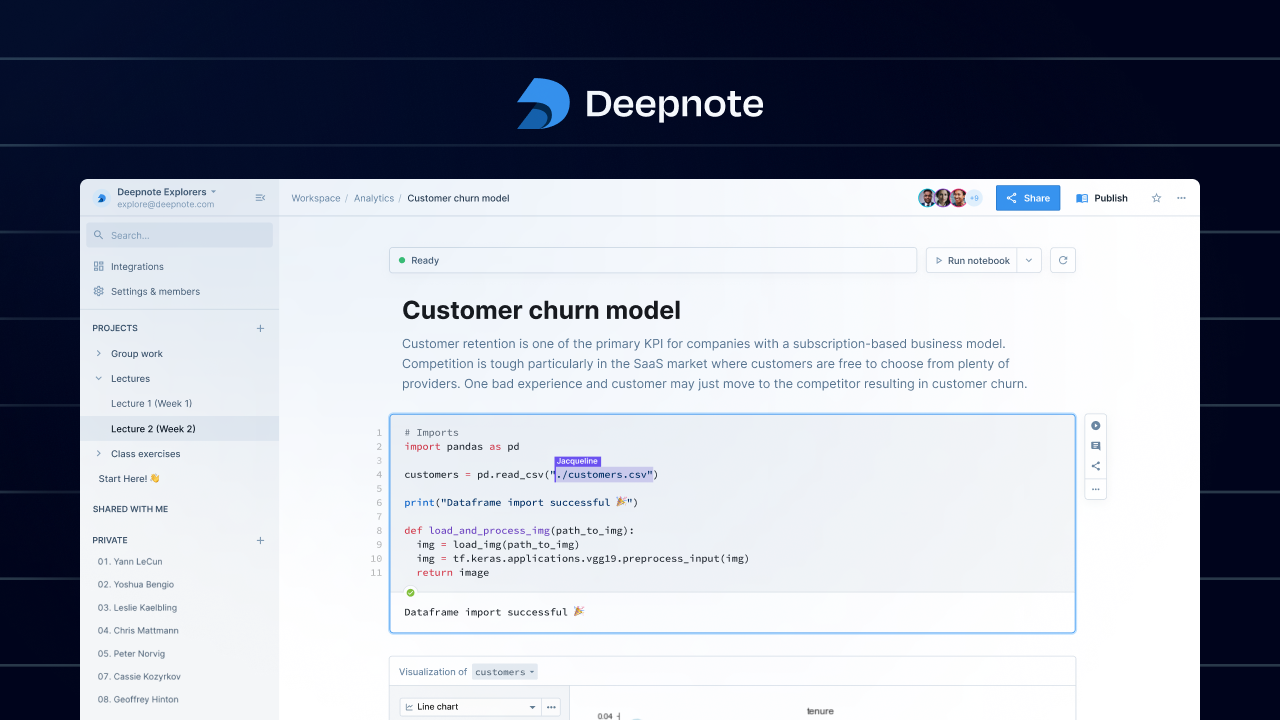
Deepnote is a cloud‑based notebook platform that lets multiple users write, run, and share Python and SQL code together in real time. It combines the familiar notebook experience with built‑in collaboration tools, version control, and instant visualizations. The platform integrates with popular data sources and version‑control systems, enabling teams to prototype, explore, and deploy analyses without leaving the browser. Deepnote’s focus on teamwork makes it ideal for data‑driven projects that require fast feedback and shared insights.
SpecificationsAI-estimated
Key Features of Deepnote
Use Cases for Deepnote
Exploratory data analysis
Teams can explore datasets together, iterating on visualizations and hypotheses in real time.
SQL‑driven reporting
Analysts write SQL queries alongside Python transformations to build end‑to‑end reports.
Machine‑learning prototyping
Data scientists prototype models, share results, and receive feedback without leaving the notebook.
Educational workshops
Instructors run live coding sessions where students follow along and ask questions directly in the notebook.
Pros & Cons of Deepnote
Pros
- Instant collaborative editing eliminates version‑conflict headaches.
- Supports both Python and SQL in the same environment.
- Integrated visualizations and charts update live.
- Cloud‑only, no local installation required.
Cons
- Limited offline access; requires internet connection.
- Advanced enterprise features are behind paid plans.
- Not open source, so customization is constrained.
Frequently Asked Questions
Can I import existing Jupyter notebooks?
Yes, Deepnote allows you to upload .ipynb files and convert them into collaborative notebooks.
Does Deepnote support GPU acceleration?
GPU resources are available on paid plans for heavy machine‑learning workloads.
How does version control work?
Deepnote syncs notebooks with Git repositories, offering commit history, branching, and pull‑request style reviews.
Is there a limit on the number of collaborators?
The free tier allows up to three collaborators per notebook; higher tiers increase this limit.
Pricing Overview
View full pricing →Reviews & Ratings0.0
No reviews yet. Be the first to write one!
Top Alternatives & Similar Software
View all alternatives & similar software→


People also viewed




Best For
Related searches
About the Product
Is this your tool?
Claim this page to update details, reply to user reviews, and drive more traffic to your product.
Claim this Product →
Tags
Explore Related Topics
Keep up with Deepnote alternatives
New alternatives, pricing changes and the week's biggest movers - one email every Tuesday.