


Deepnote vs Hex
Side-by-side comparison of features, pricing, ratings, and alternatives.
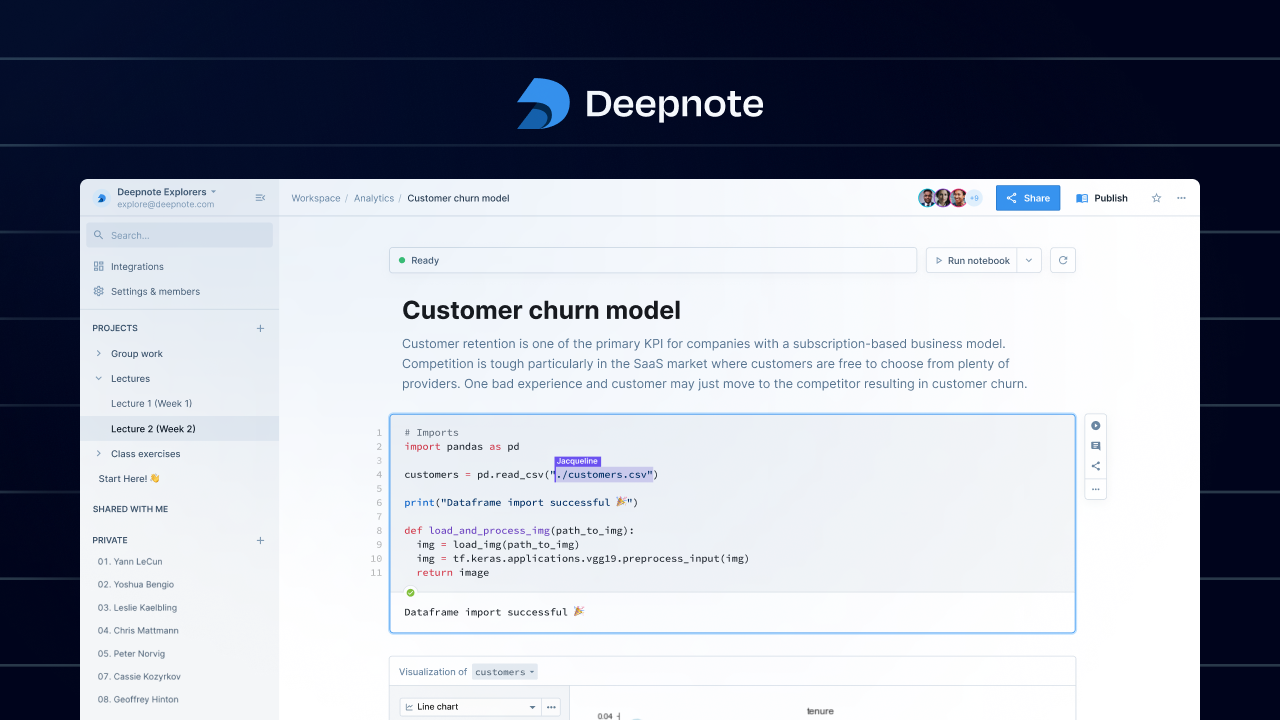

Deepnote is a cloud‑based notebook platform that lets multiple users write, run, and share Python and SQL code together in real time. It combines the familiar notebook experience with built‑in collaboration tools, version control, and instant visualizations. The platform integrates with popular data sources and version‑control systems, enabling teams to prototype, explore, and deploy analyses without leaving the browser. Deepnote’s focus on teamwork makes it ideal for data‑driven projects that require fast feedback and shared insights.
Hex is a cloud‑based data notebook that lets teams write SQL, Python, and R together in a single, shareable workspace. It combines powerful querying with visualizations, letting users turn raw data into interactive dashboards and data‑driven applications. Built for analysts, data engineers, and product teams, Hex integrates with modern data warehouses and supports version control, scheduling, and real‑time collaboration, making it easy to prototype, iterate, and ship data products without leaving the platform.
- Instant collaborative editing eliminates version‑conflict headaches.
- Supports both Python and SQL in the same environment.
- Integrated visualizations and charts update live.
- Cloud‑only, no local installation required.
- Real‑time multi‑user collaboration
- Supports both SQL and Python/R in one environment
- Native integrations with major cloud warehouses
- Easy publishing of interactive dashboards
- Limited offline access; requires internet connection.
- Advanced enterprise features are behind paid plans.
- Not open source, so customization is constrained.
- Limited offline or desktop client
- Advanced visual customization may require custom code
- Free tier has usage caps on compute
More alternatives & similar tools
Alternatives to Deepnote
View all →

Alternatives to Hex
View all →The Verdict
AI-generated from listing dataBoth Deepnote and Hex offer real‑time collaborative notebooks with Python and SQL, but Deepnote focuses on seamless Git‑based version control and live visual updates, while Hex adds R support, scheduled runs, and richer interactive dashboard publishing.
Key differences
- •Deepnote includes native Git integration with branching and rollbacks; Hex only mentions GitHub integration for CI/CD.
- •Hex supports R cells and built‑in scheduling/alerts for automated pipelines; Deepnote does not list these.
- •Hex offers interactive dashboards that can be embedded or shared live; Deepnote’s visualizations are live but not described as embeddable dashboards.
- •Deepnote lists automatic environment provisioning for identical runtimes; Hex does not specify environment management.
- •Hex connects to additional warehouses (Redshift) and cloud services (S3, APIs); Deepnote lists Snowflake and BigQuery only.
Pricing & value
Both are freemium with similar free‑tier constraints; no pricing details differentiate them.
Ease of use / learning curve
Deepnote’s automatic environment provisioning reduces setup friction for new collaborators.
Features & depth
Hex adds R support, scheduled notebook runs, alerts, and embeddable interactive dashboards.
Integrations & ecosystem
Hex integrates with Redshift, S3, APIs and more warehouses; Deepnote lists fewer integrations.
Collaboration
Deepnote provides cell‑level comment threads and built‑in Git versioning, enhancing collaborative workflows.
Scalability
Both are cloud‑only SaaS platforms; no data on performance limits provided.
Support
Hex adds a community forum in addition to email and live chat, offering broader support channels.
Choose Deepnote if…
Teams needing strong Git‑based version control and instant, identical runtime environments.
Choose Hex if…
Analysts who want R support, scheduled automation, and publishable interactive dashboards.
Common questions
Can I work offline with either tool?
Both require an internet connection; offline access is limited for Deepnote and Hex.
Do both platforms support version control?
Deepnote has built‑in Git integration with branching; Hex integrates with GitHub but lacks native branching features.
Which tool offers more built‑in data warehouse connectors?
Hex lists Snowflake, BigQuery, Redshift, S3 and API connectors; Deepnote lists Snowflake and BigQuery only.