


Flux 3 AI
Free Flux 3 AI – Image & Video Generator in One Place
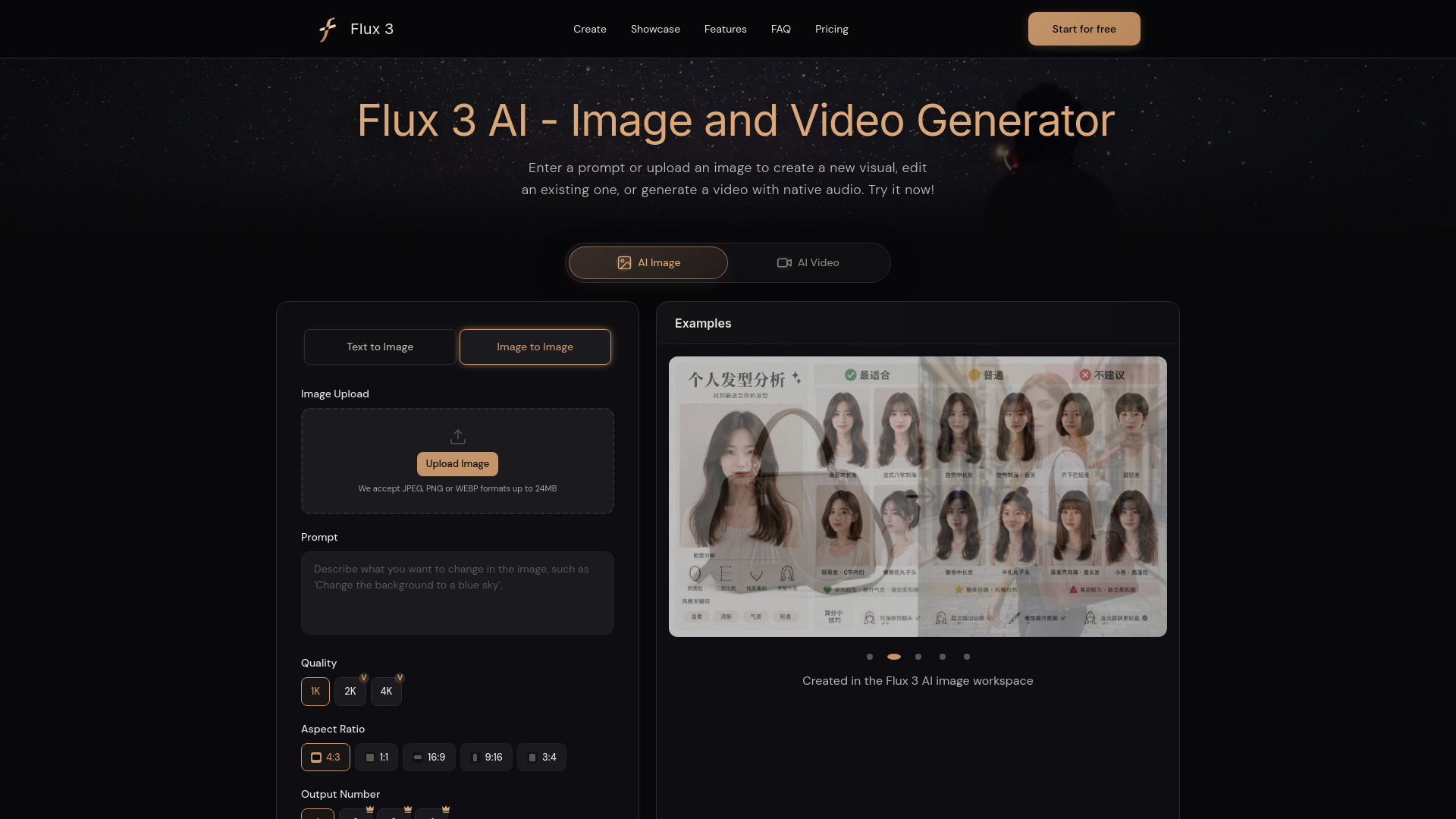
What is Flux 3 AI?
Flux 3 AI is a unified multimodal AI image and video generation platform by Black Forest Labs. It enables creators to generate and edit images, create videos with native synchronized audio, and work across text, image, video, and keyframe inputs in one connected workflow.
SpecificationsAI-estimated
Key Features of Flux 3 AI
Use Cases for Flux 3 AI
Product Images and Launch Videos
Generate a product concept, refine its composition, then use the image as a starting frame for a launch clip with dialogue, ambience, or event-linked sound.
Social Posts and Short-Form Video
Create campaign stills, animated graphics, short scenes, and multi-shot ideas with consistent characters, products, or styles.
Storyboards and Previsualization
Turn a written scene into key images, select a frame, and generate motion from it to test camera direction, pacing, dialogue, and atmosphere.
Character and World Development
Explore a character or environment as a still, then reuse the same reference in new scenes and contexts.
Posters, Typography, and Animated Design
Create images with text, multilingual campaign assets, or animated typography.
Reference-Led Video Transformation
Use an existing clip to guide a new scene, style, or context while preserving the central elements of the source.
How to use Flux 3 AI?
Choose Image or Video
Open Image mode for generation or editing. Choose Video mode for text-to-video, image-to-video, video-to-video, continuation, or keyframe control.
Add Your Prompt and References
Describe the subject, setting, style, motion, dialogue, and sound. Add a reference when a visual direction needs to remain consistent.
Set the Output
Select the available aspect ratio and quality options. Video choices can support clips up to 20 seconds when those controls are available.
Generate and Refine
Review the output, update the instruction, or reuse the result as a reference. Animate a successful image or connect clips into a sequence.
Pros & Cons of Flux 3 AI
Pros
- Unified workspace for image, video, and audio generation
- Native synchronized audio with video, including multilingual dialogue
- Supports text-to-video, image-to-video, video-to-video, and keyframe control
- Can generate clips up to 20 seconds and connect them into longer sequences
- Free to try with free credits for new users
Cons
- FLUX 3 Dev open-weight release is still on the roadmap
- Additional credits and paid plans are required after free allocation
- Some advanced controls may only be available where indicated on the site
Frequently Asked Questions
What is Flux 3 AI?
Flux 3 AI is Black Forest Labs' unified multimodal foundation model for image synthesis, image editing, video generation, native audio, and related visual-intelligence tasks.
Does Flux 3 AI generate audio with video?
Yes. FLUX 3 AI generates video and native audio together, including multilingual dialogue and sound associated with physical events.
Is Flux 3 AI free to use?
Yes. Flux 3 AI is free to try, and new users receive free credits to start creating. Additional credits and paid plans are available when needed.
Pricing Overview
View full pricing →Flux 3 AI is free to try, and new users receive free credits to start creating. Additional credits and paid plans are available when needed.
Reviews & Ratings0.0
No reviews yet. Be the first to write one!
Top Alternatives & Similar Software
View all alternatives & similar software→



People also viewed

Related searches
About the Product
Is this your tool?
Claim this page to update details, reply to user reviews, and drive more traffic to your product.
Claim this Product →
Tags
Explore Related Topics
Keep up with Flux 3 AI alternatives
New alternatives, pricing changes and the week's biggest movers - one email every Tuesday.