


Van Gogh Studio
Video, Image, Music & Ads — Create Freely in One Workspace
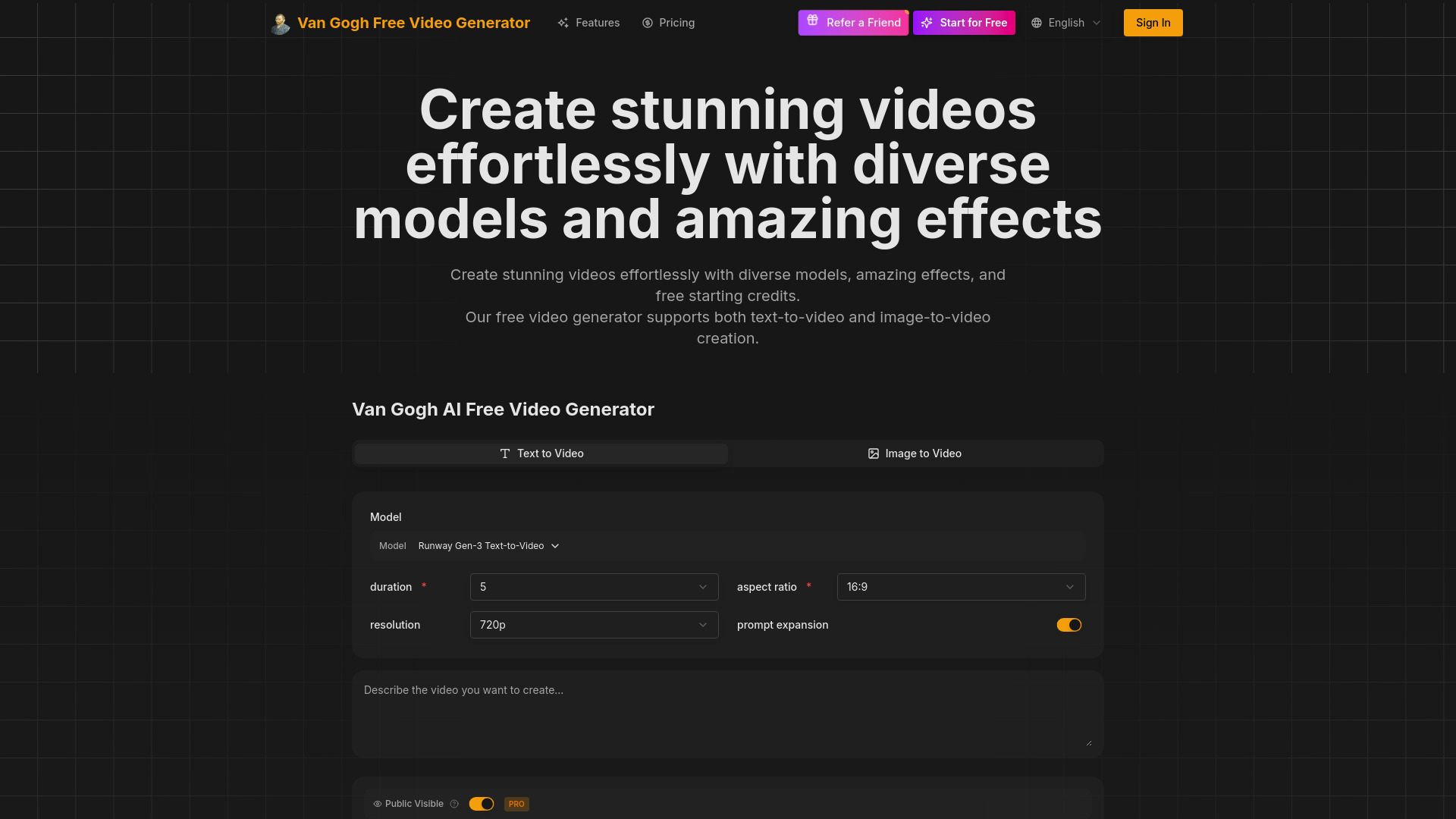
What is Van Gogh Studio?
Van Gogh Studio is an all-in-one AI video generator that turns text prompts or uploaded images into cinematic MP4 clips. It provides access to multiple leading video models in one browser workspace, including Veo 3.1, Sora 2, Kling 3, Seedance 2, Happy Horse 1.1, Wan 2.5, and Runway Gen 3, with no editing skills required.
SpecificationsAI-estimated
Key Features of Van Gogh Studio
Use Cases for Van Gogh Studio
Short-form social clips
Create 4–15 second clips for social posts and ads.
Product ads
Upload product photos and animate them into UGC-style ads.
Storytelling
Use Long Video mode to draft outlines, characters, and scenes for multi-minute stories.
How to use Van Gogh Studio?
Describe or upload
Enter a text prompt or upload a reference image.
Pick a model and generate
Choose from models like Veo 3.1, Sora 2, Kling 3, or Seedance 2, then render.
Download and share
Export the clip, use it commercially, or refine the prompt and regenerate.
Pros & Cons of Van Gogh Studio
Pros
- Multi-model access: compare Veo, Sora, Kling, Seedance, Runway and more in one place
- Free to start with credits, no credit card required
- No editing or technical skills needed
- Supports text-to-video and image-to-video
- Commercial use allowed for generated videos
- Supports short clips and longer story-driven videos on paid plans
Cons
- Free plan has daily generation quotas and 15-second clip limits
- Generation can take 2–5 minutes depending on model
- Paid plan pricing is not fully transparent on the homepage
- Longer videos require an upgrade
Frequently Asked Questions
Is Van Gogh Studio really free?
Yes, you get free credits on signup with no credit card required. The free plan includes a daily generation quota and clips up to 15 seconds.
What makes it different from other AI video tools?
It combines multiple top models like Veo 3.1, Sora 2, Kling 3, Seedance 2, and Runway Gen 3 in one workspace.
Can I use generated videos commercially?
Yes, you own the videos you create and can use them commercially.
Do I need editing skills?
No. You only need to type a prompt or upload an image.
How long do videos take to generate?
Most videos render in 2–5 minutes depending on the model and complexity.
Reviews & Ratings0.0
No reviews yet. Be the first to write one!
Top Alternatives & Similar Software
View all alternatives & similar software→

People also viewed

Related searches
About the Product
Is this your tool?
Claim this page to update details, reply to user reviews, and drive more traffic to your product.
Claim this Product →
Tags
Explore Related Topics
Keep up with Van Gogh Studio alternatives
New alternatives, pricing changes and the week's biggest movers - one email every Tuesday.