


VideoProc Converter AI
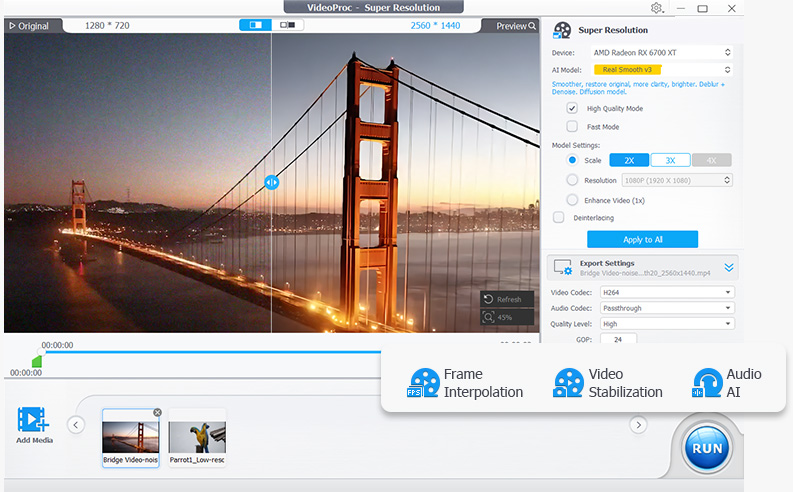
AI-powered video converter with upscaling and GPU acceleration
Alternatives
Choose HitPaw if…
- you need a live‑voice changer with sub‑0.3s latency for
- you want automatic subtitle generation and dubbing in
- you prefer batch automation to process many files with one

Choose Any Video Converter if…
- you need a free tier for occasional conversions
- you process dozens of files at once with batch conversion
- you must handle obscure codecs not covered by 420‑format
- you want a built‑in downloader for online video sources
How to Decide
VideoProc Converter AI is known for its AI‑powered video conversion with GPU acceleration and is used by content creators, vloggers, and everyday users who need to convert, compress, and upscale video. The alternatives split into a few clear camps: HitPaw leans into a broad AI media suite that adds real‑time voice changing, multilingual translation and photo restoration; Any Video Converter emphasizes massive format support with over 1,000 codecs and offers a free tier for basic conversion tasks.
When weighing replacements for VideoProc Converter AI, focus on (1) the pricing model – VideoProc and Any Video Converter use a one‑time purchase while HitPaw’s pricing is undisclosed and may lack a free option; (2) hardware acceleration – VideoProc’s Level‑3 GPU acceleration is a core benefit, whereas HitPaw’s AI enhancements still require a powerful PC and Any Video Converter relies mainly on CPU processing; (3) AI feature breadth – VideoProc offers upscaling, frame interpolation, and stabilization, HitPaw adds voice changing, translation and photo restoration, and Any Video Converter provides basic upscaling and compression; (4) format coverage – VideoProc supports 420+ formats, Any Video Converter covers over 1,000, while HitPaw’s conversion focus is less extensive but complemented by its other media tools; and (5) platform focus – all three are desktop apps, but only VideoProc and Any Video Converter explicitly list Windows/macOS deployments, making cross‑OS compatibility a practical consideration.
All Alternatives
“AI‑powered video converter with upscaling mirrors HitPaw's video enhancement and format conversion features.”
“Both are video converters supporting 1000+ formats and AI upscaling, serving the same conversion needs.”
About the Product
Is this your tool?
Claim this page to update details, reply to user reviews, and drive more traffic to your product.
Claim this Product →