


AutoCropper vs Crop.photo
Side-by-side comparison of features, pricing, ratings, and alternatives.
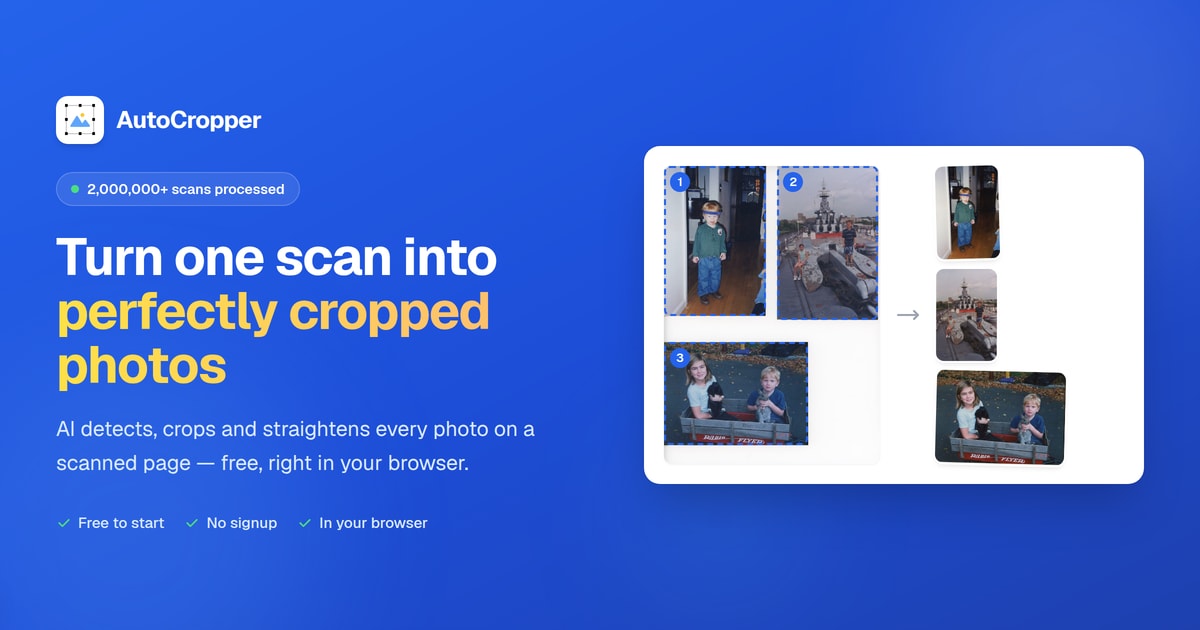

AutoCropper is a free, browser-based AI photo cropping tool that automatically detects, crops, straightens, and splits multiple photos from a single scanned page or image. It is designed for digitizing photo albums, card binder sheets, negatives, and other multi-photo scans quickly and without manual cropping.
Crop.photo is a bulk image editing platform built specifically for ecommerce teams that need to prepare product photos for multiple retailers and marketplaces. Instead of manually cropping, resizing, and adjusting each image, users can create reusable 'recipes' that define exact specifications—dimensions, DPI, background color, file type, margins, and face crop details—and then apply them across thousands of SKUs in one go. The platform uses AI to analyze each image, detect the subject and composition, and automatically apply the correct crop and adjustments, ensuring consistency across the entire catalog. Beyond cropping and resizing, Crop.photo also offers AI-powered generation for missing assets, on-model shots, videos, and banners, making it a comprehensive tool for ecommerce content production. With integrations like a Shopify app and the ability to run automated workflows end-to-end, it's designed to eliminate the repetitive manual editing that slows down catalog launches and revisions.
AutoCropper is free to use online, with no upload size limit or compression.
- Automatically detects multiple photos on a scan
- Batch processes multiple scans at once
- Automatic rotation detection and straightening
- Full-resolution export with no compression
- Bulk processing: Apply recipes to thousands of images at once, saving significant time.
- Retailer-specific recipes: Pre-built specs for Amazon, Shopify, Nordstrom, Macy's, and more, ensuring compliance.
- AI-powered: Content-aware cropping and pose detection automate the process, reducing manual work.
- Versatile: Handles not only images but also videos and banners, and can generate missing assets with AI.
- AI detection may require manual adjustment for unusual layouts
- Free tier limitations not clearly detailed on the landing page
- Primarily useful for multi-photo scans rather than single-image cropping
- Heavy scans may depend on browser performance
- Primarily aimed at ecommerce teams; may be overkill for individual users needing simple edits.
- Full feature set likely requires a paid subscription; free tier is limited for testing.
- Reliance on AI might not suit users who prefer precise, manual control over every crop.
- Limited information on pricing and specific plan details on the homepage.
More alternatives & similar tools
Alternatives to AutoCropper
View all →
Crop, resize, and generate marketplace-ready product images in bulk with reusable AI recipes for every retailer's spec.
Alternatives to Crop.photo
View all →

The Verdict
AI-generated from listing dataAutoCropper is a free, browser‑based tool ideal for bulk splitting and cropping scanned photo collections, while Crop.photo targets ecommerce teams needing AI‑driven, recipe‑based bulk image and video preparation for marketplace specs.
Key differences
- •Pricing: AutoCropper is free; Crop.photo pricing not disclosed.
- •Primary use case: AutoCropper focuses on digitizing multi‑photo scans; Crop.photo focuses on ecommerce product image preparation.
- •AI capabilities: Crop.photo offers pose‑aware cropping, retailer‑specific recipes, and video handling; AutoCropper provides basic auto‑detection and rotation.
- •Integrations: Crop.photo includes a Shopify app and retailer recipe library; AutoCropper has no listed integrations.
- •Output flexibility: AutoCropper supports PDF and HEIC besides common image formats; Crop.photo limited to JPEG/TIFF.
Pricing & value
AutoCropper is explicitly free with no upload size limit; Crop.photo pricing is unknown, likely paid.
Ease of use / learning curve
Both run in a web browser with no install; no specific learning‑curve data provided.
Features & depth
Crop.photo adds pose detection, retailer recipes, video/banners, and AI generation beyond basic cropping.
Integrations & ecosystem
Crop.photo offers a Shopify app and built‑in retailer specs; AutoCropper lists no integrations.
Collaboration
No collaboration features are mentioned for either product.
Scalability
Crop.photo is designed for thousands of SKUs and bulk video processing; AutoCropper handles batch scans but no scale metrics.
Support
Support details are not specified for either tool.
Choose AutoCropper if…
Digital archivists, collectors, or anyone needing free, high‑resolution batch cropping of scanned photo sheets.
Choose Crop.photo if…
Ecommerce teams that need bulk, AI‑driven, marketplace‑ready image/video preparation with retailer specifications.
Common questions
Is there any cost to use AutoCropper or Crop.photo?
AutoCropper is free to use online; Crop.photo’s pricing is not disclosed and likely requires a paid subscription.
Can either tool process video files?
Crop.photo supports videos and banners; AutoCropper only processes image and PDF/HEIC files.
Do I need to install any software to use these tools?
Both are web‑based and run entirely in the browser; no installation is required.