


AutoCropper vs MJ Splitter
Side-by-side comparison of features, pricing, ratings, and alternatives.
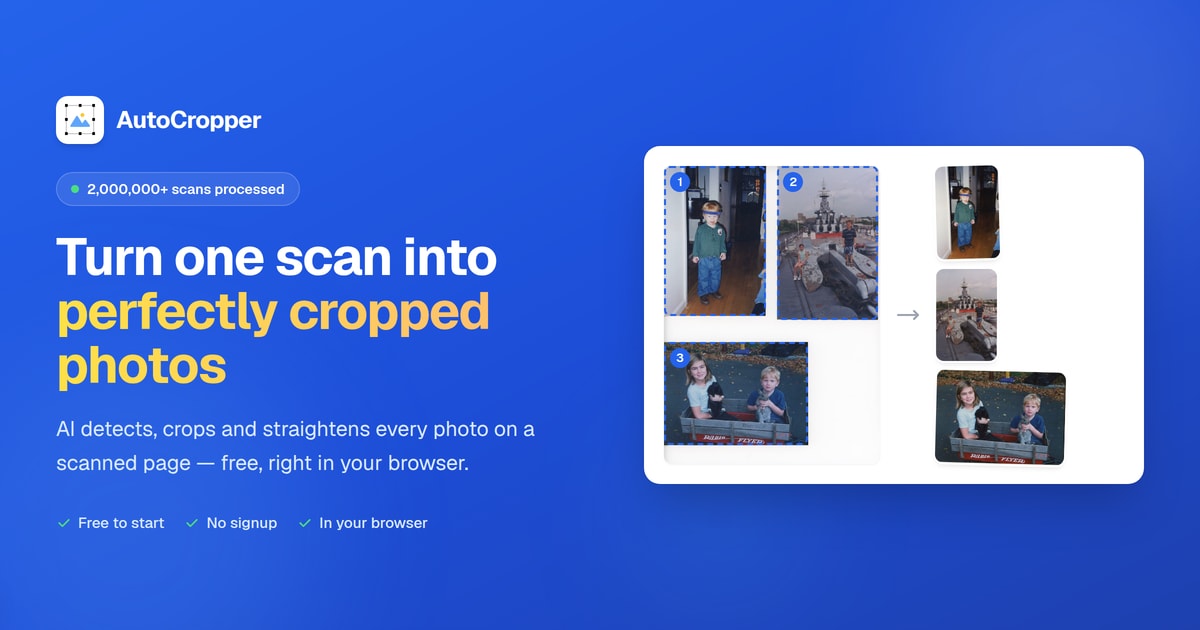

AutoCropper is a free, browser-based AI photo cropping tool that automatically detects, crops, straightens, and splits multiple photos from a single scanned page or image. It is designed for digitizing photo albums, card binder sheets, negatives, and other multi-photo scans quickly and without manual cropping.
MJ Splitter is a free online tool that splits MidJourney AI-generated image grids into individual high-quality files. It supports 2×2 and 3×3 grids, processes images locally for privacy, and offers instant downloads as JPEGs or ZIP files.
AutoCropper is free to use online, with no upload size limit or compression.
The page describes the tool as free, with no paid tiers or specific dollar amounts mentioned.
- Automatically detects multiple photos on a scan
- Batch processes multiple scans at once
- Automatic rotation detection and straightening
- Full-resolution export with no compression
- Free forever, no signup required
- Fast processing (under 2 seconds)
- High-quality output without compression
- 100% private – images processed locally and never stored
- AI detection may require manual adjustment for unusual layouts
- Free tier limitations not clearly detailed on the landing page
- Primarily useful for multi-photo scans rather than single-image cropping
- Heavy scans may depend on browser performance
- Only supports 2×2 and 3×3 grids
- Limited to MidJourney grid images
- Output format is JPEG only
More alternatives & similar tools
Alternatives to AutoCropper
View all →Alternatives to MJ Splitter
View all →The Verdict
AI-generated from listing dataAutoCropper is a free, browser‑based tool for bulk photo detection and cropping across many formats, while MJ Splitter is a free, local‑only utility that only splits MidJourney 2×2 or 3×3 grids into JPEGs.
Key differences
- •AutoCropper handles a wide range of image types (JPEG, PNG, TIFF, PDF, HEIC) and multi‑photo scans; MJ Splitter only accepts PNG/JPG/WEBP grids.
- •AutoCropper offers batch cropping, rotation correction, templates, and film‑strip mode; MJ Splitter only detects fixed 2×2 or 3×3 grids.
- •AutoCropper processes full‑resolution exports with no compression; MJ Splitter outputs JPEG only, which may compress images.
- •AutoCropper runs entirely in the browser with no upload limits; MJ Splitter processes locally but is limited to grid images.
- •MJ Splitter guarantees 100% privacy (no server upload); AutoCropper runs in the browser but still sends data to the web page (privacy not specified).
Pricing & value
Both are free to use with no paid tiers mentioned.
Ease of use / learning curve
MJ Splitter requires simple drag‑and‑drop or URL paste; AutoCropper may need template setup and manual adjustments.
Features & depth
AutoCropper provides auto detection, rotation, batch export, templates, film‑strip mode, and multiple formats; MJ Splitter only grid splitting.
Integrations & ecosystem
AutoCropper supports PDF, HEIC and EXIF metadata; MJ Splitter has no listed integrations.
Collaboration
AutoCropper’s web interface can be shared via URL and works on any browser; MJ Splitter is a single‑user local tool.
Scalability
AutoCropper can batch process many scans with no upload size limit; MJ Splitter limited to grid images regardless of count.
Support
Neither product lists support channels; information not specified for either.
Security & privacy
MJ Splitter processes images locally and never stores them; AutoCropper runs in browser but privacy details not given.
Migration / lock‑in
Both output standard image files; no lock‑in described.
Choose AutoCropper if…
Digitizers, archivists, or anyone needing bulk photo cropping across many file types.
Choose MJ Splitter if…
MidJourney artists who only need to split 2×2 or 3×3 grids quickly and privately.
Common questions
Is there any cost to use either tool?
Both AutoCropper and MJ Splitter are advertised as free with no paid tiers.
Can I process non‑grid images with MJ Splitter?
No; MJ Splitter only supports 2×2 and 3×3 MidJourney grids.
Does either tool compress my images?
AutoCropper exports full‑resolution images with no compression; MJ Splitter outputs JPEG, which may apply compression.