


Deepin vs KDE Plasma 6
Side-by-side comparison of features, pricing, ratings, and alternatives.
Deepin is a Debian‑based Linux distribution that focuses on a polished, cohesive desktop experience. It ships with the Deepin Desktop Environment (DDE), a visually appealing interface that emphasizes simplicity and consistency. The distro includes a built‑in App Store, system control center, and a suite of native applications, making it ready for everyday use out of the box. Its strong support for high‑DPI displays and multilingual input caters to both casual users and power users seeking an elegant Linux desktop.
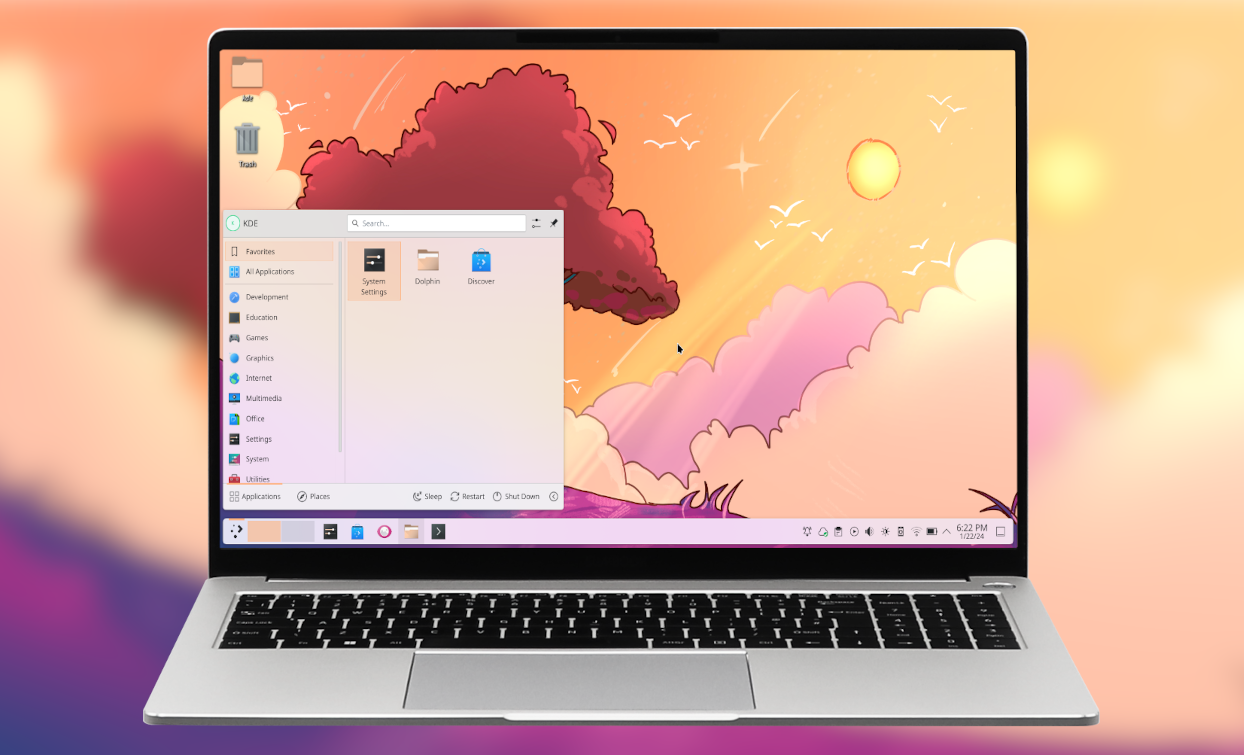
KDE Plasma 6 delivers a sleek, highly configurable desktop experience built on Qt 6, offering smooth animations and low resource usage. It integrates tightly with KDE applications while remaining flexible for power users and newcomers alike. The release introduces improved Wayland support, a revamped system settings UI, and new widgets that enhance productivity across a wide range of hardware configurations.
- Beautiful, cohesive UI
- One‑click app installation via App Store
- Strong multilingual support
- Frequent updates and active community
- Highly configurable without extensive scripting
- Excellent Wayland performance
- Low memory footprint compared to other full‑featured desktops
- Strong integration with KDE ecosystem
- Limited official documentation in English
- Some third‑party apps may need extra configuration
- Hardware compatibility can lag behind mainstream distros
- Steeper learning curve for deep customization
- Occasional incompatibilities with older X11 applications
- Limited official support on non‑Linux platforms
More alternatives & similar tools
Alternatives to Deepin
View all →


A sleek, privacy‑focused Linux desktop built for simplicity and elegance
The Verdict
AI-generated from listing dataBoth KDE Plasma 6 and Deepin are free Linux desktop environments, but KDE offers deeper customization and stronger Wayland performance, while Deepin provides a more polished, beginner‑friendly experience.
Key differences
- •Customization depth: KDE has modular panels, widgets, scripting engine, activity manager; Deepin offers limited UI tweaking.
- •Wayland support: KDE emphasizes native Wayland sessions with low latency; Deepin’s Wayland status not specified.
- •Out‑of‑the‑box app delivery: Deepin includes an App Store for one‑click installs; KDE relies on external package managers.
- •Learning curve: KDE is steeper for advanced tweaks; Deepin’s UI is designed for ease of use.
- •API availability: KDE provides an API; Deepin does not.
Pricing & value
Both are free, open‑source desktop environments.
Ease of use / learning curve
Deepin’s unified Control Center and polished UI are aimed at desktop users, while KDE has a steeper learning curve for deep customization.
Features & depth
KDE offers modular panels, widgets, scripting engine, activity manager, adaptive scaling, and extensive theming.
Integrations & ecosystem
KDE integrates tightly with KDE Frameworks, Qt6, Wayland, and X11; Deepin lists Qt, GTK, Wine only.
Support
KDE provides community forums, mailing lists, and IRC; Deepin offers forums and email only.
Security & privacy
No security or privacy details are specified for either product.
Migration / lock‑in
Both are free, open‑source desktops with no stated lock‑in; migration effort not specified.
Choose Deepin if…
General desktop users who want a beautiful, ready‑to‑use UI with simple app installation.
Choose KDE Plasma 6 if…
Power users or enterprises needing deep customization, Wayland performance, and extensive KDE ecosystem integration.
Common questions
Is there any cost to use either desktop environment?
Both KDE Plasma 6 and Deepin are free and open‑source.
Which environment is easier for a new Linux user?
Deepin is designed for ease of use with a unified Control Center and one‑click App Store, while KDE has a steeper learning curve.
Do both provide APIs for developers?
KDE Plasma 6 includes an API; Deepin does not provide an API according to the listed facts.