


GenPPT AI
Turn your ideas into professional presentations in minutes with GenPPT AI's advanced AI PowerPoint generator.
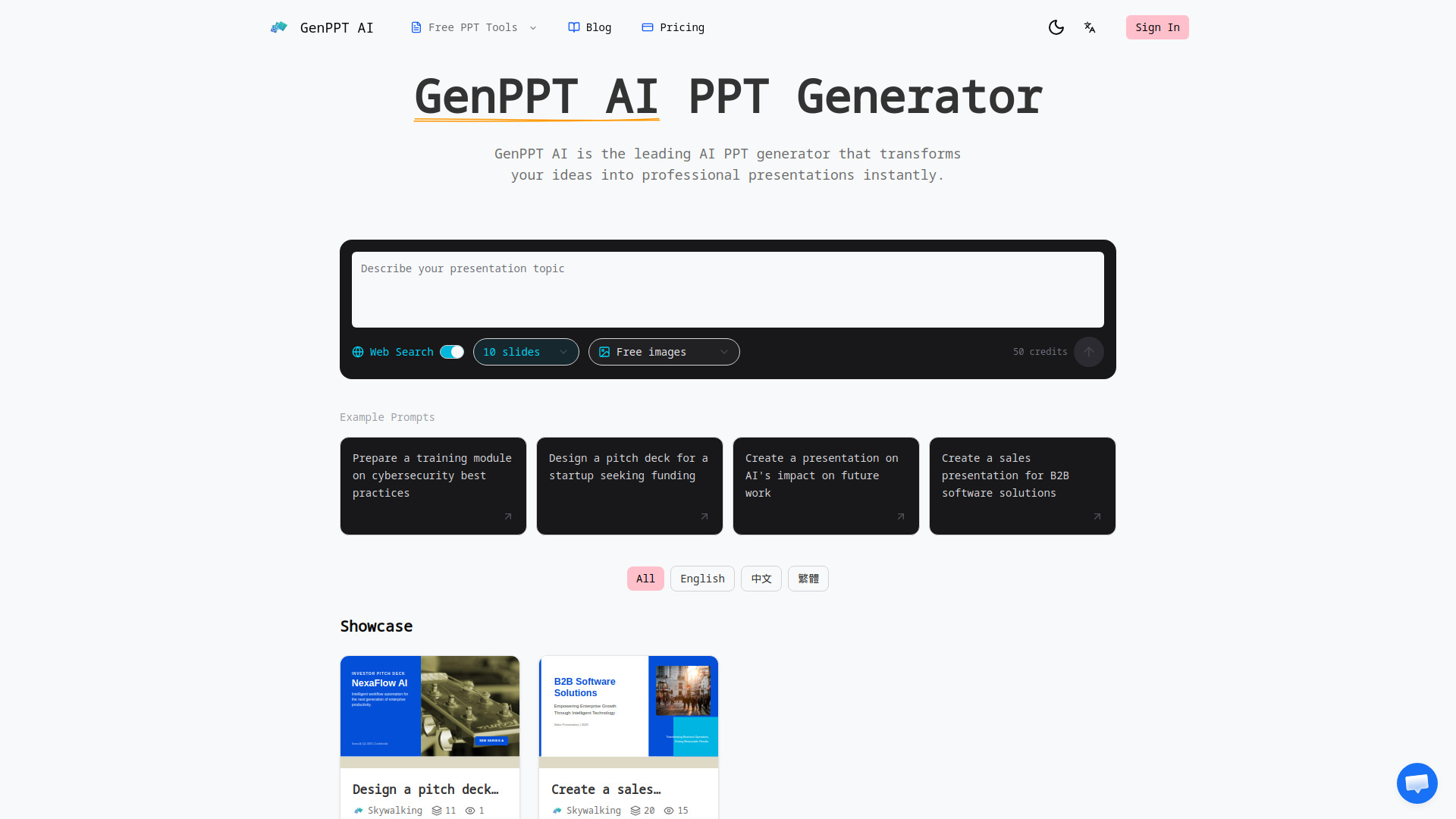
What is GenPPT AI?
GenPPT AI is a leading AI-powered presentation generator that turns text descriptions or existing slides into polished, professional slide decks. Powered by the advanced Claude Opus 4.7 model, it automates the entire presentation creation process—from structuring content and selecting layouts to generating charts and suggesting images. It's designed for anyone who needs high-quality presentations quickly, without the hassle of manual design work. Beyond generating new presentations from scratch, GenPPT AI excels at beautifying and enhancing existing PowerPoint files. Users can upload their own decks and have the AI fix layouts, apply professional styling, and improve visual appeal in minutes. The tool also offers seamless conversion capabilities, allowing users to transform PDFs, Word documents, web pages, YouTube videos, and plain text into fully formatted presentations. With features like real-time browser preview, inline editing, speaker notes generation, multi-language support, and export to standard PPTX format, GenPPT AI positions itself as a versatile all-in-one solution for businesses, educators, and content creators. It's a smart alternative to time-consuming manual slide design, promising professional results at a fraction of the effort.
SpecificationsAI-estimated
Key Features of GenPPT AI
Use Cases for GenPPT AI
Business Presentations
Create professional pitch decks, reports, and board presentations quickly from bullet points or notes.
Educational Materials
Generate engaging lecture slides and training modules from text or lecture notes, complete with speaker notes.
Converting Existing Documents
Transform PDF reports, Word documents, or web pages into polished PowerPoint presentations.
Enhancing Existing Decks
Upload and beautify old presentations to improve design, fix layouts, and apply consistent styling.
Creating YouTube-based Content
Convert YouTube videos or transcripts into structured slide presentations for summaries or tutorials.
Marketing and Sales Collateral
Produce visually appealing slides for campaigns, product launches, and sales pitches without design skills.
How to use GenPPT AI?
Input Your Content
Describe your presentation topic in plain text, or upload an existing PowerPoint file or document to start.
Customize Settings
Choose the AI agent, model (like Claude Opus 4.7), and language to match your needs.
Generate Your Deck
Let GenPPT AI create the presentation, including layout, content, charts, and images, within minutes.
Preview and Edit
Use the real-time preview in your browser to make adjustments to slides, text, and design elements as needed.
Export and Share
Download your presentation as a PPTX file and open it in PowerPoint, Google Slides, or Keynote, or share it directly.
Pros & Cons of GenPPT AI
Pros
- Powered by Claude Opus 4.7 for intelligent content generation and design
- Generates complete presentations in minutes, 10x faster than manual creation
- Beautifies existing PowerPoint files with automatic layout and design enhancements
- Supports multiple input formats: PDF, Word, HTML, YouTube, and plain text
- Real-time browser preview and inline editing before exporting to PPTX
Cons
- Requires credits to generate presentations, which adds cost for heavy users
- Limited to AI-generated design patterns, which may lack full creative control for custom branding
- Dependent on internet connectivity and AI model availability for generation
- Advanced features like chart generation may require additional setup or data formatting
Frequently Asked Questions
What is GenPPT AI?
GenPPT AI is an AI-powered PowerPoint generator that uses Claude Opus 4.7 to create professional presentations from text descriptions or existing slides, and offers beautification, conversion, and speaker note tools.
How does the AI PPT generator work?
You describe your presentation topic or upload content, and the AI analyzes it to create a complete slide deck with professional layouts, designs, and content structure automatically.
Can I edit presentations generated by the AI PPT maker?
Yes, you can preview your presentation in the browser and make edits on the fly before exporting, making it as easy as editing a document.
What file formats does the AI PowerPoint generator support?
GenPPT AI supports input from text, PDF, Word, HTML, YouTube, and PPT, and exports in standard PPTX format compatible with major presentation software.
Can I upload and beautify existing presentations with GenPPT AI?
Yes, you can upload your existing PowerPoint files and GenPPT AI will enhance the design, fix layouts, and apply professional styling to transform them.
Does GenPPT AI's AI PPT generator create speaker notes?
Yes, it automatically generates detailed speaker notes and talking points for each slide to help you deliver confident presentations.
Is GenPPT AI better than other AI PPT makers?
GenPPT AI is powered by Claude Opus 4.7, one of the most advanced AI models, and offers a comprehensive suite of tools including generation, beautification, conversion, and speaker notes, making it a leading option.
How fast is the AI PPT generator?
GenPPT AI can generate a complete presentation in minutes, with some users completing decks in as little as 5 minutes, compared to hours of manual design.
Can I use GenPPT AI for business presentations?
Absolutely, GenPPT AI is designed for businesses and offers features like consistent branding, chart generation, and professional layouts suitable for corporate presentations.
Reviews & Ratings0.0
No reviews yet. Be the first to write one!
Top Alternatives & Similar Software
View all alternatives & similar software→
People also viewed


Related searches
Is this your tool?
Claim this page to update details, reply to user reviews, and drive more traffic to your product.
Claim this Product →
Tags
Keep up with GenPPT AI alternatives
New alternatives, pricing changes and the week's biggest movers - one email every Tuesday.