


HearSub
Watch YouTube in your own language with real-time subtitle translation and AI dubbing.
What is HearSub?
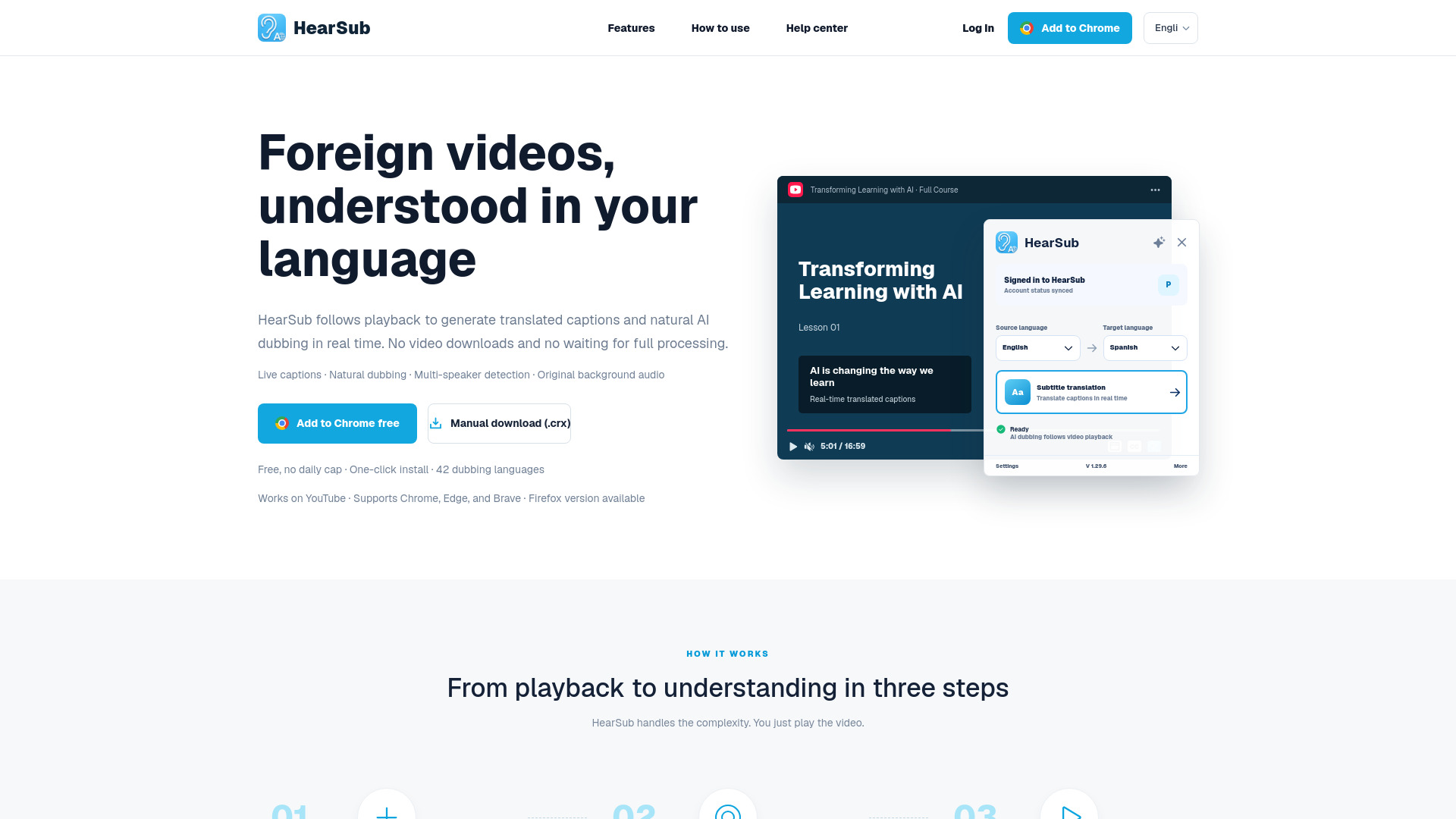
HearSub is a real-time YouTube translation and AI dubbing tool that lets viewers understand foreign-language videos in their own language. It synchronizes subtitle translation and dubbed audio with video playback, so users do not need to upload videos or wait for the entire file to process. By working directly with YouTube, HearSub aims to make international content feel native and accessible. HearSub begins by retrieving the complete transcript of the video, then translates only the nearby caption lines around the current playback position. This approach keeps translation updates fast and lightweight. In parallel, it prepares an AI-generated dubbing buffer ahead of playback, reducing gaps and waiting time while switching between languages. The workflow is designed to preserve a natural watching experience. Use cases include online courses, coding tutorials, interviews, podcasts, news, and long videos. HearSub is positioned as a learning and information-access companion for people who want to listen in their own language. It is currently free for personal use with no usage cap, and any optional paid features will be announced clearly in advance. The service emphasizes privacy and efficiency, with no video upload required.
SpecificationsAI-estimated
Key Features of HearSub
Use Cases for HearSub
Online Courses
Understand lectures and key points without being slowed down by subtitle reading.
Coding Tutorials
Follow code demonstrations while hearing the explanations in your own language.
Interviews and Podcasts
Keep long conversations flowing with fewer pauses, rewinds, and interruptions.
News and Long Videos
Get the core ideas quickly across language barriers.
Language Learning
Learn from foreign-language content by comparing original captions with translated subtitles and dubbing.
Global Information Gathering
Consume work, study, and personal-interest videos from creators in other languages.
How to use HearSub?
Open a YouTube video
Launch HearSub and play the YouTube video you want to watch.
Choose your target language
Select the language you want to hear or read; HearSub matches the right subtitle translation and dubbing capability.
Allow caption retrieval
HearSub captures the complete transcript of the video as the basis for translation and dubbing.
Watch naturally
Playback continues normally while nearby subtitle lines update in real time and AI dubbing is buffered ahead.
Pros & Cons of HearSub
Pros
- Real-time subtitle translation synced with playback
- AI dubbing is buffered ahead of playback to reduce waiting
- No video upload required, protecting user privacy
- Free for personal use with no usage cap
- Lightweight and efficient compared to full-video processing workflows
Cons
- Only YouTube is fully supported at this time
- Translation and dubbing quality depends on the selected language pair and available capabilities
- Optional paid features may be introduced in the future
- No mention of offline support or processing local video files
Frequently Asked Questions
What is HearSub?
HearSub is a YouTube tool that provides real-time subtitle translation and AI dubbing so viewers can watch foreign-language videos in their own language.
Does HearSub require uploading my videos?
No. HearSub does not require video upload; it works directly with YouTube playback and protects your privacy.
Which platforms are supported?
YouTube is fully supported at this time. HearSub is designed specifically to make YouTube content understandable in many languages.
How does real-time translation work?
HearSub captures the full transcript, then translates only the nearby caption lines around the playback position and updates them in real time.
Does HearSub provide AI dubbing?
Yes. HearSub prepares target-language audio ahead of playback using a dubbing buffer to reduce waiting.
Is HearSub free?
HearSub is currently free for personal use with no usage cap. Any optional paid features will be announced clearly in advance.
What types of videos work best with HearSub?
Online courses, coding tutorials, interviews, podcasts, news, and long videos are all highlighted as good use cases.
Reviews & Ratings0.0
No reviews yet. Be the first to write one!
Top Alternatives & Similar Software
View all alternatives & similar software→No alternatives available yet.
People also viewed




Related searches
About the Product
Is this your tool?
Claim this page to update details, reply to user reviews, and drive more traffic to your product.
Claim this Product →
Tags
Explore Related Topics
Keep up with HearSub alternatives
New alternatives, pricing changes and the week's biggest movers - one email every Tuesday.