


ONEIMG
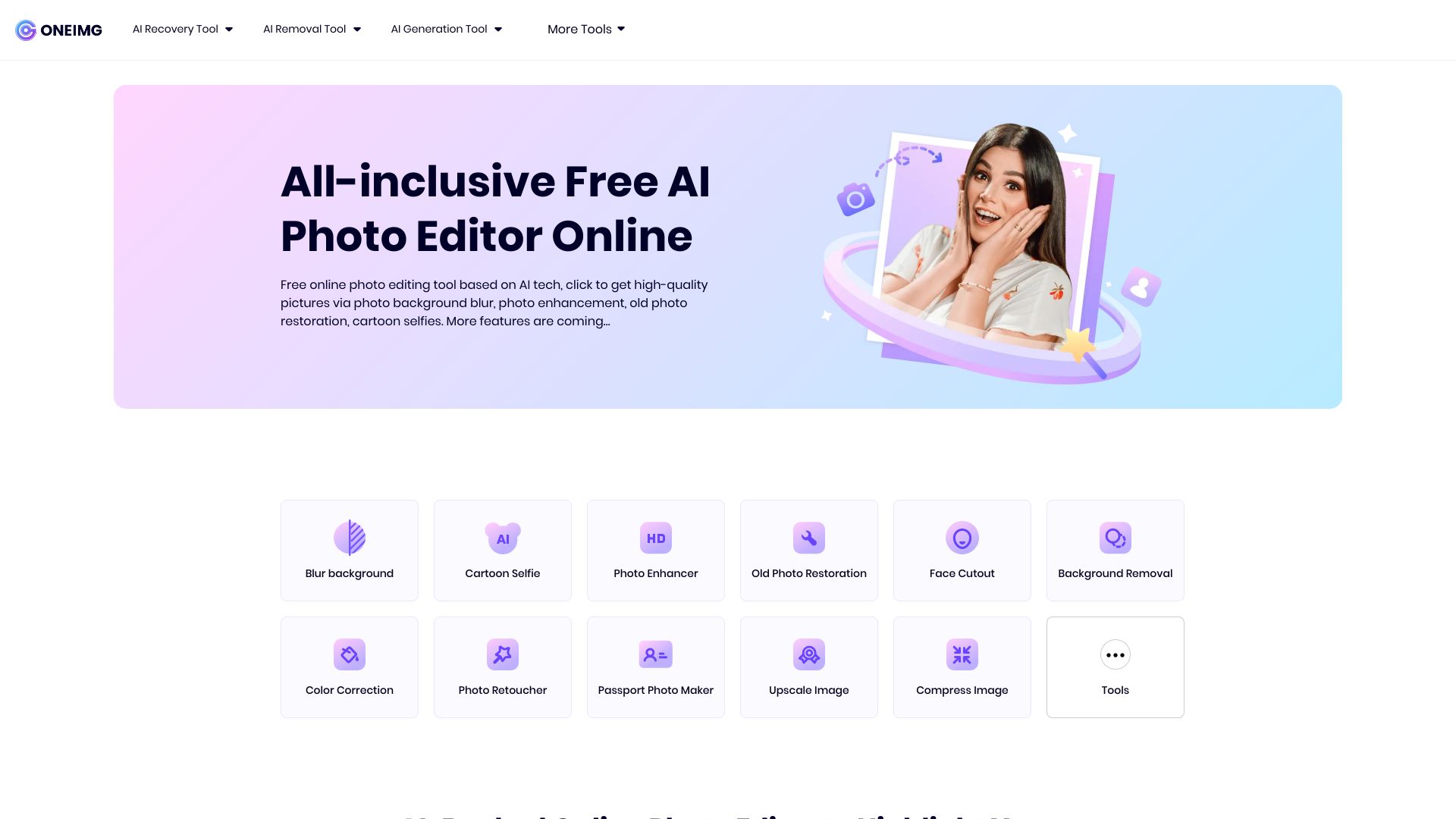
A free, AI-powered online photo editor that blurs backgrounds, restores old photos, enhances images, and cartoonizes selfies in just a few clicks.
What is ONEIMG?
ONEIMG is a free online photo editor that runs entirely in a web browser. It combines several practical image-processing tools into one website, aimed at people who need quick professional-looking results without learning complicated software. Users can blur photo backgrounds, restore old damaged photos, enhance image quality, and turn photos into cartoon or anime-style images. The platform's core strength is automation. Instead of manually selecting regions or adjusting sliders, users upload a photo and the AI recognizes the content and applies the chosen effect automatically. This makes it approachable for non-tech-savvy users, HR professionals creating recruitment ads, e-commerce sellers polishing product shots, and photographers who want to rough-process images before fine-tuning them. ONEIMG is free to use and accessible on any device with internet access, with no app download required. It also emphasizes user privacy and offers self-service data deletion options according to its Privacy Policy and Terms of Use. While it is not a replacement for advanced desktop editors like Photoshop, it is a convenient all-in-one utility for common photo-enhancement tasks.
SpecificationsAI-estimated
Key Features of ONEIMG
Use Cases for ONEIMG
E-commerce product photos
Blur distracting backgrounds so products stand out clearly and look more professional in online listings.
Restoring family memories
Repair old, damaged, or faded family photos and bring back lost detail and color.
Social media fun
Cartoonize selfies or photos of friends to create humorous, shareable images for social media.
Recruitment marketing
HR professionals can create creative and eye-catching ads by enhancing images or applying cartoon effects.
Photography workflow pre-processing
Quickly blur backgrounds on many images in advance, then fine-tune them later for a polished final result.
Simple photo enhancement for non-designers
Improve image quality with a few clicks, without needing any prior Photoshop or design experience.
How to use ONEIMG?
Visit the website
Open oneimg.online in any web browser on your computer, phone, or tablet.
Choose an editing tool
Select the feature you need, such as background blur, old photo restoration, photo enhancement, or cartoon selfie.
Upload your photo
Upload the image you want to edit using the site's upload control.
Let AI process the image
Wait a few moments while the AI automatically recognizes the photo and applies the selected editing effect.
Download the result
Preview the processed image and download it once you are satisfied with the result.
Pros & Cons of ONEIMG
Pros
- Completely free with no payment required for any photo editing feature
- AI automation handles edits automatically, so no Photoshop experience is needed
- Multiple useful tools are combined in a single website
- Works in any browser on any device without downloading an app
- Prioritizes user privacy with self-service data deletion options
Cons
- Limited to automatic AI presets; no advanced manual editing controls like layers or masks
- Requires a stable internet connection since everything runs online
- Has a relatively small tool set compared to full-featured desktop editors
- No explicit batch processing or bulk editing workflow is mentioned
Frequently Asked Questions
What can ONEIMG do?
ONEIMG uses advanced AI technology to automatically process photos. It offers easy-to-use functions for blurring photo backgrounds, restoring old photos, enhancing image quality, and cartoonizing photos, including selfies. It is free to use online without downloading an app.
Can I use this online photo editor on iPhone?
Yes. ONEIMG allows you to access the website on any device, including iPhones. You can simply enter the site, choose the feature you want, and upload your photo directly from your phone.
Do I need to pay for each photo editing feature?
No. ONEIMG is absolutely free. You can access all current features such as cartoonizing selfies, blurring backgrounds, enhancing photos, and restoring old photos without paying.
Can someone steal or copy my data?
The security of your uploaded data is a top priority for ONEIMG. The platform ensures privacy and protection of user data and offers self-service data deletion options. More details are available in the Privacy Policy and Terms of Use.
Is ONEIMG easy for people without Photoshop experience?
Yes. ONEIMG is designed for everyone, even those without Photoshop experience. It uses AI to automatically recognize photos and apply editing instructions through preset features, so users only need to make a few clicks and wait for the download.
What photo editing features are available on ONEIMG?
Available features include photo background blur, old photo restoration, photo enhancement, and cartoon/anime-style photo conversion. More features are planned to be added in the future.
Does ONEIMG require downloading an app?
No. ONEIMG is an online photo editor that works directly in your browser. You can access it from any device without installing any software.
Is ONEIMG useful for professional work?
Yes. Many users, including photographers, HR professionals, and e-commerce sellers, use ONEIMG to speed up simple image tasks such as background blurring and photo enhancement before final edits or publishing.
Reviews & Ratings0.0
No reviews yet. Be the first to write one!
Top Alternatives & Similar Software
View all alternatives & similar software→


People also viewed


Related searches
Is this your tool?
Claim this page to update details, reply to user reviews, and drive more traffic to your product.
Claim this Product →
Tags
Explore Related Topics
Keep up with ONEIMG alternatives
New alternatives, pricing changes and the week's biggest movers - one email every Tuesday.