


CaptionCreator vs RecCloud
Side-by-side comparison of features, pricing, ratings, and alternatives.

CaptionCreator is an AI-powered web tool that automatically generates subtitles for your videos. Instead of manually timing captions, you simply upload a video or audio file and the service transcribes the spoken content into clean, ready-to-use subtitles. It also supports translation, letting you turn a single video into subtitles in dozens of languages without needing a separate translation workflow. The tool offers two main modes: Transcribe and Translate. Transcribe converts speech into subtitles or plain text in 76 supported languages, while Translate converts the audio or video into subtitles in any supported language. You can then burn the subtitles directly into the video, edit them in the built-in studio, or export them as SRT, VTT, or plain text files. Because only the audio track is uploaded, there is no video size limit, and the company says any length of video can be processed in under three minutes. CaptionCreator is aimed at content creators, social media managers, educators, and video editors who need fast, multilingual captioning. It offers a free tier for short clips, plus two monthly subscription plans: Basic at $10/month for 300 minutes of transcription/translation and Pro at $25/month for 1,000 minutes. Paid plans include no watermarks, 4K quality support, and access to all subtitle styles and editing features.
RecCloud is an all-in-one AI audio and video processing platform built around a simple promise: upload fast, process smart, download instantly. Instead of juggling separate tools for transcription, subtitles, voiceovers, translation, and video creation, RecCloud bundles them into a single cloud workspace. From turning spoken words into polished notes to converting plain text into full videos, it is designed for anyone who wants professional results without a steep editing learning curve. The heart of RecCloud is its versatile AI toolkit. Its AI Speech-to-Text tool turns lectures, meetings, and interviews into accurate, automatically summarized text; its AI Subtitle Generator creates original-language captions and translates them into multiple languages; and its AI Voice Generator converts text into natural-sounding speech in various voices and languages, even across languages. Creators can also summarize long YouTube videos or courses and interact with AI based on the content, transform text prompts into generated video clips, translate videos, remove vocals, and edit media with online screen recording, trimming, cropping, and merging tools. RecCloud is available as a web app plus Android/iOS and Windows clients, with an API for developers who want to embed AI processing into their own workflows. The platform is trusted by global brands and features user praise from students, TikTok creators, and educators for saving time on note-taking, multilingual content, and course accessibility. A free trial is available to unlock all AI features, making RecCloud a compelling starting point for creators, marketers, educators, and business teams looking for an AI-powered media workflow.
- Supports 76 languages for both transcription and translation
- Processes videos of any length in under 3 minutes
- Free tier available without an account
- No video size limit because only audio is uploaded
- All-in-one AI audio/video toolkit covering transcription, subtitles, TTS, summarization, translation, and video generation
- Simple three-step workflow: upload, process, download
- Cross-platform availability on web, Android, iOS, Windows, plus an API
- Free trial unlocks all AI features for testing
- Monthly credits expire and do not roll over, so unused minutes are lost at the end of the month
- Free tier is limited to 120-second files and only 3-5 files per day
- No lifetime or perpetual pricing option is mentioned; paid access is subscription-based
- Remaining credits are deleted if you delete your account
- Advanced AI features likely require paid credits beyond the free trial, and credit-deduction details are not explained on the homepage.
- The native desktop app is only listed for Windows, with no dedicated macOS client mentioned.
- Tools are split across several separate subpages, so a complex workflow may require switching between multiple specialized tools.
More alternatives & similar tools
Alternatives to CaptionCreator
View all →
One AI-powered cloud suite to transcribe, subtitle, translate, voice, summarize, and generate video — fast and simple.
Transcribe, translate, and summarize audio & video in 130+ languages with speaker separation and instant subtitle generation.

Alternatives to RecCloud
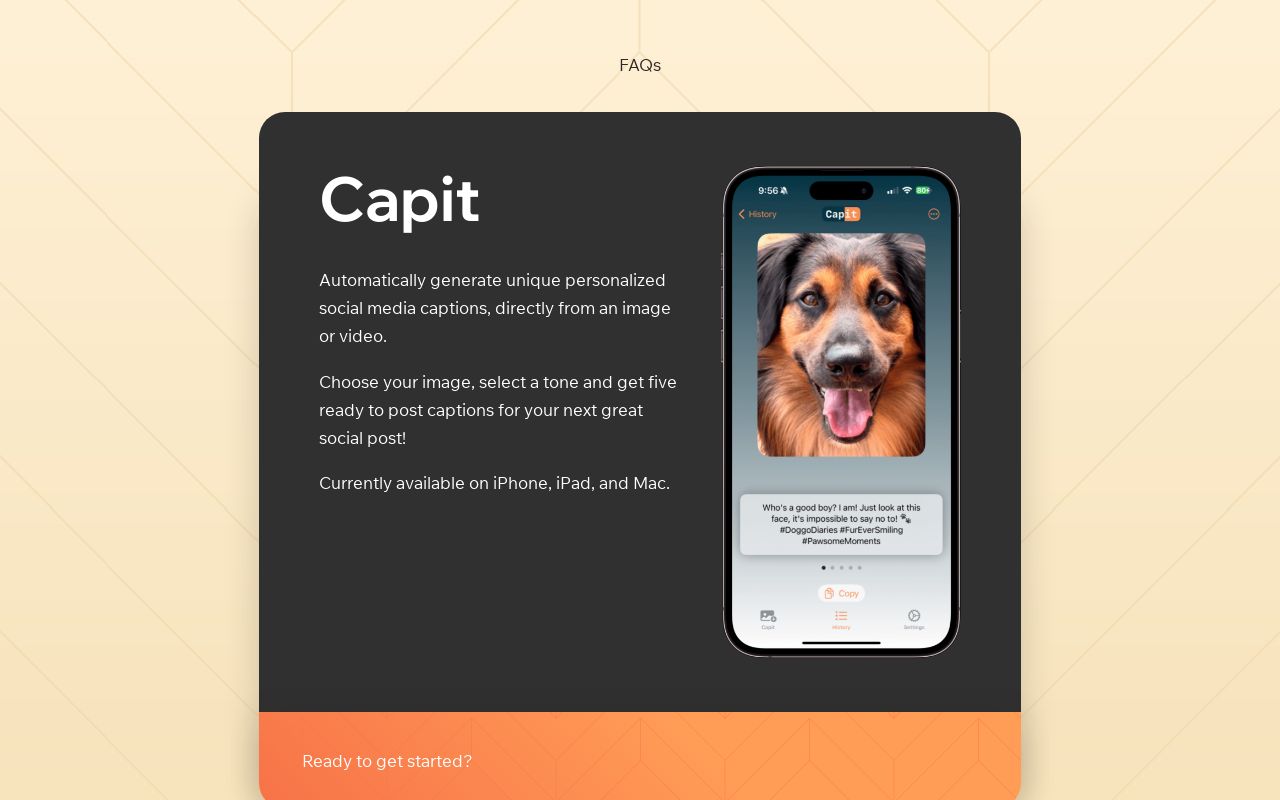
View all →An AI subtitle generator that automatically transcribes and translates videos into captions in 76 languages in under 3 minutes.
The Verdict
AI-generated from listing dataCaptionCreator is a focused, fast subtitle/transcription tool with clear monthly pricing, while RecCloud offers a broader AI video/audio suite but with unclear pricing and more complexity.
Key differences
- •CaptionCreator limits to subtitles/translations; RecCloud includes TTS, summarization, video generation, and screen recording.
- •CaptionCreator processes any length in under 3 minutes; RecCloud’s processing speed is not specified.
- •CaptionCreator offers a free tier without an account and transparent monthly plans; RecCloud only provides a free trial with no pricing details.
- •RecCloud provides an API and multi‑platform apps (web, Android, iOS, Windows); CaptionCreator has no listed API or desktop apps.
- •CaptionCreator supports 76 languages for both transcription and translation; RecCloud’s language coverage is not quantified.
Pricing & value
CaptionCreator lists free tier and $10/$25 monthly plans; RecCloud only mentions a free trial with no pricing.
Ease of use / learning curve
CaptionCreator’s single‑purpose workflow (upload → process → download) is simpler than RecCloud’s multi‑tool suite.
Features & depth
RecCloud includes transcription, subtitles, TTS, summarization, video generation, translation, vocal remover, and screen recorder.
Integrations & ecosystem
RecCloud offers an API and apps for web, Android, iOS, and Windows; CaptionCreator lists no API or desktop apps.
Collaboration
Neither product provides specific collaboration features in the supplied facts.
Scalability
Both lack clear limits beyond CaptionCreator’s credit expiration; RecCloud’s credit model is unspecified.
Support
No support details are provided for either product.
Choose CaptionCreator if…
Creators who only need fast, multilingual subtitles/transcriptions with predictable monthly pricing.
Choose RecCloud if…
Creators who want an all‑in‑one AI video/audio toolkit (TTS, summarization, generation) and API access.
Common questions
What is the cost for each tool?
CaptionCreator offers a free tier and paid plans at $10/month (Basic) and $25/month (Pro). RecCloud only mentions a free trial; pricing details are not provided.
Can I use the service without creating an account?
CaptionCreator’s free tier works without an account (limited to 120‑second clips). RecCloud requires a trial sign‑up; account details are not specified.
Does the tool support API integration?
RecCloud provides an API for developers. CaptionCreator does not list any API or integration capability.