


Decksy
Create a professional presentation with AI from a topic, outline, or file.
What is Decksy?
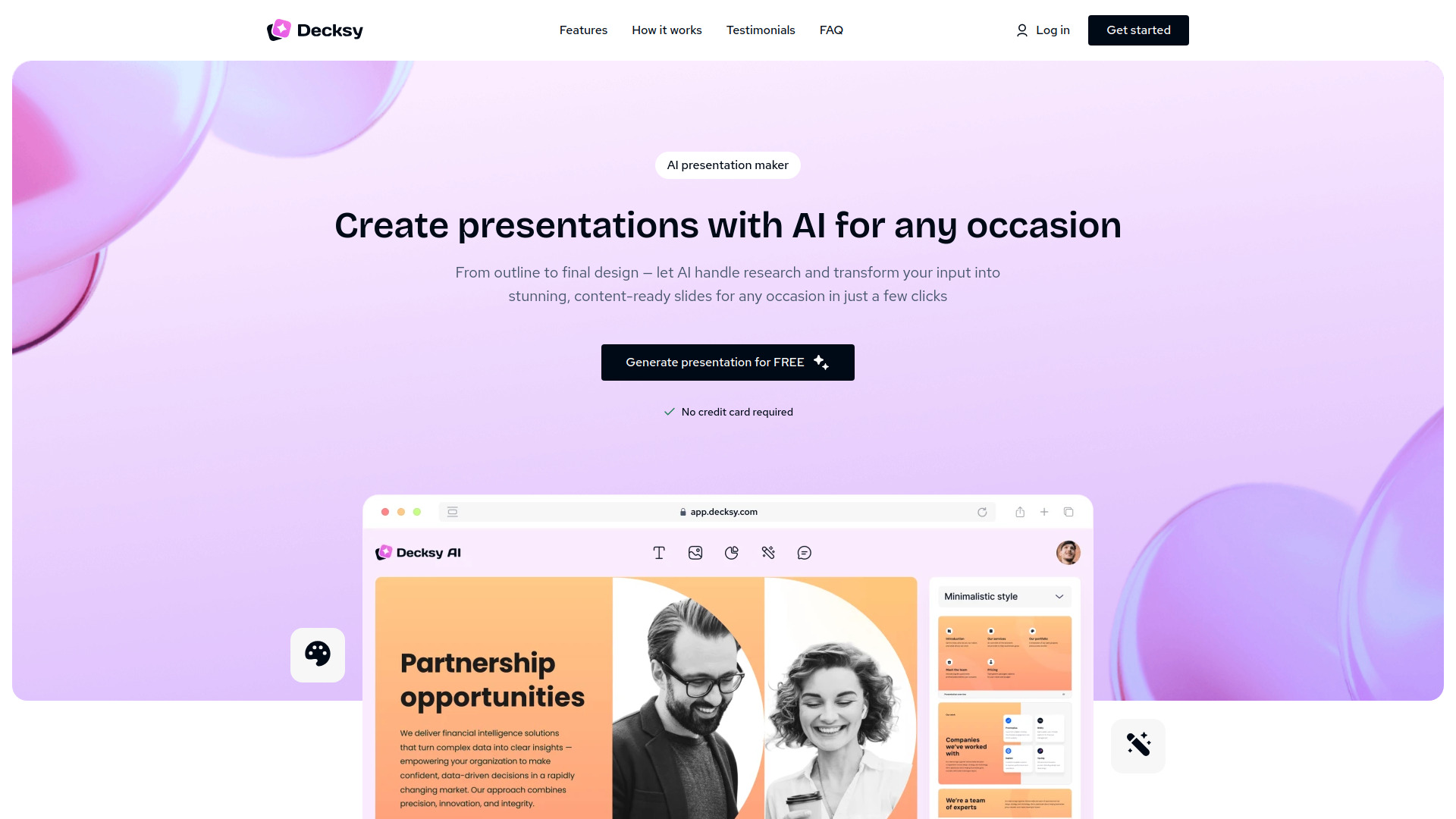
Decksy is an AI-powered presentation maker that helps users create professional, polished slides quickly from a topic, text outline, or uploaded document. It uses generative AI to research, structure, and design entire presentations, offering hundreds of pre-made templates and flexible export formats. Designed for business users and individual presenters, Decksy eliminates the need for design skills and significantly reduces time spent on creating
SpecificationsAI-estimated
Key Features of Decksy
Use Cases for Decksy
Business Presentations
Create pitch decks, project updates, sales materials, and corporate presentations quickly.
Educational / Medical Lectures
Generate lecture slides and study materials from a text summary or topic.
Marketing and Planning
Build sync decks and workshop slide decks for Q4 planning or team meetings.
Grant Proposals
Transform a topic into an investor-ready or impact/support deck.
How to use Decksy?
Share your topic
Enter a topic, upload a file, or write key points for the AI to process.
Decide on a presentation style
Choose a template from the hundreds of auto-generated pre-made options. The layout adapts to your content.
Download & present
Export the finished deck in your preferred format and use it as-is or edit further.
Pros & Cons of Decksy
Pros
- No design skills required—AI handles layout and styling
- Multiple input methods: topic, text outline, or document upload
- Fast generation—turns a concept into a complete deck in minutes
- Hundreds of professional pre-made templates
- Flexible export to major formats (PPTX, PDF, etc.)
- Secure: data provided is encrypted for AI generation
- No credit card required to start
- Trusted by over 200,000 users
Cons
- Full features and pricing details not fully disclosed on the landing page
- AI-generated content may require manual review for errors
- Limited customization options are mentioned—advanced designing likely requires manual editing
- No privacy concerns with many AI products, but data encryption is not a full guarantee
Frequently Asked Questions
Does a user need design skills?
No, the AI handles layout, tone, and flow, so you can create a professional-looking presentation without design experience.
Can I start using it without paying?
Yes, the website states 'No credit card required', so you can try the tool with zero cost.
What types of input does it accept?
You can input your subject, write a text outline, or upload a document in various formats.
How can I export a finished presentation?
It can export to major presentation formats (the exact names are not listed on the page, but it's mentioned as flexible format).
Reviews & Ratings0.0
No reviews yet. Be the first to write one!
Top Alternatives & Similar Software
View all alternatives & similar software→



People also viewed



Related searches
About the Product
Is this your tool?
Claim this page to update details, reply to user reviews, and drive more traffic to your product.
Claim this Product →
Tags
Explore Related Topics
Keep up with Decksy alternatives
New alternatives, pricing changes and the week's biggest movers - one email every Tuesday.