


Sora 2
OpenAI's next-gen AI video model with realistic physics, synchronized audio, and multi-shot storytelling—now on Picir AI.


What is Sora 2?
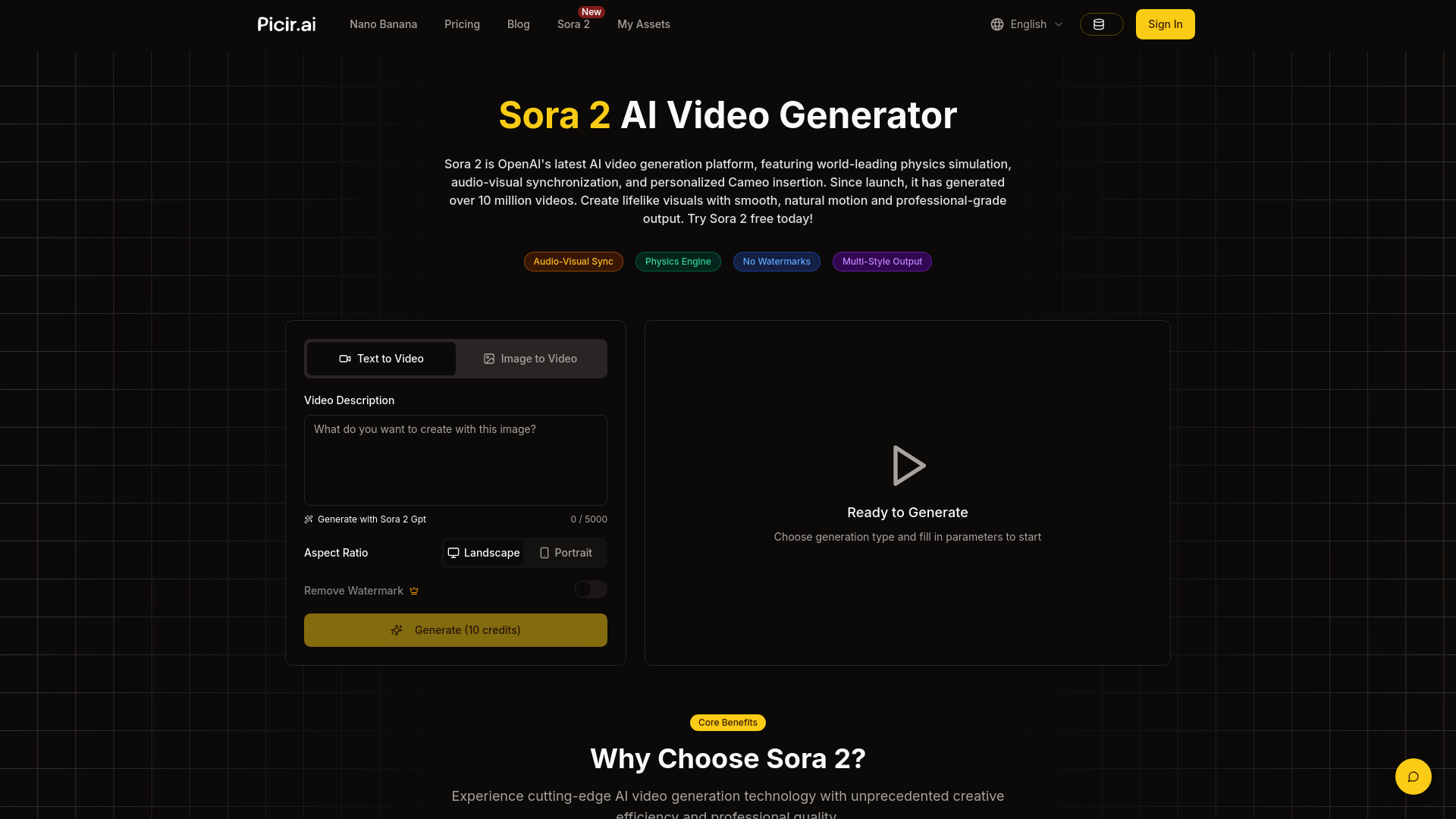
Sora 2 is OpenAI's latest video-and-audio generation model, now available through Picir AI's web-based video generator. It represents a major evolution from the original Sora (released February 2024), bringing significant improvements in realism, physics accuracy, controllability, and style. Users can create short, polished video clips directly from text prompts or reference images, with synchronized audio included. Picir AI offers a free limited trial, so anyone can experiment with Sora 2 without upfront costs. The model's standout capabilities include accurate simulation of real-world physics—such as gravity, buoyancy, object collisions, and natural motion—which eliminates many artifacts common in earlier AI video tools. It also generates contextually appropriate speech, environmental sounds, and background music that sync perfectly with the visual action. Sora 2 maintains character appearances, world states, and environmental consistency across multiple shots, enabling true narrative storytelling. It supports multiple styles including anime, cinematic, photorealistic, creative, and music video aesthetics, with 720p output at 16:9 or 9:16 aspect ratios and clip lengths of 4, 8, or 12 seconds. Sora 2 is designed for content creators, filmmakers, animators, marketers, educators, and hobbyists who want to produce high-quality videos without professional production skills. By simply describing an idea, users can generate cinematic clips for social media, brand campaigns, demos, virtual tours, and more. Picir AI provides subscription plans ranging from Basic to Prime, with higher tiers offering more credits, faster generation, and team management for professional workflows.
SpecificationsAI-estimated
Key Features of Sora 2
Use Cases for Sora 2
Content Creation
Produce engaging AI videos for social media, YouTube, and digital platforms with minimal effort.
Educational Simulations
Create realistic physics demonstrations and interactive learning materials for classrooms and training.
Brand Promotion
Generate product showcases, virtual endorsements, and branded IP content for marketing campaigns.
Filmmaking & Animation
Craft cinematic trailers, anime sequences, and multi-shot narratives for films and animation projects.
Real Estate Showcases
Build virtual tours and property walkthroughs for real estate listings and architectural visualization.
Automotive Advertising
Produce dynamic vehicle demos and promotional clips for automotive advertising.
Virtual Tourism
Create immersive travel experiences and location previews for tourism and hospitality.
Product Demonstrations
Showcase product features, usage, and benefits in realistic AI-generated video demonstrations.
How to use Sora 2?
Enter Text or Upload Images
Describe the video scene you want, or upload images as reference to tell the AI your creative vision. Click the Generate button.
AI Smart Generation
The Sora 2 Model intelligently generates videos based on your instructions, including visuals, motion, sound effects, music, and more - complete end-to-end content.
Download and Use
Instantly preview generation results and download high-definition videos with one click.
Pros & Cons of Sora 2
Pros
- Physics-accurate scenes that follow real-world laws of motion and interaction
- Automatically synchronized audio including speech, sound effects, and music
- Multi-shot storytelling with consistent characters and world states
- No video production skills required—just describe your idea
- Free limited trial available on Picir AI
Cons
- Cannot generate videos with photorealistic characters due to OpenAI safety policy
- Standard Sora 2 is limited to 720p resolution and short 4/8/12-second clips
- No direct AI editing of generated videos yet (requires external video software)
- Typical generation time takes about 2-3 minutes per clip
Frequently Asked Questions
What is OpenAI’s Sora 2?
Sora 2 is OpenAI’s latest video-and-audio generation model, capable of producing highly realistic, physically accurate, and controllable videos. It can create cinematic, anime, and photorealistic styles while maintaining long-term consistency across multi-shot sequences.
What advantages does OpenAI’s Sora 2 have over other AI video models?
Sora 2's core advantages lie in audio-visual synchronization, high-fidelity physics simulation, realistic Cameo insertion, and multi-style output capabilities. Compared to traditional AI video models, Sora 2 generates videos that are more realistic, smoother, and of higher professional quality.
What application scenarios does OpenAI’s Sora 2 support?
Sora 2 is widely used in content creation, educational simulations, social media short videos, brand promotion, real estate showcases, automotive advertising, virtual tourism, product demonstrations, and many other fields, providing efficient video content solutions for various industries.
Can I use OpenAI’s Sora 2 for professional or film projects?
Yes. Sora 2's precise modeling, multi-shot consistency, and realistic audio make it a powerful choice for filmmakers, animators, and content creators seeking high-quality AI-generated videos.
Can I use OpenAI’s Sora 2 for free?
Yes. OpenAI’s Sora 2 is available with a limited free quota through Picir AI’s free trial. For higher-volume use, you’ll need to upgrade.
What's the maximum video length OpenAI’s Sora 2 can generate?
Sora 2 supports generating 10-second video clips, while Sora 2 Pro supports both 10-second and 15-second video clips. For longer videos, you can create multiple segments and combine them through editing and post-production.
What resolutions and aspect ratios are supported?
Sora 2 supports 720p resolution, while Sora 2 Pro supports both 720p and 1080p HD resolutions, with multiple aspect ratios including 16:9 (landscape) and 9:16 (portrait) to meet different platform requirements.
How can I ensure the generated video meets my requirements?
We recommend providing detailed descriptions in your prompt about camera angles, actions, scene details, style, and other elements. Avoid describing too many characters or complex actions in a single prompt. Try multiple times and select the result that best matches your expectations. We recommend using Sora 2 GPT to generate higher-quality prompts.
Cannot use photorealistic characters for Sora 2 image-to-video?
Yes, the Sora 2 model currently does not support generating videos with photorealistic characters. This is restricted by OpenAI's safety policy, even for AI-generated photorealistic characters. If you need to generate videos with photorealistic characters, we recommend using other models such as Veo 3.1 - it supports this feature.
Can I edit videos generated by Sora 2?
Currently, direct AI editing of Sora 2 generated videos is not yet supported, and we are actively developing this feature. For now, you can download the generated videos and use professional video editing software for post-processing and editing.
Reviews & Ratings0.0
No reviews yet. Be the first to write one!
Top Alternatives & Similar Software
View all alternatives & similar software→No alternatives available yet.
People also viewed



Related searches
Is this your tool?
Claim this page to update details, reply to user reviews, and drive more traffic to your product.
Claim this Product →
Tags
Explore Related Topics
Keep up with Sora 2 alternatives
New alternatives, pricing changes and the week's biggest movers - one email every Tuesday.