


TranslateImage
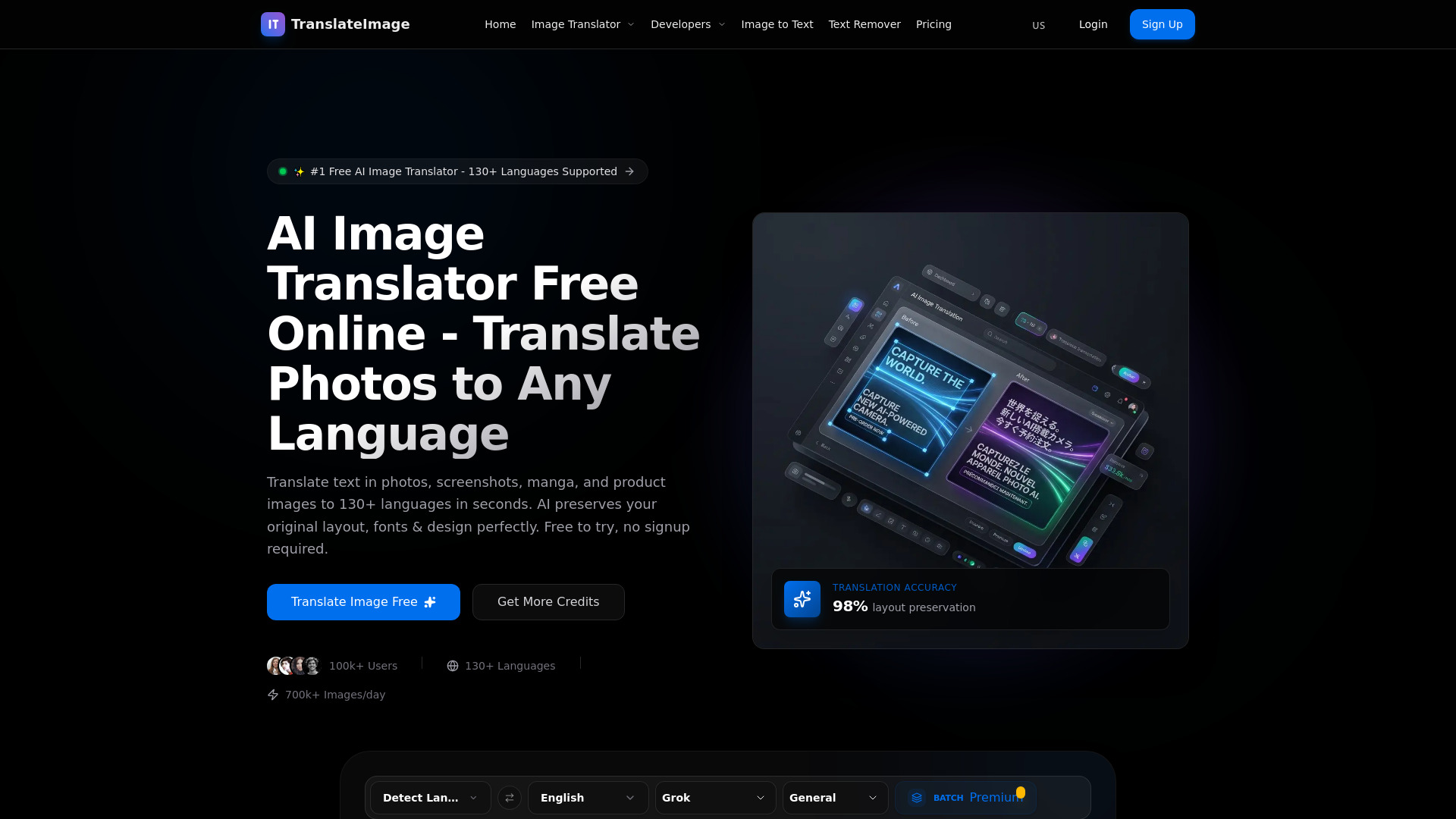
Translate images into 130+ languages while keeping the original text style, layout, and design intact.

What is TranslateImage?
TranslateImage is an AI-powered online platform for translating text inside images into 130+ languages while preserving the original layout, fonts, colors, and backgrounds. It is designed for product photos, manga and comic panels, screenshots, scanned documents, and marketing creatives. The platform packages six tools in one: image translation, manga translation, batch translation, OCR extraction, text removal, and batch workflows, making it a complete visual localization solution for individuals and teams. Under the hood, TranslateImage uses advanced OCR that understands context, speech bubbles, and vertical text layouts. Its specialized manga model handles speech bubble detection, SFX translation, and AI inpainting for complex backgrounds. Users can choose between multiple AI translation engines such as GPT-4o, Claude 4, DeepSeek, and Gemini, and most images are processed in 10-30 seconds. The free tier provides 20 daily credits without requiring signup or a credit card. TranslateImage is built for e-commerce sellers, manga readers, marketers, support teams, and global operations that need fast, native-looking image translation at scale. It emphasizes privacy and security, with encrypted uploads, automatic file deletion after processing, and a promise that images are never used for AI training. Batch processing supports up to 50 images at once, and a public API is currently in beta for developers who want to automate workflows.
SpecificationsAI-estimated
Key Features of TranslateImage
Use Cases for TranslateImage
E-commerce product localization
Translate product photos, size charts, packaging, and listing images for Amazon, Shopify, eBay, and other international marketplaces.
Manga and webtoon translation
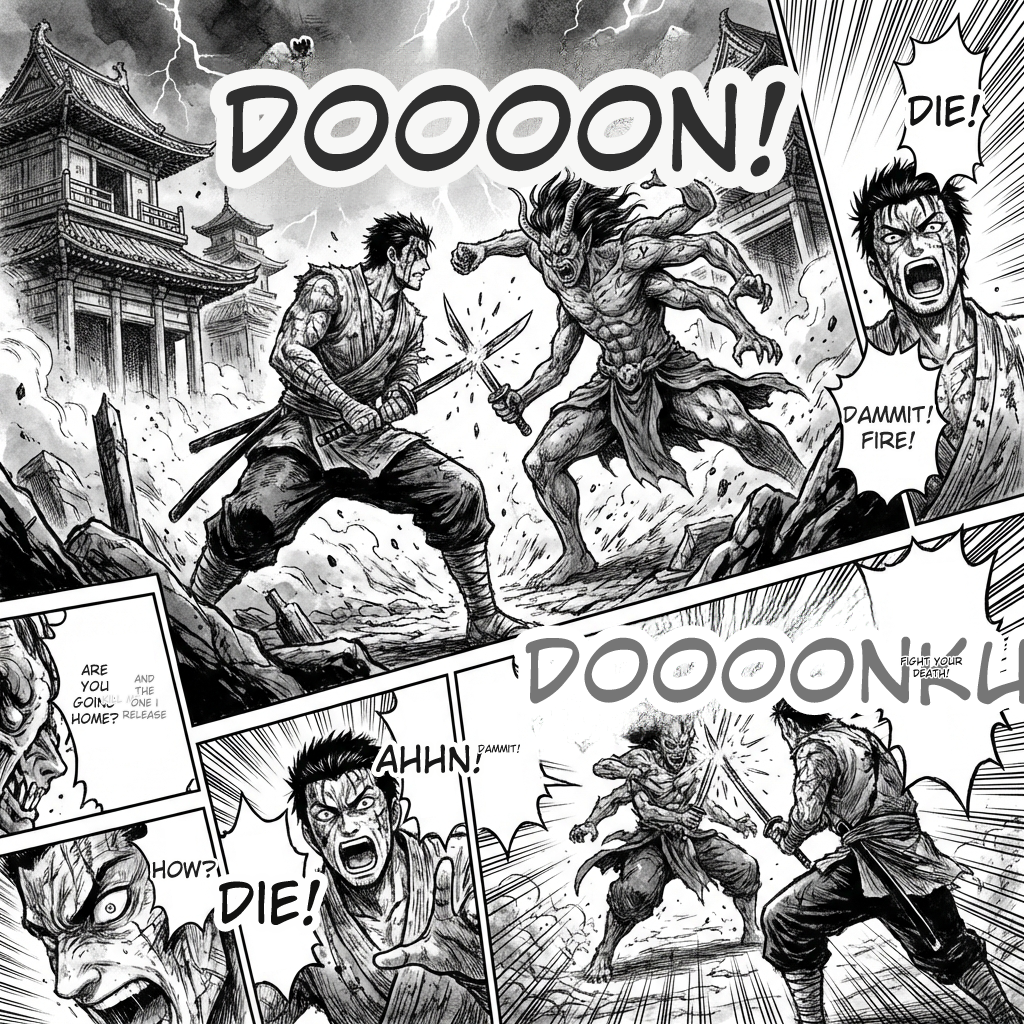
Read raw manga, manhwa, and webtoons in your own language with speech bubble detection and vertical text support.
Marketing and ad creative localization
Localize social graphics, ad creatives, and marketing banners while preserving fonts and styles so campaigns look professional in every market.
Screenshot translation for support teams
Translate UI screenshots and support documentation for global customer support teams without manual re-typing.
Document translation
Translate scanned documents and image-based documents for international operations while keeping the original layout.
Social media graphic translation
Quickly localize social media posts and campaign graphics into multiple languages without needing a designer.
Batch translation workflows
Process up to 50 images at once using the batch engine for large catalogs, archives, or content pipelines.
OCR extraction and text removal
Extract text from images with OCR or remove existing text before adding translated overlays.
How to use TranslateImage?
Upload your image
Choose a JPG, JPEG, PNG, or WebP image up to 10MB from your device. Product photos, screenshots, scanned documents, and manga pages all work.
Select languages
Pick the source language and the target language from 130+ supported languages such as Japanese, Chinese, Korean, Spanish, French, German, and Arabic.
Choose translation mode and model
Choose Standard mode, Manga mode for comics, or Batch mode for multiple images. You can also select an AI model like GPT-4o, Claude 4, DeepSeek, or Gemini.
Translate the image
Run the translation. Most images are processed in 10-30 seconds, with complex manga pages taking up to a minute for best quality.
Download and use
Download the production-ready translated image. All translated images can be used for personal and commercial purposes without additional licensing.
Pros & Cons of TranslateImage
Pros
- Supports 130+ languages with production-ready layout preservation.
- Specialized manga/webtoon mode handles speech bubbles, vertical text, and SFX.
- Free tier offers 20 daily credits without requiring an account.
- Batch processing and API enable scalable workflows.
- Strong privacy posture: encrypted uploads, auto-deletion, and no AI training on user data.
Cons
- API access is still in beta, so production integrations may be less stable.
- Free tier is limited to 20 credits per day, and each image can consume 1-3 credits.
- Only JPG, JPEG, PNG, and WebP images up to 10MB are supported.
- No native mobile app is available; translations are done through the web browser.
Frequently Asked Questions
Can I translate images for free?
Yes, you can translate images free every day. You get 20 daily credits without signup. Each image translation uses 1-3 credits depending on complexity. No credit card required to start.
How accurate are the translations?
TranslateImage is tuned for accuracy using GPT-4o, Claude 4, and specialized translation models. The AI preserves layout, fonts, and design while delivering natural-sounding translations in 130+ languages.
Is my image data private and secure?
Yes, your images stay private. All uploads are encrypted, processed securely, and never used for AI training.
Can TranslateImage handle manga and comics?
Yes! Our Manga mode is specially designed for translating comic images. It auto-detects speech bubbles, handles vertical Japanese text, translates sound effects (SFX), and preserves original artwork with AI inpainting.
What image formats and sizes are supported?
You can translate images in JPG, JPEG, PNG, and WebP formats up to 10MB. For best results, use high-resolution images with clear, readable text.
How long does translation take?
Most images translate in 10-30 seconds. Simple images with less text are faster. Complex manga pages or images with many text regions may take up to a minute for best quality.
Can I use translated images commercially?
Yes, you can use all translated images for both personal and commercial purposes without additional licensing. This includes product photos, marketing materials, and e-commerce listings.
Can I retry with a different AI model?
You can re-translate the same image with different AI models (GPT-4o, Claude 4, DeepSeek, Gemini) at no extra credit cost. Each model has different strengths for tone and accuracy.
Reviews & Ratings0.0
No reviews yet. Be the first to write one!
Top Alternatives & Similar Software
View all alternatives & similar software→No alternatives available yet.
People also viewed

.png)


Related searches
About the Product
Is this your tool?
Claim this page to update details, reply to user reviews, and drive more traffic to your product.
Claim this Product →
Tags
Explore Related Topics
Keep up with TranslateImage alternatives
New alternatives, pricing changes and the week's biggest movers - one email every Tuesday.