


Translate.Photo vs TranslateImage
Side-by-side comparison of features, pricing, ratings, and alternatives.

Translate.Photo is an AI-powered marketing creative platform that lets teams create, translate, and adapt campaign assets across 130+ languages. It combines an AI Creative Director, brand enforcement, hyperlocal localization, and channel auto-resizing into one continuous workflow, so marketers can go from voice brief to channel-ready localized creative without source files or agency dependency.
TranslateImage is an AI-powered online platform for translating text inside images into 130+ languages while preserving the original layout, fonts, colors, and backgrounds. It is designed for product photos, manga and comic panels, screenshots, scanned documents, and marketing creatives. The platform packages six tools in one: image translation, manga translation, batch translation, OCR extraction, text removal, and batch workflows, making it a complete visual localization solution for individuals and teams. Under the hood, TranslateImage uses advanced OCR that understands context, speech bubbles, and vertical text layouts. Its specialized manga model handles speech bubble detection, SFX translation, and AI inpainting for complex backgrounds. Users can choose between multiple AI translation engines such as GPT-4o, Claude 4, DeepSeek, and Gemini, and most images are processed in 10-30 seconds. The free tier provides 20 daily credits without requiring signup or a credit card. TranslateImage is built for e-commerce sellers, manga readers, marketers, support teams, and global operations that need fast, native-looking image translation at scale. It emphasizes privacy and security, with encrypted uploads, automatic file deletion after processing, and a promise that images are never used for AI training. Batch processing supports up to 50 images at once, and a public API is currently in beta for developers who want to automate workflows.
Translate.Photo offers three monthly subscription tiers: Standard at $9.5/mo, Pro at $59/mo, and Enterprise at $199/mo, each with a monthly credit allowance.
- Very fast: 25.6 seconds average per asset
- Supports 130+ languages including Arabic RTL, Japanese vertical, Mandarin, Thai, and Spanish
- Hyperlocal adaptation: local landmarks, calendar, dress code, and tone
- Brand glossary and brand guidelines are auto-applied
- Supports 130+ languages with production-ready layout preservation.
- Specialized manga/webtoon mode handles speech bubbles, vertical text, and SFX.
- Free tier offers 20 daily credits without requiring an account.
- Batch processing and API enable scalable workflows.
- Credits do not roll over; they reset monthly
- Raw aesthetic quality depends on underlying AI providers
- Deliberately not a pixel-perfect manual editor; Photoshop is still needed for hero-level edits
- No free tier or trial mentioned on the website
- API access is still in beta, so production integrations may be less stable.
- Free tier is limited to 20 credits per day, and each image can consume 1-3 credits.
- Only JPG, JPEG, PNG, and WebP images up to 10MB are supported.
- No native mobile app is available; translations are done through the web browser.
More alternatives & similar tools
Alternatives to Translate.Photo
View all →
Precise and instant AI image translation for over 130 languages, preserving original layout and style.
Translate images into 130+ languages while keeping the original text style, layout, and design intact.

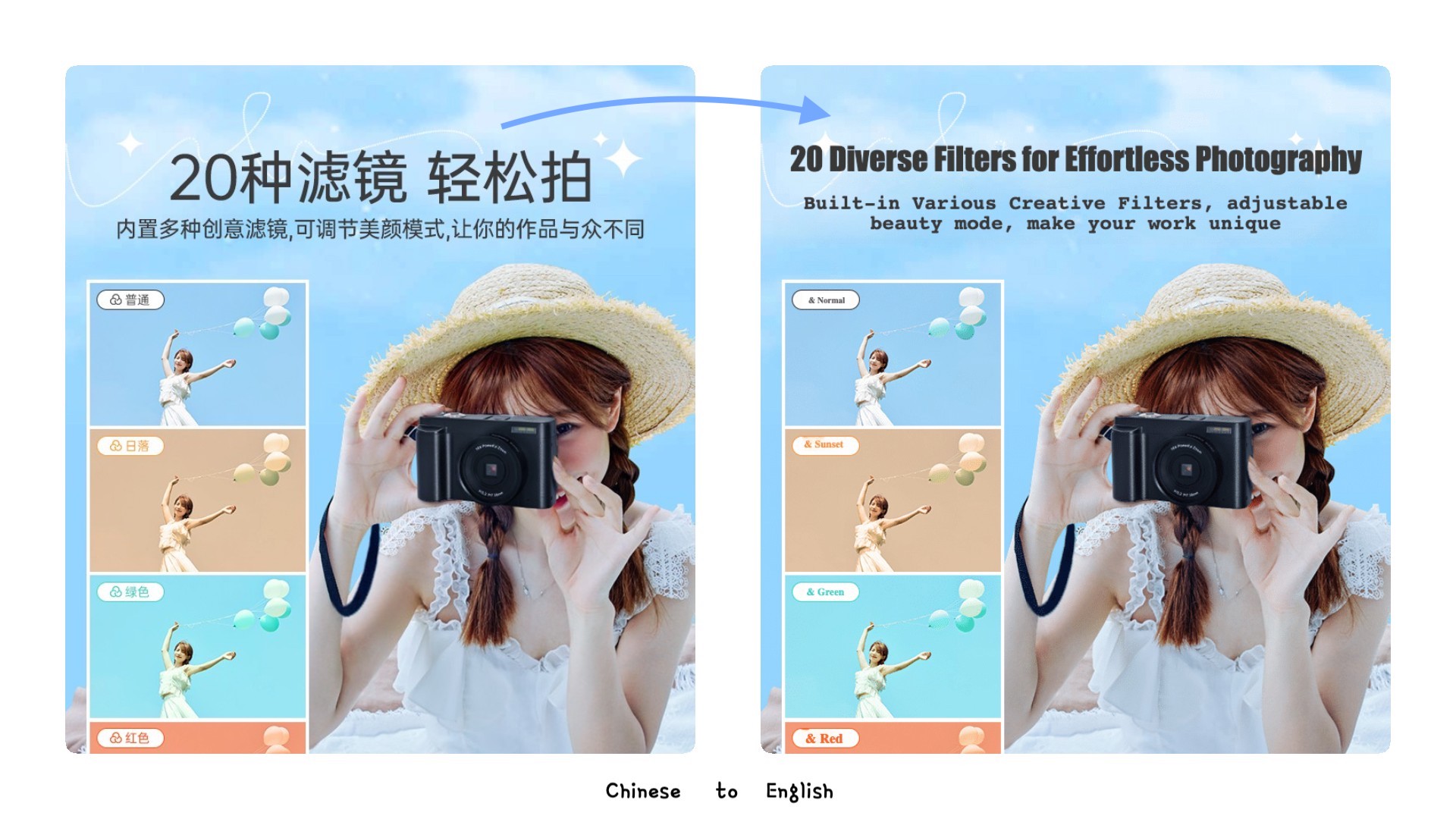
Alternatives to TranslateImage
View all →
Experience the world's top AI model to translate your images, preserve the original layout, and improve your work efficiency by 10x
Precise and instant AI image translation for over 130 languages, preserving original layout and style.
The Verdict
AI-generated from listing dataTranslate.Photo offers a subscription‑based, brand‑centric workflow with voice‑first AI and Photoshop/Figma integration, while TranslateImage provides a free tier, strong layout‑preserving OCR, and batch/API capabilities but limited integrations.
Key differences
- •Pricing model: Translate.Photo is paid subscription only; TranslateImage has a free daily credit tier and unknown paid pricing.
- •Workflow focus: Translate.Photo emphasizes brand‑guideline enforcement and voice‑first creative direction; TranslateImage focuses on layout‑preserving OCR and batch/API processing.
- •Integrations: Translate.Photo integrates with Photoshop and Figma; TranslateImage offers only a web interface and a beta public API.
- •Output control: Translate.Photo outputs assets ready to ship but may need Photoshop for fine edits; TranslateImage preserves original fonts/colors automatically.
- •Scalability: Translate.Photo uses monthly credits that reset; TranslateImage allows up to 50 images per batch and unlimited API calls (beta).
Pricing & value
TranslateImage offers free 20 daily credits; Translate.Photo has no free tier and requires paid subscription.
Ease of use / learning curve
Translate.Photo’s voice‑first AI Creative Director requires no prompt engineering; TranslateImage needs web UI navigation and API setup.
Features & depth
Translate.Photo provides brand kit, glossary enforcement, channel presets, and auto‑resize; TranslateImage focuses mainly on OCR layout preservation.
Integrations & ecosystem
Translate.Photo integrates directly with Photoshop and Figma; TranslateImage only offers a web UI and beta API.
Collaboration
Translate.Photo’s continuous brief‑to‑shipping flow supports marketing teams; TranslateImage lacks explicit collaboration features.
Scalability
TranslateImage batch processes up to 50 images and has API access; Translate.Photo’s credits reset monthly and may limit large volumes.
Security & privacy
TranslateImage specifies encrypted uploads, auto‑deletion, zero data retention; Translate.Photo provides no security details.
Choose Translate.Photo if…
Large marketing teams needing brand‑consistent, multi‑channel assets and Photoshop/Figma workflow integration.
Choose TranslateImage if…
Teams needing free, layout‑preserving image translation with batch or API automation, especially for manga or e‑commerce catalogs.
Common questions
Is there a free trial or tier?
TranslateImage offers 20 free daily credits without signup; Translate.Photo has no free tier or trial mentioned.
Can the tools integrate with our design software?
Translate.Photo integrates with Photoshop and Figma; TranslateImage only provides a web interface and a beta API.
How does each handle large volumes of assets?
Translate.Photo uses monthly credits that reset and may add up for large teams; TranslateImage allows batch processing of up to 50 images and unlimited API calls (beta).