


ImageTranslate.AI
Precise and instant AI image translation for over 130 languages, preserving original layout and style.

What is ImageTranslate.AI?
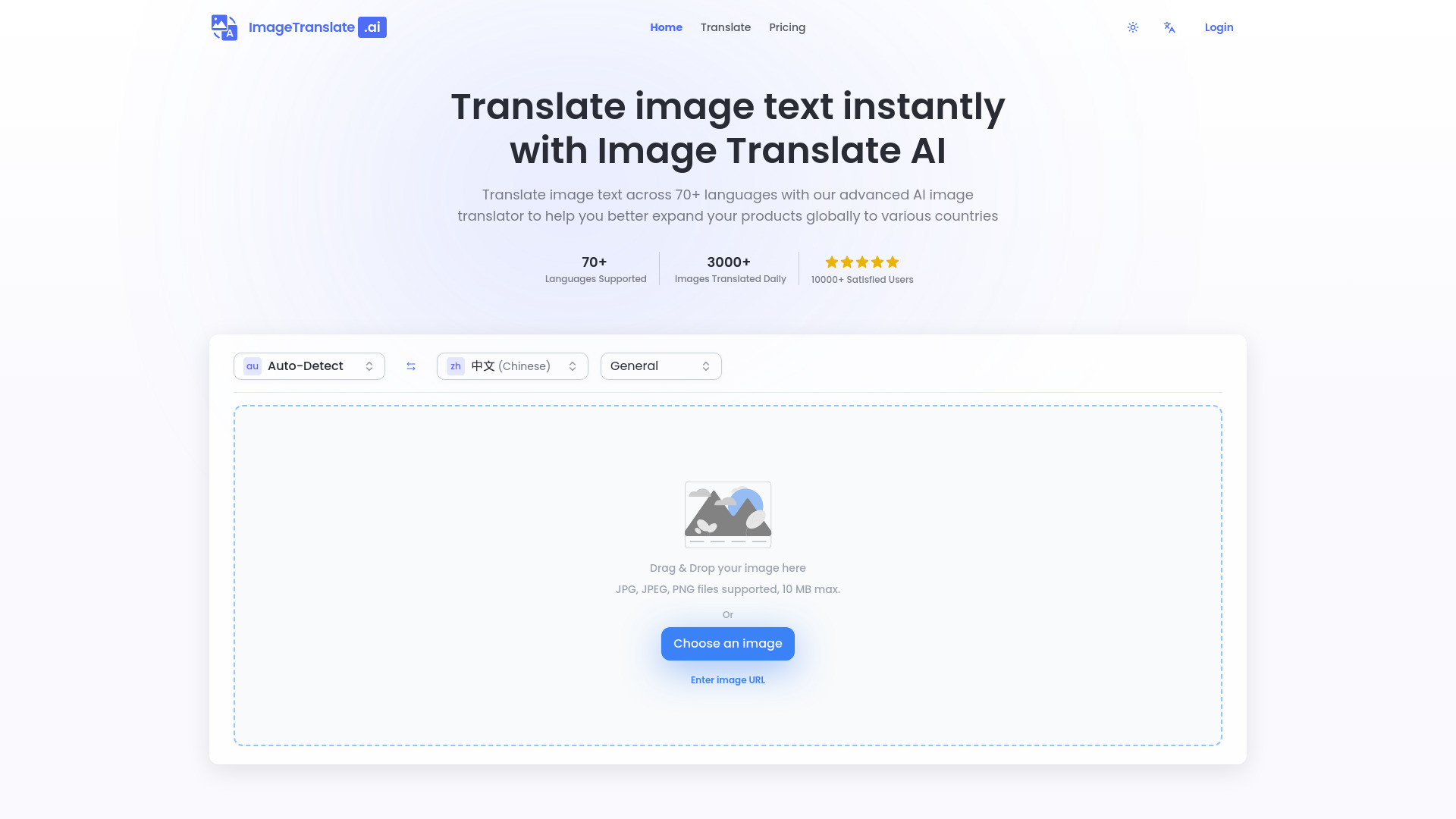
ImageTranslate.AI is an advanced AI-powered platform designed for precise and instant translation of text embedded within images. Leveraging sophisticated artificial intelligence, the tool offers one-click, one-second translations across over 130 languages. It excels at maintaining the original art style and layout integrity, making it ideal for various visual content. The service supports common image formats like JPG, PNG, and WebP, as well as online image URLs, with file size limits varying by subscription tier. Trusted by a growing base of users, ImageTranslate.AI is a versatile solution for individuals and businesses looking to localize content for e-commerce, product marketing, website design, and global expansion. Its features extend beyond simple translation, including OCR beta, image-to-text conversion, and text removal, catering to a wide range of visual content manipulation needs.
SpecificationsAI-estimated
Key Features of ImageTranslate.AI
Use Cases for ImageTranslate.AI
Comics & Manga Translation
Effortlessly translate speech bubbles and text boxes in comics and manga while preserving the original art style and layout integrity.
Global Product Expansion
Translate product images and marketing materials into over 130 languages to better expand products globally to various countries.
Document Translation
Instantly translate text within documents like screenshots or PDFs, maintaining their original structure for easy understanding.
Website Localization
Localize visual content for websites, ensuring text elements in images are accurately translated for different international audiences.
E-commerce Marketing
Optimize product images for international markets by translating text elements, enhancing marketing materials for a global customer base.
Content Creation
Utilize features like text removal and image-to-text conversion to enhance and repurpose visual content for various platforms.
How to use ImageTranslate.AI?
Upload Image
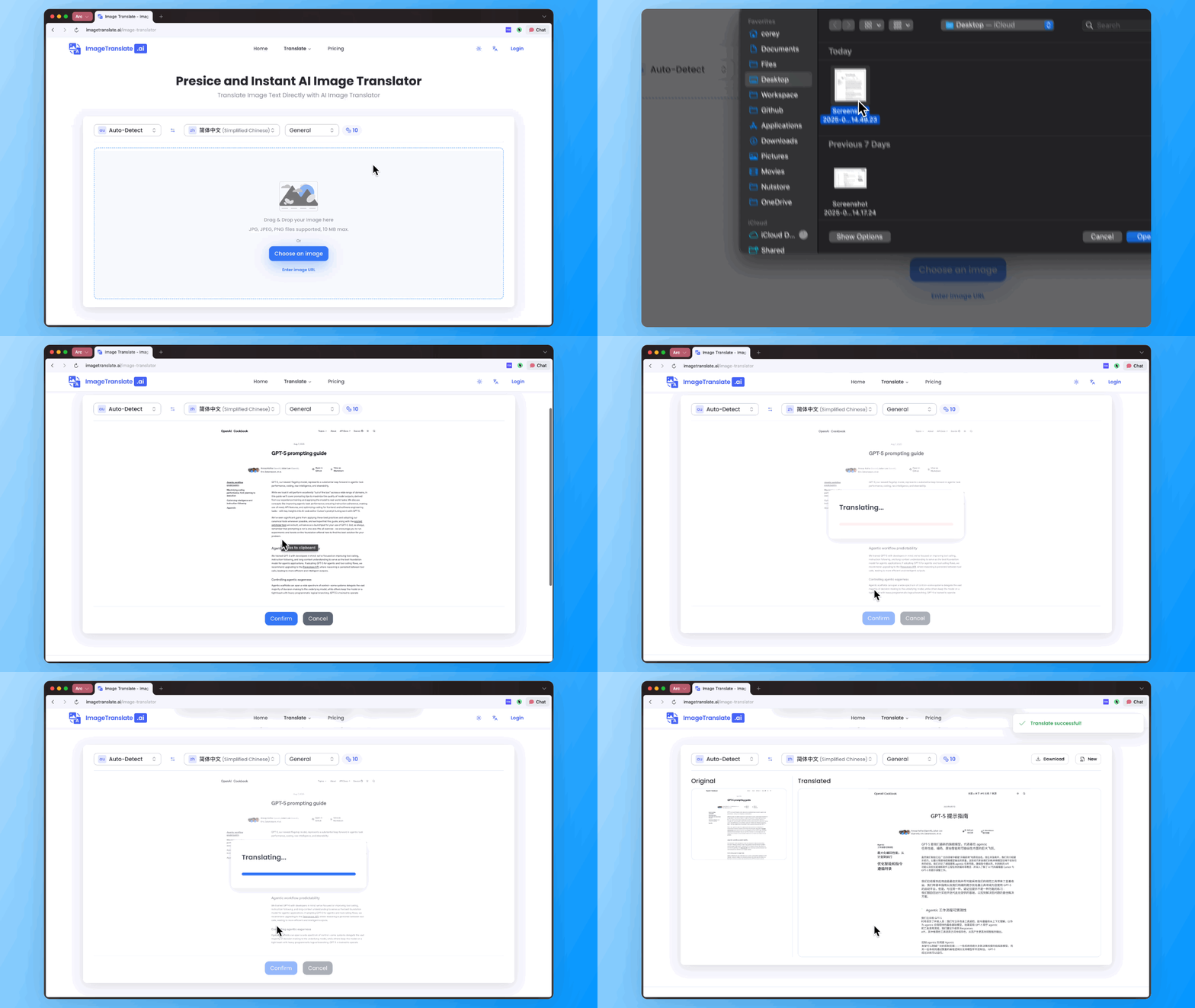
Upload your image (screenshots, photos, documents) directly or provide an image URL. Supported formats include JPG, PNG, and WebP.
Select Languages
Choose the source language (or let the AI auto-detect it) and select your desired target language from over 130 options.
Translate
Click the translate button. The AI will process the image, translate the text accurately, and replace it on the image while preserving the original layout and design.
Download/Use
Download the translated image. For commercial use, ensure you have the legal right to use the original image content.
Pros & Cons of ImageTranslate.AI
Pros
- Supports over 130 languages for both source and target text.
- Preserves original image layout, style, and design elements.
- Offers advanced features like Batch Image Translator, OCR, and Text Remover.
- Provides a free tier for testing and basic daily use.
Cons
- Translation credits are consumed per operation, potentially limiting free usage.
- Advanced features like Batch Image Translator are restricted to higher-tier plans.
- Commercial use of translated images requires careful consideration of copyright, with the user being ultimately responsible.
- Refunds are only available within 3 days of purchase and if fewer than 500 credits have been used.
Frequently Asked Questions
What is Image Translate AI?
Image Translate AI is an AI-powered image translator that provides instant translations for text within any image across over 130 languages, maintaining original image layout and styling.
How many languages does Image Translate AI support?
It supports over 130 languages as both source and target languages, with automatic detection of the source language.
Can I use the translated images for product marketing?
Yes, the service is optimized for e-commerce and marketing purposes, providing high-quality translations suitable for product marketing and website design.
What file formats are supported?
It supports all common image formats including JPG, JPEG, PNG, and WebP, as well as screenshots and online image URLs. File size limits vary by plan.
How can I try Image Translate AI for free?
Users can try the tool for free via the Basic plan, which offers 20 Basic Credits per day. Each translation costs 10 credits, allowing for 2 free translations daily without registration, and more with a free account.
Can I translate multiple images at once?
Yes, the Batch Image Translator feature allows for translating up to 20 images simultaneously. This feature is available for Professional and Enterprise plan subscribers.
Does ImageTranslate.AI offer an API?
Yes, a public REST API is available for developers to integrate the image translation engine into their applications.
Pricing Overview
View full pricing →The pricing page shows a free Basic tier with daily credits, and three paid monthly tiers billed annually (discounted monthly rates shown with original monthly prices crossed out). All paid plans are billed annually. Exact rates: Starter $8.30/mo (was $9.90), Professional $16.60/mo (was $19.90), Enterprise $83.30/mo (was $99.90).
Reviews & Ratings0.0
No reviews yet. Be the first to write one!
Top Alternatives & Similar Software
View all alternatives & similar software→No alternatives available yet.
People also viewed



Related searches
Is this your tool?
Claim this page to update details, reply to user reviews, and drive more traffic to your product.
Claim this Product →
Tags
Explore Related Topics
Keep up with ImageTranslate.AI alternatives
New alternatives, pricing changes and the week's biggest movers - one email every Tuesday.