


AI Image Translator (translateimg.com) vs Translate Images
Side-by-side comparison of features, pricing, ratings, and alternatives.

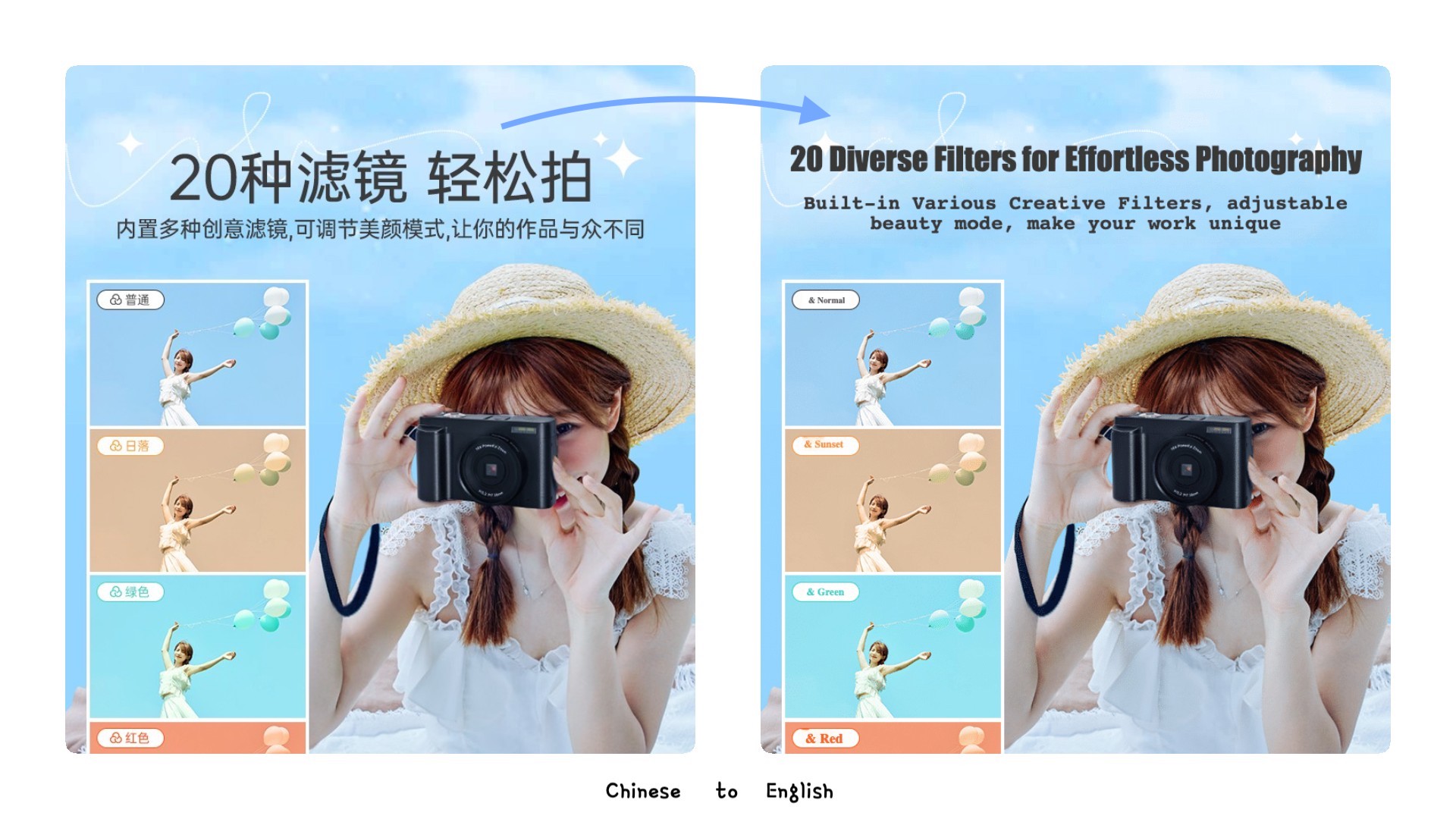
AI Image Translator is a web-based tool that uses top AI translation models to translate text within images while preserving the original layout. It supports batch processing of up to 5 images at once, handles common formats like JPG, PNG, and WebP, and covers over 100 languages, representing more than 95% of the global population.
AI-powered image translation tool that uses OCR to recognize text in images and translates it into 130+ languages while preserving original fonts, colors, and layouts. It includes features like background inpainting, text editing, and format preservation for professional-quality output.
Offers both one-time per-image packs (US$9.9–US$99.9) and monthly subscription plans (US$19.9–US$99.9/month), with per-image rates from US$0.99 down to US$0.10.
- Supports 100+ languages
- Preserves original layout and design
- Batch processing for efficiency
- Integrates top AI translation models
- Preserves original fonts, colors, and layouts
- Supports 130+ languages
- 99% OCR accuracy
- Includes smart background inpainting and text removal
- No free tier mentioned
- Per-image pricing may add up for large volumes
- AI translation may still require manual correction (as stated in editor)
- Dependent on AI accuracy for complex layouts
More alternatives & similar tools
Alternatives to AI Image Translator (translateimg.com)
View all →
Precise and instant AI image translation for over 130 languages, preserving original layout and style.

Translate images into 130+ languages while keeping the original text style, layout, and design intact.

Alternatives to Translate Images
View all →Experience the world's top AI model to translate your images, preserve the original layout, and improve your work efficiency by 10x
Precise and instant AI image translation for over 130 languages, preserving original layout and style.

The Verdict
AI-generated from listing dataProduct B offers broader language support, OCR accuracy, and transparent pricing, while Product A is limited to 5‑image batches and lacks disclosed pricing.
Key differences
- •Language count: B supports 130+ vs A 100+.
- •OCR & background inpainting: B provides AI OCR (99% accuracy) and editing tools; A does not.
- •Batch limits: A caps batches at 5 images; B offers bulk translation with no stated cap.
- •Pricing transparency: B lists per‑image and subscription rates; A’s pricing is unknown.
- •Output formats: B includes GIF export; A supports only JPG, PNG, WebP.
Pricing & value
B lists clear per‑image and subscription fees; A’s pricing is not specified.
Ease of use / learning curve
B includes an editor for fine‑tuning and bulk tools, making translation workflow simpler.
Features & depth
B adds OCR (99% accuracy), background inpainting, intelligent text placement; A only offers layout preservation.
Integrations & ecosystem
Neither product mentions integrations or ecosystem partners.
Collaboration
Collaboration features are not described for either tool.
Scalability
B supports bulk translation with no explicit batch cap; A limits batches to 5 images.
Support
Support details are not provided for either product.
Choose AI Image Translator (translateimg.com) if…
Low‑volume users needing simple layout‑preserving translation and who don’t require pricing transparency.
Choose Translate Images if…
Businesses needing high OCR accuracy, many languages, bulk processing, and clear cost structure.
Common questions
Which tool is cheaper for translating 100 images?
B offers per‑image pricing as low as $0.20 (subscription) or $0.99 (one‑time); A’s pricing is unknown.
Can I translate more than 5 images at once?
B allows bulk translation with no stated limit; A caps each batch at 5 images.
Do both tools preserve the original layout and fonts?
Both claim layout preservation, but B additionally preserves fonts, colors, and offers an editor for adjustments.