


HitPaw VikPea vs VanceAI
Side-by-side comparison of features, pricing, ratings, and alternatives.

HitPaw VikPea is an AI-powered video enhancer and upscaler that upgrades videos to 4K/8K, removes noise, fixes blurry footage, stabilizes shaky videos, restores old/damaged clips, and enhances AI-generated videos from tools like Kling, Sora, Veo, and Seedance.
VanceAI is an AI-powered photo and video enhancement, generation, and editing platform. It provides tools for upscaling, denoising, colorizing, HDR conversion, smoothing, restoring, sharpening, cartoonizing, and more, available through browser-based studios and a lightweight desktop client.
No specific pricing, plans, or dollar amounts are explicitly stated in the provided content.
The pricing page content for VanceAI does not contain specific plan names or dollar amounts. The page includes promotional banners referencing subscription credits, annual plan discounts, and links to a dedicated pricing page, but the actual pricing figures/tiers are not present in the extracted content.
- One-click AI enhancement workflow
- Multiple specialized AI models for different video types
- Cloud GPU accelerated rendering for faster processing
- Supports 4K/8K upscaling, stabilization, frame interpolation, colorization, and repair
- Wide range of AI image and video tools in one platform
- Browser-based studios with no download required
- Free lightweight desktop client available
- Privacy-first: encrypted uploads deleted within 24 hours
- Not free; requires purchase or subscription after trial
- Desktop app only
- Cloud rendering may require internet and raise privacy considerations
- Exact pricing is not clearly listed on the page
- Credit-based pricing may require paid plans for heavy use
- Some advanced features are still in development or coming soon
More alternatives & similar tools
Alternatives to HitPaw VikPea
View all →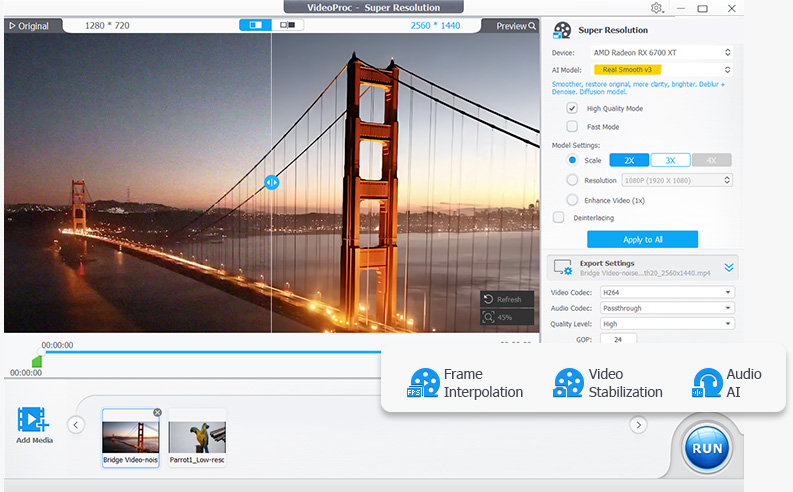

Alternatives to VanceAI
View all →
The Verdict
AI-generated from listing dataVikPea is a specialized, desktop-only AI video upscaler with deep single-purpose models, while VanceAI is a broader browser-friendly suite covering image and video tools with a free tier. Default to VanceAI if you want flexibility and free entry; choose VikPea if video upscaling quality is the sole priority and you accept paid-only access.
Key differences
- •Scope: VikPea focuses on video enhancement (upscaling, restoration, stabilization, frame rates), while VanceAI spans images, video, subtitles, and cartoonizing.
- •Access model: VikPea is a desktop app with a free trial then paid; VanceAI offers browser studios plus a free lightweight desktop client under freemium pricing.
- •Platform requirements: VikPea needs Windows 10/11 or macOS 10.15+, with 8GB minimum RAM and 16GB recommended; VanceAI requires no download for its browser workspaces.
- •Privacy posture: VikPea's cloud rendering raises privacy considerations; VanceAI states encrypted uploads are permanently deleted within 24 hours.
- •Specialization vs. breadth: VikPea offers scene-specific models (underwater, animation, landscape) and AI-generated video enhancement from Kling, Sora, Veo, and Seedance; VanceAI offers SDR-to-HDR and AI Video Autopilot.
Pricing & value
VanceAI has a free tier and 25% off annual plans; VikPea is paid after trial, with exact pricing not listed.
Ease of use / learning curve
VikPea advertises a one-click AI enhancement workflow; VanceAI's breadth of tools is not described as simpler to learn.
Features & depth
VikPea has specialized models and 4K/8K upscaling with 60/120FPS interpolation; VanceAI is broader but lists some features as in development.
Integrations & ecosystem
VikPea offers API access for developers; VanceAI's integrations are not specified in the provided facts.
Collaboration
Collaboration features are not specified for either product.
Scalability
VikPea offers cloud GPU accelerated rendering and API access; VanceAI scales via credit-based plans, with heavy use requiring paid plans.
Support
Support channels and service levels are not specified for either product.
Security & privacy
VanceAI documents encrypted transit and deletion within 24 hours; VikPea's cloud rendering raises privacy considerations without stated safeguards.
Migration / lock-in
Export formats and lock-in terms are not specified; VikPea supports MP4, MOV, MKV, AVI, FLV, WMV, and more.
Choose HitPaw VikPea if…
A video editor or archivist who needs high-quality 4K/8K upscaling and restoration of old or AI-generated footage.
Choose VanceAI if…
A creator or marketer wanting free entry and a mix of image and video tools without installing software.
Common questions
Is there a free option?
VanceAI offers a freemium model with a free lightweight desktop client; VikPea has a free trial, then requires a paid subscription or purchase.
Which is easier to start using?
VikPea advertises a one-click AI enhancement workflow for video; VanceAI requires no download for its browser-based studios.
Which handles privacy better?
VanceAI states uploads are encrypted in transit and permanently deleted within 24 hours; VikPea's cloud rendering raises privacy considerations with no stated deletion policy.