


AI Upscaler vs HitPaw VikPea
Side-by-side comparison of features, pricing, ratings, and alternatives.

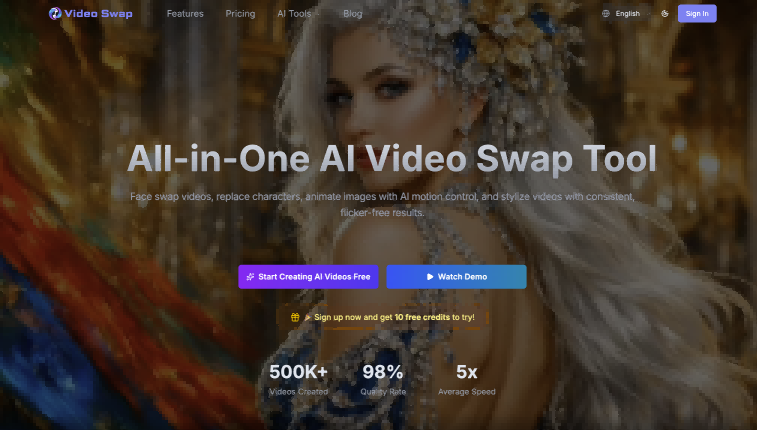
Free AI-powered image and video upscaling service to enhance resolution, sharpness, and overall quality. Uses advanced AI to upscale low-res images and videos to 4K with one click, restoring details and fixing blur without manual editing.
HitPaw VikPea is an AI-powered video enhancer and upscaler that upgrades videos to 4K/8K, removes noise, fixes blurry footage, stabilizes shaky videos, restores old/damaged clips, and enhances AI-generated videos from tools like Kling, Sora, Veo, and Seedance.
No specific pricing, plans, or dollar amounts are explicitly stated in the provided content.
- Free to use
- No installation required – works directly in browser
- One-click upscaling without manual selection
- Supports multiple image and video formats (JPG, PNG, WebP, MP4, MOV, M4V)
- One-click AI enhancement workflow
- Multiple specialized AI models for different video types
- Cloud GPU accelerated rendering for faster processing
- Supports 4K/8K upscaling, stabilization, frame interpolation, colorization, and repair
- No explicit limitations mentioned on the website; free tiers may have restrictions on file size or number of uploads.
- Not free; requires purchase or subscription after trial
- Desktop app only
- Cloud rendering may require internet and raise privacy considerations
- Exact pricing is not clearly listed on the page
More alternatives & similar tools
Alternatives to AI Upscaler
View all →


Alternatives to HitPaw VikPea
View all →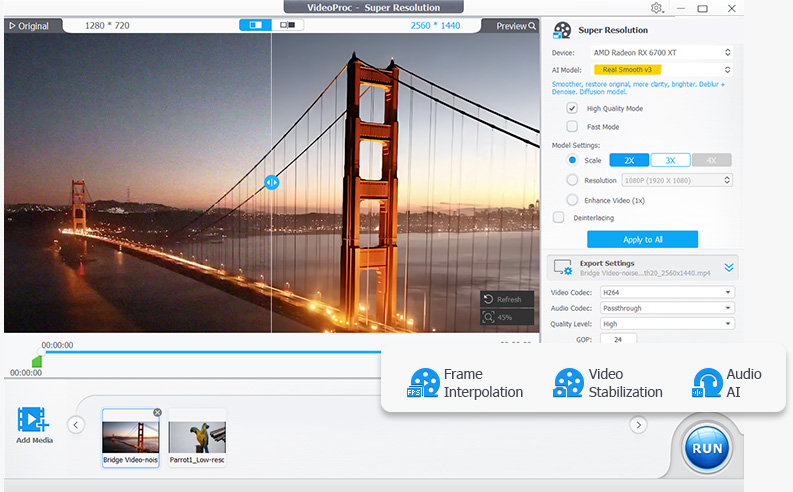
The Verdict
AI-generated from listing dataHitPaw VikPea is the specialist choice for serious video upscaling and restoration (up to 4K/8K, 60/120FPS, repair), but it is a paid desktop app with unspecified exact pricing. AI Upscaler is a free, browser-based tool that is simpler and safer to try first, but its video support is limited to MP4, MOV and M4V at 4K, with unspecified file-size limits.
Key differences
- •Pricing: VikPea is paid (subscription, free trial, exact prices not listed); AI Upscaler is listed as free.
- •Depth: VikPea offers multiple scene-specific AI models, stabilization, frame interpolation, colorization and repair; AI Upscaler focuses on one-click upscaling and frame-by-frame video enhancement.
- •Platform: VikPea requires a desktop install (Windows 10/11, macOS 10.15+, 8GB minimum RAM); AI Upscaler runs in any browser with no installation.
- •Format support: VikPea handles MP4, MOV, MKV, AVI, FLV, WMV and more; AI Upscaler supports JPG, PNG, WebP for images and MP4, MOV, M4V for video.
- •Processing and privacy: VikPea uses cloud GPU rendering, which may raise privacy considerations; AI Upscaler cites privacy-safe file security processing, with details not specified.
Pricing & value
AI Upscaler is listed as free; VikPea requires a trial then paid subscription with unspecified pricing.
Ease of use / learning curve
AI Upscaler works instantly in-browser with one click; VikPea needs desktop install and model selection, though it also offers one-click enhancement.
Features & depth
VikPea covers stabilization, 60/120FPS interpolation, colorization, repair and scene-specific models; AI Upscaler is narrower.
Integrations & ecosystem
VikPea offers API access for developers and bundled extras like background remover and AI video generator.
Scalability
VikPea uses cloud GPU accelerated rendering and supports 8K; AI Upscaler's file size and volume limits are not specified.
Security & privacy
AI Upscaler is browser-based with stated file security processing; VikPea's cloud rendering may raise privacy concerns.
Choose AI Upscaler if…
Casual users wanting free, instant photo or short-video upscaling without installing software.
Choose HitPaw VikPea if…
Editors or filmmakers needing 8K upscaling, restoration, or frame-rate boosts on large video projects.
Common questions
Is AI Upscaler really free?
Its listed pricing is Free and it is described as free to use, though free tiers may carry file-size or usage restrictions that are not specified.
Which tool handles more video formats and features?
VikPea supports MP4, MOV, MKV, AVI, FLV, WMV and more, plus stabilization, frame interpolation and repair; AI Upscaler supports MP4, MOV and M4V with upscaling focus.
Can I use either tool without installing anything?
Yes for AI Upscaler, which runs in a web browser; VikPea is a desktop app for Windows 10/11 or macOS 10.15 or later.