


HitPaw VikPea vs VideoUpscaler
Side-by-side comparison of features, pricing, ratings, and alternatives.
HitPaw VikPea is an AI-powered video enhancer and upscaler that upgrades videos to 4K/8K, removes noise, fixes blurry footage, stabilizes shaky videos, restores old/damaged clips, and enhances AI-generated videos from tools like Kling, Sora, Veo, and Seedance.
VideoUpscaler is a free AI-powered video upscaler and enhancer that runs entirely in your browser. It allows users to enlarge videos by 2x using three AI models (Small, Medium, Large), trim sections, compare before/after results, and download the enhanced video as MP4 or WebM. All processing happens locally on the user's device, ensuring privacy and no uploads. It supports common formats like MP4, MOV, WebM, and MKV, with features such as local processing, no account required, and the ability to enhance selected sections.
No specific pricing, plans, or dollar amounts are explicitly stated in the provided content.
VideoUpscaler is a free, browser-based AI video upscaling tool that requires no account and processes videos locally on the user's device, with no paid tiers or prices listed on the page.
- One-click AI enhancement workflow
- Multiple specialized AI models for different video types
- Cloud GPU accelerated rendering for faster processing
- Supports 4K/8K upscaling, stabilization, frame interpolation, colorization, and repair
- Runs entirely in the browser with no uploads, ensuring privacy
- Free to use
- Three AI models to balance speed and quality
- Trim videos to enhance only selected sections
- Not free; requires purchase or subscription after trial
- Desktop app only
- Cloud rendering may require internet and raise privacy considerations
- Exact pricing is not clearly listed on the page
- Requires a modern browser with GPU acceleration
- Processing time can be long for large videos or higher quality settings
- Limited to 2x upscaling, may not reach 4K for smaller sources
- Cannot fully fix heavily blurry or compressed footage
More alternatives & similar tools
Alternatives to HitPaw VikPea
View all →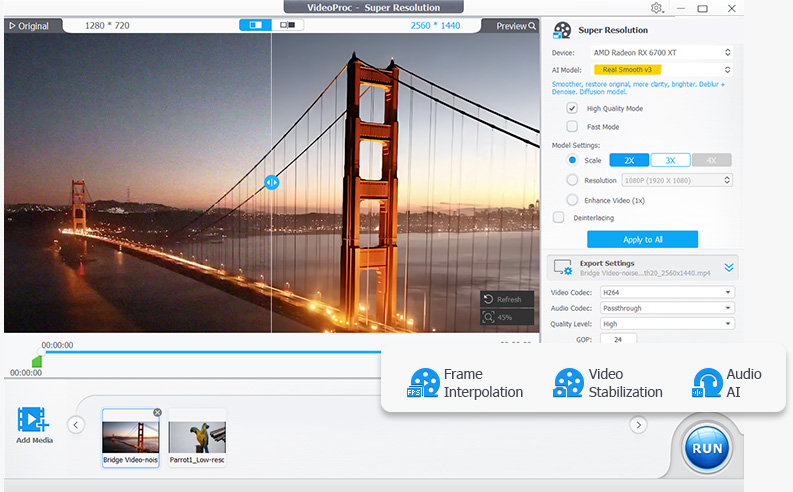

Alternatives to VideoUpscaler
View all →
The Verdict
AI-generated from listing dataVideoUpscaler is the safer default for privacy and cost: it is free, browser-based, and never uploads files, but it caps upscaling at 2x. HitPaw VikPea is the stronger choice for 4K/8K upscaling and broad restoration, but it is a paid desktop app with cloud rendering and unlisted exact pricing.
Key differences
- •Price: VideoUpscaler is free with no account; HitPaw VikPea requires a paid subscription after a free trial, with exact pricing not clearly listed.
- •Upscaling range: VideoUpscaler offers 2x with three models and may not reach 4K for small sources; HitPaw VikPea upscales to 4K/8K.
- •Privacy model: VideoUpscaler processes entirely on-device with no uploads; HitPaw VikPea uses cloud GPU rendering that may raise privacy considerations.
- •Feature breadth: HitPaw VikPea adds stabilization, frame interpolation to 60/120FPS, colorization, damaged-video repair, and scene-specific models; VideoUpscaler focuses on upscaling with trim-based section enhancement.
- •Platform: VideoUpscaler runs in a modern browser needing GPU acceleration; HitPaw VikPea is desktop-only on Windows 10/11 or macOS 10.15+ with 8GB RAM minimum.
Pricing & value
VideoUpscaler is free with no account; HitPaw requires a subscription after trial, pricing not clearly listed.
Ease of use / learning curve
VideoUpscaler runs in-browser with a before/after slider; HitPaw offers one-click workflow but requires desktop install and model selection.
Features & depth
HitPaw covers 4K/8K upscaling, stabilization, frame interpolation, colorization, and repair; VideoUpscaler is limited to 2x upscaling and trimming.
Integrations & ecosystem
HitPaw offers API access for developers plus extra tools like background remover and watermark removal; VideoUpscaler lists no integrations.
Collaboration
Neither product's facts mention collaboration features, so no differentiation is supported.
Scalability
HitPaw's cloud GPU accelerated rendering and API access support larger workloads; VideoUpscaler's speed depends on local hardware and is slow for large files.
Support
Support channels and service levels are not specified for either product.
Security & privacy
VideoUpscaler's files never leave the device; HitPaw's cloud rendering may raise privacy considerations.
Migration / lock-in
VideoUpscaler outputs standard MP4 or WebM with no account required, minimizing lock-in; HitPaw's lock-in terms are not specified.
Choose HitPaw VikPea if…
Editor or e-commerce seller who needs 4K/8K upscaling, stabilization, or repair and accepts a paid subscription.
Choose VideoUpscaler if…
Solo creator or archivist with modest 2x needs who prioritizes privacy and wants zero cost.
Common questions
Is VideoUpscaler really free, and is there a catch?
It is free to use with no account required. The trade-offs are 2x upscaling only, long processing times for large or high-quality jobs, and a need for a modern browser with GPU acceleration.
Can HitPaw VikPea upscale to 4K or 8K?
Yes, it upscales 480p, 720p, and 1080p videos to 4K or 8K, though it requires a paid plan after the free trial, and exact pricing is not clearly listed.
Which is better for private or sensitive footage?
VideoUpscaler, because all processing is local and files never leave the device; HitPaw's cloud rendering may send content off-device.